
Postline vs Buffer A Head-to-Head Social Media Tool Comparison
Choosing between Postline vs Buffer? Our guide analyzes AI features, workflows, pricing, and real-world use cases to help you find the right tool.

Deciding between Postline vs Buffer really boils down to one simple question: Is your main challenge creating content, or just scheduling it?
Think of it like this: Postline is the AI-native tool built from the ground up to handle the entire content creation process for you—from brainstorming ideas right through to the finished post. On the other hand, Buffer is a seasoned veteran in the scheduling game, loved for its clean interface and rock-solid reliability.
So, the right choice depends entirely on where your biggest bottleneck lies: in the creative spark or in managing the calendar.
Choosing Your Social Media Management Tool

The world of social media management has changed. For years, the name of the game was simply organising and scheduling posts across different platforms. Tools like Buffer absolutely nailed this, becoming the go-to for marketers who just needed a dependable, no-fuss way to plan out content they’d already created.
But now, there’s a new monster to feed: the relentless demand for fresh, engaging content. This is where AI-powered platforms like Postline are making their mark. Postline wasn’t built to just schedule posts; it was designed to solve the content creation headache itself, using AI to research topics, brainstorm angles, and write the posts for you.
This difference in philosophy is the heart of the Postline vs Buffer debate. One acts as an automation engine for your calendar, while the other is more like a creative partner for your entire strategy.
Quick Verdict Who Should Choose Postline vs Buffer
Getting your head around this core difference is the key to picking the right tool. Both are fantastic at what they do, but they’re built for very different jobs. This table offers a quick gut-check to see which platform might be a better fit based on your primary goals.
| Choose This Tool If You… | Postline | Buffer |
|---|---|---|
| Need help brainstorming and writing posts | ✅ | ➖ |
| Prioritise a simple, proven scheduling interface | ➖ | ✅ |
| Want to automate content ideation and research | ✅ | ❌ |
| Manage a straightforward content calendar | ➖ | ✅ |
| Are focused on LinkedIn content generation | ✅ | ➖ |
| Require robust, established team approval workflows | ❌ | ✅ |
This table gives you a starting point, but we’re about to go much deeper. By taking a closer look at the best social media scheduling tools, you’ll get a clearer picture of where each one shines. Our goal is to lay everything out, side-by-side, so you can confidently pick the platform that truly fits how you work.
AI Content Creation vs Refined Manual Scheduling

This is where the Postline vs Buffer debate really comes into focus. You’re looking at two completely different philosophies on how social media content gets made. Postline is all about generating fresh content from the ground up, while Buffer has perfected the art of organising and scheduling content you’ve already created.
Think of it this way: Postline positions itself as a creative partner, an AI engine built to solve the “blank page” problem. Buffer, on the other hand, is the reliable framework for execution, making sure your messages land at just the right moment.
One tackles the “what should I post?” dilemma, and the other masters the “when and how should I post it?” part of the equation. Understanding this core difference is the key to figuring out which tool is right for you.
Postline: The AI-Powered Content Engine
Postline is built for anyone who constantly needs new ideas. Instead of giving you an empty text box and waiting, it prompts you for a topic, a keyword, or even just a link to an article. That’s the spark it needs to get started.
The AI here does more than just write; it actually researches. It can pull real-time information from the web, adding a layer of credibility and timeliness to your posts. This is a huge advantage for creating genuine thought leadership content, especially on a platform like LinkedIn. It’s less of a simple text generator and more of a research assistant.
Postline’s real strength isn’t just that it writes for you; it’s that it helps you think. It handles the initial research and drafting, freeing you up to focus on strategy and adding your own unique voice instead of just staring at a blinking cursor.
Of course, before diving into any AI content tool, it helps to know the basics. A good primer on What is AI-generated content? can give you the context needed to really get the most out of these platforms.
A typical Postline workflow looks like this:
- Ideation: You drop in a simple idea, like “benefits of a four-day work week.”
- Generation: The AI goes to work, drafting a complete post with a hook, key points, and a call-to-action.
- Refinement: You step in to edit, personalise, and approve the draft, making sure it sounds exactly like you.
This whole process massively shrinks the time it takes to get from an idea to a scheduled post. It’s a game-changer for maintaining a consistent presence without all the manual heavy lifting.
Buffer: The Master of Manual Control
Buffer’s content composer is a clinic in simplicity and ease of use—it’s what made them a household name. It’s clean, direct, and built for the user who already has their content ready to roll.
Now, Buffer hasn’t been sleeping on AI. They’ve integrated an AI Assistant right into their composer, but its role is fundamentally different from Postline’s. Buffer’s AI is there to assist with content you’ve already written, not generate it from scratch.
Here’s what that looks like in practice:
- Rewriting: Rephrasing a sentence for a different tone or better clarity.
- Summarising: Turning a long paragraph into a punchy, concise snippet.
- Brainstorming: Kicking out a list of ideas based on a topic you provide.
This approach keeps you firmly in the driver’s seat. The AI acts as a helpful co-pilot, there to help refine your message, but you’re the one bringing the core idea to the table. It’s an enhancement to a manual workflow, not a replacement of it.
Comparing Scheduling and Queues
Once your post is ready, it’s time to schedule it. Both platforms are excellent here, but they handle it in slightly different ways. This is a crucial part of the Postline vs Buffer comparison because scheduling is the heartbeat of social media management.
Buffer is famous for its visual calendar and its dead-simple queue system. You can set a posting schedule for each account (say, twice on weekdays, once on Saturday), and any new post you add to the queue automatically grabs the next open slot. This “set it and forget it” method has been a fan favourite for years.
Postline also offers a solid scheduling system but organises it around content categories, or “buckets.” You might create categories like “Industry News,” “Company Culture,” or “Product Updates.” This setup helps you maintain a balanced content mix over time, so you don’t accidentally post about the same topic ten times in a row.
Let’s break down how their scheduling stacks up:
| Feature | Postline | Buffer |
|---|---|---|
| Primary Method | Content Categories & Smart Queues | Visual Calendar & Preset Time Slots |
| Best For | Ensuring a varied content mix over time. | Simple, consistent scheduling cadence. |
| Visualisation | List-based queue with category labels. | Drag-and-drop weekly/monthly calendar. |
| Customisation | Schedule specific categories for certain days. | Tailor posting times for each day of the week. |
This might seem like a small difference, but it has a big impact on your workflow. If your strategy is built on content pillars and ensuring variety, Postline’s category system is a perfect fit. If your main goal is a simple, visual, and predictable schedule, Buffer’s calendar is tough to beat. If you’re curious about other ways to handle this, our guide on other social media content creation tools offers some more perspective.
Analytics and Performance Tracking
Finally, let’s look at how each tool helps you see what’s working. After all, posting without tracking your performance is just guessing.
Buffer delivers clean, easy-to-digest analytics covering the essentials: reach, engagement rate, clicks, and more. The reports are visually appealing and make it incredibly simple to spot your top-performing posts. For most small and medium-sized businesses, Buffer’s analytics are more than enough.
Postline’s analytics are more closely tied to the content creation process itself. The goal is to help you figure out which AI-generated topics and formats are hitting home with your audience. This creates a powerful feedback loop: the AI helps create content, and the analytics tell you what kind of content the AI should create next. This direct link between creation and performance is a core piece of Postline’s appeal.
Diving into Pricing and Real Value
Choosing between Postline and Buffer often boils down to your budget, but just looking at the price tag doesn’t give you the full picture. Where’s the real value? It’s in what each pound gets you in features, limits, and how much smoother it makes your workflow. You have to look past the monthly fee and figure out the return on investment for the way you work.
For a solo creator, value is measured in hours saved writing content. For a small agency, it’s all about the cost per client you can manage. Let’s break down how each platform’s pricing serves these very different needs.
What You Get for Free
Both Postline and Buffer have a free plan, which is a great way to kick the tyres without pulling out your wallet. But these free tiers are built for completely different jobs and really show what each tool is all about.
Buffer’s free plan is a classic scheduler. It’s pretty generous, giving you:
- Up to 3 social channels.
- A queue of 10 scheduled posts per channel.
- Basic landing page tools.
This is spot-on for an individual or a tiny business that already has its content sorted and just needs a reliable way to get it out there on a few platforms.
Postline’s free tier, on the other hand, is all about its AI. It’s designed to give you a taste of its content creation engine, making it perfect if your main headache is coming up with posts, not just scheduling them. The limits here are based on AI usage, not just the number of posts.
The difference couldn’t be clearer: Buffer’s free plan helps you organise content you already have. Postline’s free plan helps you create content from scratch. That’s the crucial distinction when you’re deciding which tool will give you the most bang for your buck (or lack thereof).
Scaling Up: Where Your Money Goes
Once you outgrow the free plans, the value propositions get even more distinct. Let’s put a typical mid-tier plan from each side-by-side to see how they stack up for a growing business or a small agency.
Buffer’s “Team” Plan: This is built for teamwork and high-volume scheduling. Its value is in its capacity—it can handle a much bigger output and more complicated team setups, offering things like unlimited channels and user seats.
Postline’s “Pro” Plan: This plan is all about unleashing the full power of its AI. The value here isn’t just about scheduling more posts; it’s about generating a huge volume of quality ideas and drafts, which cuts down the creative workload dramatically.
Here’s a simple way to think about the value you get at a similar price point:
| Value Metric | Postline (Mid-Tier) | Buffer (Mid-Tier) |
|---|---|---|
| Primary Value | AI-driven content creation and ideation. | High-volume scheduling and team collaboration. |
| Cost Justification | Hours saved on writing and research. | Efficiency in managing multiple accounts and users. |
| Ideal User | Solo creator or marketer focused on output. | Small agency or team managing client accounts. |
| Return on Investment | Increased content quality and consistency. | Streamlined workflow and operational scalability. |
This shows the pricing debate isn’t about which is “cheaper.” It’s about which tool’s features directly save you the most time or money for how you operate. If you’re an agency juggling ten clients, Buffer’s scalable scheduling is a lifesaver. But if you’re a founder building a personal brand, Postline’s AI content engine will likely give a much bigger return by saving you hours of writing every single week.
Where Teamwork and Workflows Collide

A social media team without a smooth workflow is like a car without an engine. It just won’t go. When you have multiple people creating, approving, and scheduling posts, your tool can be the difference between a well-oiled machine and total chaos. This is where the core philosophies of Postline and Buffer really show their colours.
Buffer has been around the block, and its team features are mature and refined. Postline, on the other hand, comes at collaboration from a completely different direction, focusing on how teams can wrangle a high volume of AI-generated content without sacrificing quality or brand voice.
It’s not about which one is flat-out “better.” It’s about which one fits how your team actually works.
Buffer: The Gold Standard for Structured Approvals
Buffer’s collaboration toolkit is built for a classic, top-down workflow. Think agencies juggling multiple clients or larger marketing departments with clear chains of command. Its biggest strength is its crystal-clear permission levels and a dead-simple approval process.
You can set up distinct roles for everyone on the team, making sure people have the access they need—and not a bit more.
A perfect example is an agency workflow. A junior team member drafts posts for a client, and those posts land in a queue waiting for a manager’s nod. The manager can then pop in, review the drafts, leave feedback, or hit approve. It’s a fantastic safety net that prevents typos and off-brand messages from ever seeing the light of day.
For managers who need total oversight and control, this model is practically foolproof.
Postline: Built for AI-Powered Teamwork
Postline assumes from the get-go that AI is a key player on your creative team. The problem it solves isn’t just about approving finished posts, but about managing the sheer speed of ideation and drafting that AI unlocks. The whole workflow is designed to be more fluid and collaborative.
Instead of rigid approval gates, team members huddle in a shared workspace, brainstorming and tweaking AI drafts together. Everyone has a view of the content calendar, so they can see what the AI is cooking up and make quick adjustments before anything is scheduled.
The real difference comes down to focus. Buffer’s workflow is designed to control what human creators produce. Postline’s workflow is built to guide and refine what an AI co-creator produces, making sure a high volume of content is still high quality.
This setup is ideal for smaller, more agile teams where getting a lot of quality content out the door is the main goal. It empowers everyone to use AI to its full potential while keeping a collective eye on the final product. Nailing this requires some solid internal guidelines, a topic we dive into in our guide to content workflow management.
A Head-to-Head Workflow Scenario
Let’s get practical. Imagine an agency managing five client accounts, with each needing ten posts per week.
| Workflow Step | A Team Using Buffer | A Team Using Postline |
|---|---|---|
| Content Creation | Junior members manually research and write 50 posts from scratch. | The team generates 50+ initial drafts using targeted AI prompts. |
| Review Process | A manager reviews each of the 50 posts for tone, accuracy, and brand voice. | The team reviews the AI drafts, focusing on making them more personal and refined. |
| Approval | The manager clicks “approve” on 50 individual posts in a dedicated queue. | Team members give a final check in a shared calendar view before posts are locked in. |
| Primary Bottleneck | The time it takes for manual writing and individual post reviews. | Making sure the AI-generated content is personalised enough for each specific client. |
In this scenario, the Buffer team sinks more time into the initial creation phase. The Postline team, however, shifts that effort into the refinement stage. Both get the job done, but they serve very different team structures and priorities.
Integrations: Does Your Social Tool Play Well with Others?
A social media tool rarely lives on an island. Its real value often shines when it plugs into the other software you use every day, letting you build a smooth, connected marketing workflow. This is where you’ll find one of the starkest differences between Postline.ai and Buffer—it’s a classic case of a sprawling, established network versus a focused, up-and-coming ecosystem.
Buffer, having been a market leader for over a decade, has built an absolutely massive library of integrations. It’s designed to be the versatile centrepiece of your marketing tech stack. If a tool exists, Buffer probably connects to it.
Postline.ai, on the other hand, takes a more targeted approach. As a newer, AI-first platform, its integrations are carefully chosen to supercharge the AI content creation process itself, rather than trying to be a universal connector for every app under the sun.
Buffer: The Seasoned Connector
Buffer’s integration list is long and impressive, built to handle just about any workflow a marketing team can throw at it. It’s made to slot perfectly into whatever system you already have in place for sourcing and automating content.
The star of the show here is its rock-solid Zapier integration, which opens the door to thousands of other applications. With Zapier, you can create automated “Zaps” that feed content straight into your Buffer queue without you lifting a finger.
For instance, you could rig up a Zap to:
- Automatically schedule a post whenever a new article goes live on your website’s RSS feed.
- Draft a social media announcement the moment a new product lands in your Shopify store.
- Share interesting articles you’ve saved to Pocket or Feedly.
Buffer’s philosophy is crystal clear: it wants to be the reliable last step in your content pipeline. It’s brilliant at grabbing content from practically anywhere and making sure it gets published perfectly, every single time.
Postline.ai: The Focused Creator
Postline.ai’s integration strategy is intentionally more self-contained. Because it’s an AI-native platform, the primary goal is to perfect the content engine inside its own world. The idea isn’t to pull in content from dozens of outside sources, but to generate top-tier content internally, making those other tools less necessary.
So yes, its list of direct integrations is shorter right now. But that’s not a flaw; it’s a different way of thinking. The platform is built to be the source of your content, not just the scheduler for it. Its big promise is cutting down your reliance on a jumble of external tools for curation and brainstorming.
As Postline.ai grows, you can expect its ecosystem to expand. The most logical next steps will be integrations that feed its AI with more unique data or help you push that AI-generated content into other parts of your marketing. For teams building their entire workflow around AI, the potential here is huge.
How to Choose What’s Right for You
So, which one makes more sense? It really boils down to how your team works today.
If you’re already juggling a bunch of tools for content curation, design (like Canva), and analytics, Buffer’s massive integration library will feel like a perfect fit. It slides right into your existing process without causing any friction.
But if your biggest headache is the actual act of creating content, and you’re looking to simplify your tech stack, Postline.ai’s all-in-one, AI-first approach is far more compelling. It solves the content problem from within, reducing the need for a sprawling web of other apps. Ultimately, the Postline.ai vs Buffer decision here is about whether you need a connector or a creator.
Making the Right Choice for Your Specific Needs
Picking between Postline and Buffer isn’t about finding the ‘best’ tool overall, but the right tool for the job you need done. It really boils down to your team, your workflow, and the biggest social media headache you’re trying to solve.
Let’s break down the final verdict for three common situations to give you a clear, straight-up recommendation. This isn’t a one-size-fits-all deal; the best choice hangs on what you need to accomplish day-to-day.
The Solo Creator or Small Business Owner
If you’re an entrepreneur or creator wearing all the hats, your time is gold. The biggest grind is often the relentless pressure to pump out fresh, decent content without burning out. Sure, Buffer has a free plan with rock-solid scheduling, but it still leaves all the creative heavy lifting on your shoulders.
This is exactly the problem Postline.ai was built to fix. Its AI content generation and research features act like a creative partner, slashing the hours you’d otherwise spend staring at a blinking cursor. Turning a simple idea into a polished draft is a huge win for efficiency.
Verdict: Go with Postline. The time you’ll save on actually creating the content gives you a much bigger return than a simple scheduling tool ever could.
The Marketing Agency Manager
Agency life is a constant juggle. You’re balancing client demands, team collaboration, and the need to scale your operations. While Postline’s AI is a neat trick, an agency’s world revolves around structured approval workflows and plugging into a whole ecosystem of existing tools for different clients.
This is where Buffer’s maturity really shows. Its robust team permission settings and massive library of integrations make it the clear winner for managing a bunch of client accounts. The well-established approval process is crucial for keeping brands safe and ensuring quality control across your entire portfolio.
This diagram pretty much sums up the integration question, which is a massive factor for agencies.
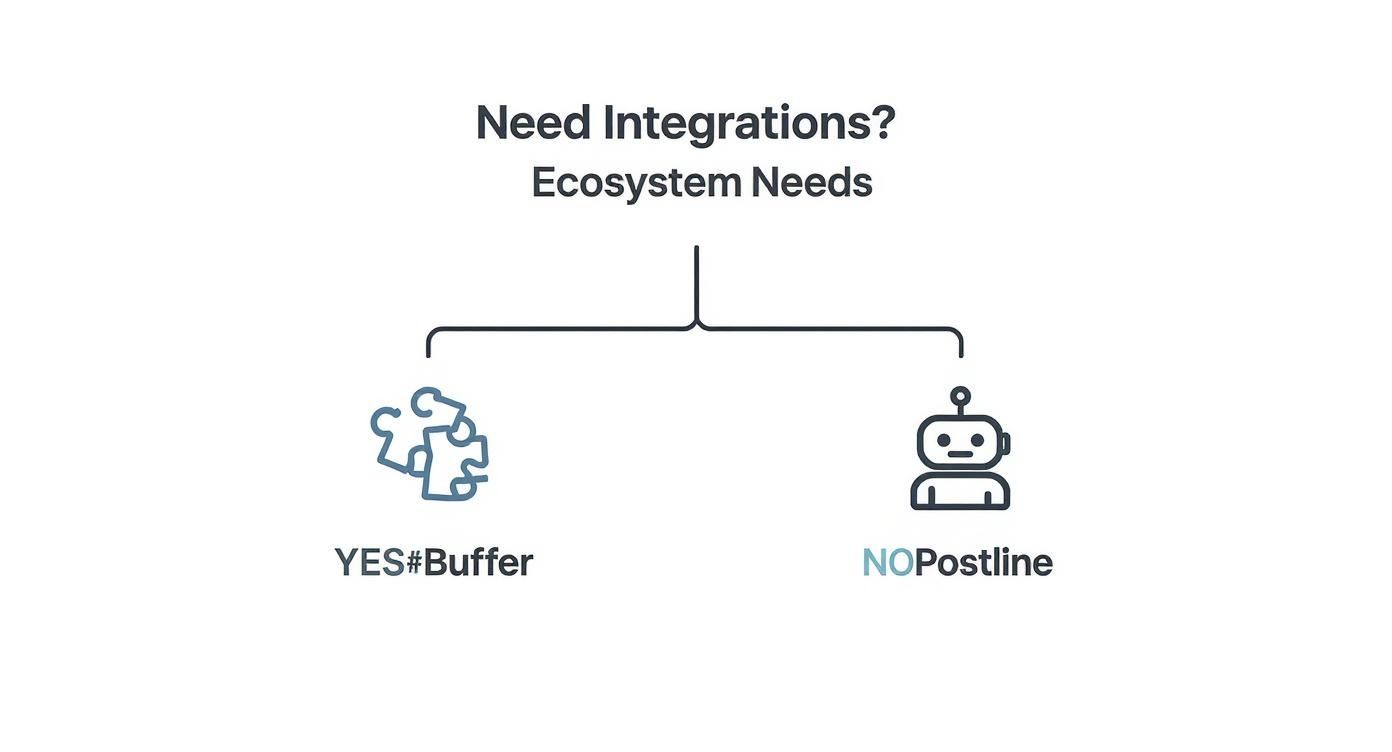
As you can see, if your workflow is built on connecting to a wide range of third-party apps, Buffer’s established ecosystem is the path of least resistance.
Verdict: Choose Buffer. Its proven collaboration features and deep integration capabilities are simply better built for the messy reality of agency operations.
The Established Brand’s Social Media Team
For an in-house team at a bigger company, the game changes. Your priorities are all about brand consistency, deep performance analytics, and smooth internal collaboration. The workflow is less about frantic creation and more about strategic execution and proving your work is paying off.
Buffer’s clean analytics, straightforward scheduling, and polished team features are a perfect match for these needs. It gives you the structure you need to roll out a carefully planned content calendar and report back on its success to the higher-ups.
Verdict: Stick with Buffer. Its strengths in analytics and structured team workflows make it the right platform for protecting brand integrity and proving ROI.
Postline vs. Buffer: Your Questions Answered
When you’re weighing up Postline against Buffer, it usually boils down to a few critical questions. Let’s tackle them head-on so you can figure out which tool truly fits what you need.
Which Is Better for Beginners?
This really depends on what kind of “beginner” you are.
If you’re completely new to social media tools, Buffer is often easier to pick up. Its interface is famously clean and built around one core job: scheduling content you’ve already made. There’s almost no learning curve.
But if your challenge isn’t scheduling but actually creating the content, then Postline is the better place to start. It walks you through the whole journey, from digging up ideas with its AI to writing and scheduling the final piece. It solves the dreaded “blank page” problem from the get-go.
Can Postline Completely Replace a Human Social Media Manager?
Nope, and it isn’t meant to. Think of Postline’s AI as a seriously capable co-pilot, not the pilot. It’s there to do the heavy lifting—the research, the brainstorming, and the first drafts—which can free up up to 80% of the time you’d normally spend on creating content.
The smartest way to use Postline is to let it generate high-quality drafts, and then have a human manager step in to tweak, personalise, and add that final strategic polish. It’s a tool for making humans better, not replacing them.
Does Buffer Have AI Features?
Yes, Buffer does have an AI Assistant baked in, but it plays a very different role compared to Postline’s core engine. Buffer’s AI is mainly there to polish up content you already have. It can rewrite sentences, summarise a block of text, or brainstorm a quick list of ideas based on a topic you feed it.
Postline’s AI, on the other hand, is a generative engine. It creates entire posts from scratch based on a simple prompt, complete with real-time research. To put it simply: Buffer’s AI is an editor, while Postline’s is a writer.
Ready to stop staring at a blank page and start creating standout LinkedIn content in minutes? Postline.ai combines a powerful AI writer with real-time research to help you generate high-quality posts effortlessly. Start your free trial today and see the difference.

Run every client pipeline in one place
Give each LinkedIn profile its own voice, calendar, approval flow, and analytics. Start in minutes.
Start free trial