
The Ultimate LinkedIn Text Converter Guide for Professionals
Transform your posts with a powerful LinkedIn text converter. Learn to craft engaging content, enhance readability, and boost your professional brand.
At its core, a LinkedIn text converter is a smart tool that turns your plain, everyday text into a polished, professional post that the LinkedIn algorithm loves. It’s not just about slapping on some bold or italic text; it’s about strategically shaping your ideas to grab attention, make your content easier to read, and ultimately, drive more engagement.
What Is a LinkedIn Text Converter Anyway?
Think of a LinkedIn text converter as your personal content strategist and editor, all rolled into one handy assistant. Its main job is to take your raw, unfiltered thoughts and mould them into high-impact posts that actually stop the scroll. It’s the difference between shouting into a packed, noisy room and delivering a crystal-clear, compelling speech that makes everyone lean in to listen.
In a feed drowning in over two million posts a day, a simple wall of text just gets lost. A converter cuts through that noise by adding structure and emphasis, making sure your key messages are impossible to ignore. It directly tackles the common frustrations that can hold back your reach and influence.
More Than Just a Formatting Tool
A modern LinkedIn text converter is so much more than a simple formatting tool. It’s an intelligent partner designed to seriously level-up your content by solving a few key problems:
- Beating Writer’s Block: Got a great idea but have no idea where to begin? A converter can give you a solid structure, suggest a few hooks, and help you organise your thoughts into a story that makes sense.
- Making It Readable: It expertly breaks down those dense, intimidating paragraphs into short, scannable lines. By adding bullet points, bold text, and the right amount of white space, it makes your content incredibly easy to digest—especially for mobile users, who make up most of LinkedIn’s traffic.
- Keeping It Professional: The tool helps you refine your tone, ensuring your message comes across with the right mix of authority and polish. This consistency is what strengthens your personal brand with every single post.
- Driving Engagement: It’s no secret that well-structured content gets a boost from the LinkedIn algorithm. By making your posts clearer and more readable, a converter naturally helps you earn more likes, comments, and shares, which in turn gets you more visibility. If you want to dive deeper into this, check out our guide to the perfect LinkedIn text formatter.
In short, a LinkedIn text converter is the bridge between your brilliant ideas and what the algorithm wants to see. It makes sure your expertise is presented in a way that’s both human-friendly and perfectly optimised for the platform.
Relying on plain, unformatted text is a huge missed opportunity. It’s like having a killer presentation but delivering it in a monotone voice with zero visual aids. This tool gives you the vocal inflection and visual cues you need to make your professional insights pop, build your authority, and forge genuine connections. It transforms your simple words into a strategic asset.
Why Optimised LinkedIn Posts Drive Real Results

Using a LinkedIn text converter isn’t just about making your posts look pretty; it’s a strategic move that delivers tangible business outcomes. The difference between a plain block of text and a well-structured post is like the difference between a mumbled pitch and a confident presentation. Optimised content simply works harder for you, turning passive scrollers into active connections.
These benefits all boil down to three core pillars: superior readability, a stronger professional brand, and, most importantly, higher engagement. Each one feeds into the next, creating a powerful cycle of visibility and influence that drives real-world success, from generating inbound leads to building your reputation as an industry authority.
Grabbing Attention With Superior Readability
In a feed where over two million posts are published daily, readability is your first and most critical advantage. A wall of text is an instant signal for users to just keep scrolling.
A text converter cuts through the noise by introducing visual structure. Strategic use of bolding, italics, and bullet points acts like a set of signposts, guiding the reader’s eye directly to your most critical messages. This makes your content instantly scannable and ensures your key takeaways land with impact, even for someone quickly browsing on their phone.
An optimised post respects the reader’s time. By making your key points easy to find and digest, you immediately increase the chances of your message being understood and remembered.
This improved clarity doesn’t just feel better for the reader; it directly encourages them to spend more time with your content—a crucial signal to the LinkedIn algorithm.
Building a Stronger Professional Brand
Your brand is built on consistency. Every single post you share contributes to how your network perceives your professionalism and expertise. Inconsistent or messy formatting can unintentionally signal a lack of attention to detail, subtly undermining your credibility.
Using a LinkedIn text converter ensures every post is polished and professional. This consistency reinforces your personal brand, positioning you as a thoughtful and organised authority in your field. Think of a consultant who consistently shares well-structured insights versus one who posts rambling text blocks. The former naturally builds trust and attracts higher-quality connections. Beyond your posts, a strong LinkedIn presence also involves building credibility through features like endorsements. For more on this, check out this practical guide on how to get endorsements on LinkedIn.
Driving Higher Engagement and Reach
Ultimately, readability and branding lead to the most important outcome: higher engagement. The LinkedIn algorithm is designed to reward content that sparks interaction. Well-structured posts with clear hooks and compelling calls-to-action are inherently more engaging.
When a post is easy to read, people are far more likely to react, comment, and share. Each of these actions tells the algorithm that your content is valuable, prompting it to show your post to a wider audience. Tracking these interactions is key, and you can learn more by exploring our detailed guide on LinkedIn post analytics. This increased visibility is what leads to more profile views, connection requests, and genuine business opportunities.
See How a LinkedIn Text Converter Transforms Your Ideas
Ever look at a rough idea and wonder how it becomes one of those polished, high-performing LinkedIn posts you see in your feed? It’s not just about hitting the bold button a few times. There’s a real art and science to it, and modern LinkedIn text converters are designed to handle both.
Think of a tool like Postline.ai as your personal content strategist. You start with the raw material—your core message, a few bullet points, or even just a brain dump of your thoughts. The AI doesn’t just rephrase it; it analyses your input to figure out the real story you’re trying to tell.
From that point, it starts to build. It pulls out the most powerful stat for a hook, breaks down chunky text into something people can actually read on their phones, and adds a smart question at the end to get the conversation started. It’s a complete makeover.
From Raw Text to Polished Post
Let’s make this real. Here’s a before-and-after that shows exactly how a solid idea can be transformed from a wall of text into something genuinely engaging.
Before Using a Converter
“Our team just finished a big project on improving customer onboarding. We managed to reduce churn by 15% in three months which is a great result. We did this by simplifying the signup process, creating better tutorial videos, and offering proactive support through live chat. I’m really proud of the team’s hard work and collaboration. It shows that focusing on the user experience from day one really pays off and is a key driver for retention.”
The information is all there, but it’s buried. It’s dense, hard to scan, and doesn’t give anyone a reason to stop scrolling.
After Using Postline.ai
Now, see what happens when that same raw text is run through a tool like Postline.ai:
We cut customer churn by 15% in just one quarter.
It wasn’t a fluke. It was the result of a relentless focus on one thing: our onboarding experience.
Here’s the simple framework we used:
🔹 Simplified Signup: We removed every unnecessary field and step. 🔹 Clearer Guidance: We produced short, impactful tutorial videos. 🔹 Proactive Support: We integrated live chat to solve issues instantly.
The biggest lesson? Retention isn’t won later; it’s won on day one.
Huge credit to the team for their incredible collaboration and effort.
What’s the single most important factor in your customer onboarding process?
#CustomerSuccess #Onboarding #SaaS #UserExperience #CustomerRetention
See the difference? It’s night and day. The second version is built for how people actually read on LinkedIn.
To better visualise this workflow, here’s a breakdown of how a simple concept evolves with the help of a smart converter.
From Raw Idea to Polished Post: A Transformation Example
This table illustrates the practical transformation of a simple text input using a LinkedIn text converter, showing the value added at each stage.
| Stage | Before (Manual Approach) | After (Using Postline.ai) |
|---|---|---|
| Hook | Buried the key result in the second sentence. | Pulled the 15% churn reduction to the very front for maximum impact. |
| Structure | A single, dense paragraph that’s hard to read. | Broke the text into short, punchy sentences and a scannable list. |
| Visuals | No formatting, just plain text. | Used emojis (🔹) for bullet points and bold text for emphasis. |
| Key Takeaway | The main lesson was hidden at the end. | Highlighted the core insight: “Retention isn’t won on day one.“ |
| Engagement | No direct prompt for readers to comment. | Added a specific question to spark conversation and drive engagement. |
| Discoverability | No hashtags to reach a wider audience. | Suggested relevant hashtags like #SaaS and #CustomerSuccess. |
This table really highlights that the process is about strategic enhancement, not just cosmetic changes. A good converter intelligently re-engineers your content for the platform.
The Intelligent AI Features at Play
The “after” version works so much better because an intelligent LinkedIn text converter does more than just rearrange words. It thinks like a content expert.
Here’s a peek under the hood at what the AI is actually doing:
- Crafts a Powerful Hook: It scans your text, finds the most impressive number (15% churn reduction), and puts it right at the top where it belongs.
- Improves Readability: Walls of text are a no-go. The AI chops them up into single-sentence paragraphs and uses emojis as visual signposts.
- Adds Strategic Formatting: It knows which phrases pack a punch. Key ideas like “Retention isn’t won later; it’s won on day one“ get bolded to make them stand out.
- Suggests Relevant Hashtags: Based on the content, it pulls in relevant hashtags like #CustomerSuccess and #SaaS to help the right people find your post.
- Includes a Call-to-Action (CTA): It doesn’t just end the post; it starts a conversation with a direct question, inviting comments and boosting your post’s visibility.
Ultimately, a good converter isn’t just a formatting tool. It’s a partner that helps you shape your raw ideas into compelling stories that get seen and heard on LinkedIn.
Unlock Advanced Features for a Strategic Advantage
Basic formatting is a good starting point, but if you really want to make an impact, you need to think beyond bolding text and adding bullet points. A modern LinkedIn text converter isn’t just a simple editor anymore. Think of it more like a strategic partner, packed with clever AI features designed to give you a serious edge. These tools help you create content that isn’t just polished, but also smart and genuinely connects with your audience.
This kind of strategic thinking is vital in a crowded professional space. Just look at Germany, for example. The country has a massive 21.0 million registered LinkedIn members, which is nearly 30% of all adults. When you realise the platform’s ad audience shot up by 3.0 million users in a single year, it’s clear that getting your voice heard takes more than just good ideas. It requires smart execution.
To get that edge, it’s worth looking at AI-powered platforms that do more than just convert text. Tools like LunaBloom AI bring features to the table that can completely change your content’s effectiveness and how far it travels.
Go Beyond Formatting with AI Intelligence
The best tools today are built on AI that helps you create smarter content, not just prettier posts. They analyse, research, and personalise, transforming a simple text converter into an essential part of your professional toolkit.
Here are three game-changing features you should be looking for:
- Personalised Voice Training: This makes sure your content always sounds like you, building trust and consistency.
- Real-Time Online Research: It adds weight and authority to your posts by backing up your claims with fresh data and sources.
- Audience-Focused Topic Discovery: This helps you write about things your network actually wants to read, which naturally drives more engagement.
These features shift your focus from just formatting a post to strategically engineering its success right from the very beginning.
Maintain Your Authentic Voice
One of the biggest worries people have with AI writing tools is sounding generic or, even worse, robotic. This is where a feature like Postline.ai’s ‘Learns Your Voice’ becomes absolutely crucial. The AI actually trains itself on your past content, picking up on your unique phrases, tone, and style.
The result? The AI doesn’t just write for you; it writes like you. This is how you maintain the authenticity that’s so important for building a personal brand. It guarantees that every single post, whether you draft it yourself or the AI does, fits perfectly with the professional identity you’ve worked so hard to build.
Add Credibility with Live Research
Strong opinions are good, but insights backed by data are so much better. An advanced converter with an ‘Online Research’ function can pull in current statistics, articles, and sources to support your arguments. This adds a layer of credibility that immediately makes your content stand out.
So, instead of making a broad claim, you can instantly pull in a statistic from a recent industry report or cite a key finding. This not only makes your argument stronger but also positions you as someone who is well-informed and an authority in your field.
The diagram below shows how these advanced features turn a simple idea into a polished, published post.
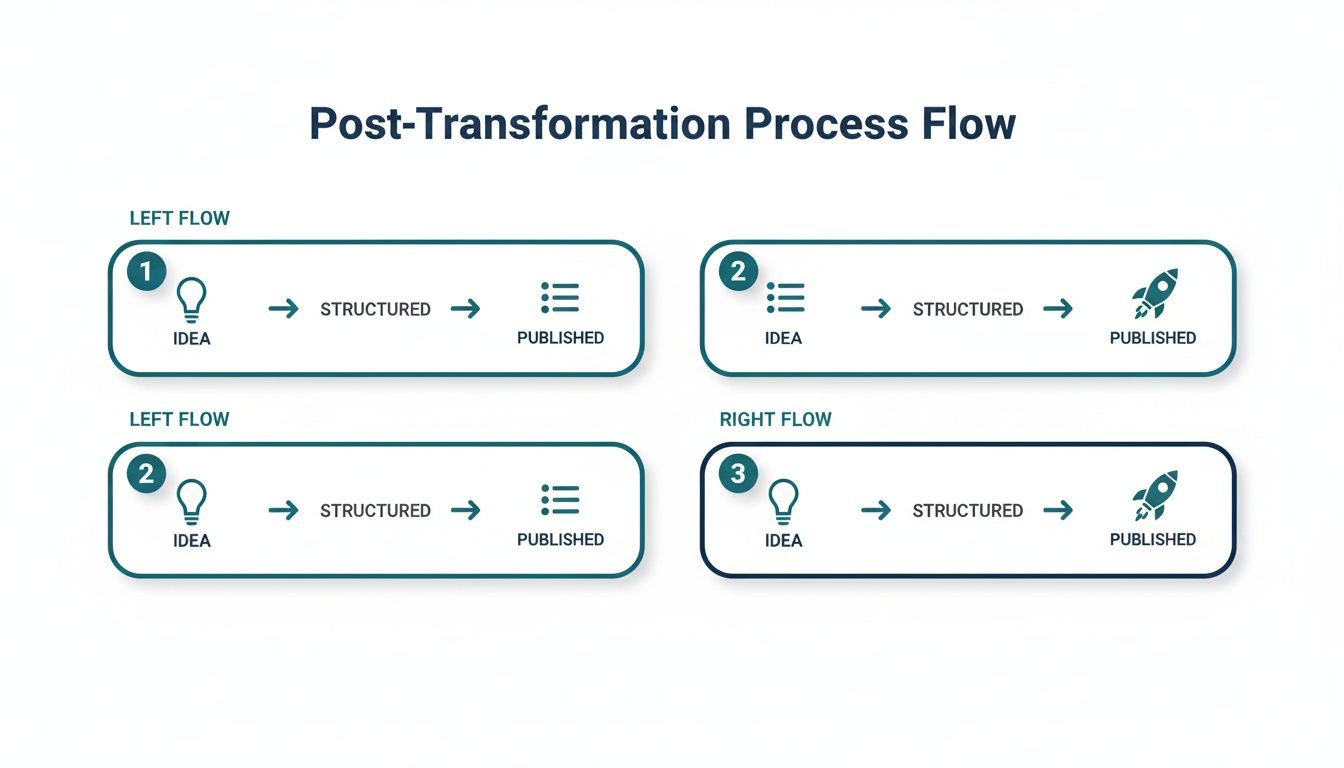
This process makes it clear that a modern converter is a multi-stage engine for creating high-impact content, not just a one-and-done formatting tool.
By integrating advanced AI, a LinkedIn text converter evolves from a simple utility into a strategic content partner. It empowers you to create posts that are not only well-formatted but also authentic, credible, and perfectly aligned with what your audience values.
Common Formatting Mistakes That Hurt Your Reach
You’ve put in the work and crafted a brilliant post. That’s half the battle. The other half? Making sure the presentation doesn’t torpedo your message before anyone even reads it.
Even the sharpest insights get completely lost if they’re trapped in clumsy formatting. Too many professionals accidentally sabotage their own reach with small but costly mistakes—mistakes that make readers scroll right past and signal low-quality content to the algorithm.
These slip-ups can tarnish your professional image and suffocate the visibility of your hard work. Let’s break down the most common culprits and how to fix them.
The Wall of Text
This is the big one. The dreaded “wall of text.” It’s that massive, unbroken block of writing with no line breaks, no breathing room, nothing. To a reader scrolling on their phone, it’s an instant turn-off.
Think about it: people on LinkedIn scan first and read second. If your post looks like a chore to get through, they simply won’t. A good LinkedIn text converter is your first line of defence, instantly breaking dense copy into short, inviting lines that are easy on the eyes.
Overusing Emojis and Hashtags
Emojis and hashtags can absolutely boost your posts, but it’s easy to overdo it. A post crammed with a dozen emojis can look unprofessional, while a laundry list of unrelated hashtags just screams spam.
The goal is strategic emphasis, not visual chaos. A few well-placed emojis add personality. 3-5 highly relevant hashtags are far more powerful than twenty random ones. This targeted approach is cleaner for the reader and performs better with the algorithm.
An intelligent tool like Postline.ai acts as a great editor here. It helps you find that sweet spot, suggesting the right number of relevant hashtags and ensuring your emojis add to your message instead of drowning it out. For a deeper dive, check out our complete guide on formatting LinkedIn posts.
Inconsistent and Messy Formatting
Another common pitfall is just plain messy formatting. Maybe you’re mixing different bullet point styles, using bold and italics randomly, or the structure just feels chaotic and unplanned.
This lack of polish reflects on your professional brand. It suggests you don’t pay attention to the details. A solid text converter enforces a clean, consistent look across all your content, ensuring your posts aren’t just well-written but also impeccably presented. It takes the guesswork out of presentation, so you can focus on what you want to say.
Your Checklist for a Perfectly Optimised Post
Before any post goes live, it’s worth running through a final check. Think of it as the ultimate pre-flight inspection for your content—it ensures every single element is primed to make an impact. While a LinkedIn text converter can handle most of the heavy lifting, a quick manual review guarantees nothing slips through the cracks.
This simple checklist boils down the key takeaways from this guide. It’s designed to take the guesswork out of publishing and reinforce the habits that separate good content from great content.
Your Final Pre-Publish Review
Here’s a quick, scannable list to run through just before you hit that publish button. It covers everything from the all-important hook to the final call-to-action.
-
Is Your Hook Strong? The first one or two lines are everything. Are they compelling enough to stop someone mid-scroll and make them click “see more”? Try a bold statement, a surprising statistic, or a question that piques curiosity.
-
Is the Text Easy to Read? Give your post a quick scan for any dense blocks of text. A good rule of thumb is to keep paragraphs to just one or two sentences. White space is your best friend, especially on mobile, where most people will see your content.
-
Have You Used Strategic Formatting? Look for opportunities to use bold or italics to make your key points pop. Have you used bullet points or numbered lists to break up information and make it easier to digest? Good formatting isn’t just about looks; it guides the reader’s eye. For a deeper dive, check out our essential LinkedIn post writing tips.
-
Are Your Hashtags Relevant? You should be aiming for three to five highly relevant hashtags. Steer clear of generic tags like
#business. The goal is to help the right audience discover your content, not to cast the widest, most irrelevant net possible. -
Is There a Clear Call-to-Action? Every post needs a purpose. You should always end with a clear, direct question or a prompt that encourages comments. Tell your audience exactly what you want them to do next—start a conversation.
A great post is the product of both a strong idea and thoughtful execution. This checklist ensures your execution is flawless every time, turning your insights into real opportunities.
Frequently Asked Questions
Jumping into any new content tool can feel like learning a new language. You’ve probably got a few questions buzzing around. Let’s tackle some of the most common ones about using a LinkedIn text converter and show you how it fits into a smart professional workflow.
Can an AI Tool Really Sound Like Me?
This is the big one, isn’t it? The fear of sounding like a robot is completely valid. But modern AI has come a long, long way from the clunky, generic text generators of the past.
The best platforms, like Postline.ai, have a “Learns Your Voice” feature that actually analyses your past posts. It picks up on your unique phrasing, the tone you use, and your overall style. It’s less about replacing you and more about creating a collaborator who already gets you. Think of it as an assistant who knows your brand inside out, ready to help you put your ideas into words without losing that personal touch.
How Many Hashtags Are Best for a LinkedIn Post?
It’s tempting to throw every hashtag you can think of at a post, but on LinkedIn, less is more. Quality trumps quantity every time.
The sweet spot is usually between three to five highly targeted hashtags. This gives you enough reach to be discovered without your post looking spammy or desperate.
Using too many hashtags can dilute your message and even turn off your audience. Using too few means you’re missing out on discoverability. A good converter will suggest optimised hashtags based on your content, helping you find that perfect balance.
Is a Converter Truly Better Than Formatting Manually?
Sure, you can manually bold some text or add a few bullet points. That’s the easy part. But a true text converter is about so much more than just making words look pretty. The real magic is in the efficiency, strategy, and consistency it brings to the table.
- Efficiency: It handles the tedious, time-sucking parts of structuring a post, freeing you up to focus on the actual ideas.
- Strategy: It’s not just formatting; it’s suggesting hooks that grab attention, breaking up text for easy reading, and adding calls-to-action that actually get people to respond.
- Consistency: Every post you publish maintains a polished, professional look. That consistency is gold for building a strong personal brand over time.
Doing it by hand is one thing, but a converter adds a strategic layer that helps your content perform better, not just look better. It’s the difference between just writing something down and actually engineering a post for success.
Ready to stop staring at a blank page and start publishing polished, high-impact LinkedIn posts in minutes? Give Postline.ai a try. See for yourself how our AI-powered assistant helps you write, improve, and schedule content that truly gets noticed.

Run every client pipeline in one place
Give each LinkedIn profile its own voice, calendar, approval flow, and analytics. Start in minutes.
Start free trial