
How to Schedule LinkedIn Posts a Smarter Way
Learn how to schedule LinkedIn posts using native tools and advanced apps. Our guide offers practical strategies to boost engagement and save time.
Scheduling your LinkedIn posts is one of those simple shifts that can completely change your game. It’s the difference between frantically trying to think of something to say each day and having a calm, strategic plan that works for you. You can either stick with LinkedIn’s built-in scheduler for the basics or bring in a more powerful tool like Postline.ai to map out your content weeks, or even months, in advance.
Why Smart Scheduling Is a LinkedIn Superpower
Before we get into the “how-to,” let’s talk about the why. Because scheduling isn’t just about saving a few minutes here and there. It’s about fundamentally changing how you manage your professional brand on LinkedIn to get the biggest impact. When you consistently show up in your network’s feed, you build authority and stay top-of-mind.
Learning to schedule your LinkedIn posts effectively lets you move from a reactive to a proactive content strategy. This is where the magic happens.
- Consistency Builds Trust: Posting sporadically can make your professional brand feel a bit flaky. A steady stream of valuable content, on the other hand, establishes you as a reliable, knowledgeable voice in your field.
- Time Freedom: Just imagine blocking out one session to get a whole week’s worth of content done. This frees up your daily schedule for the things that really move the needle—client work, genuine networking, and business development.
- Strategic Timing: You can hit ‘publish’ when your audience is most active, even if you’re deep in a meeting or fast asleep. This simple trick ensures your content gets the eyeballs it deserves, instead of being held hostage by your personal schedule.
From Daily Chore to Strategic Asset
I once worked with a business consultant who felt chained to her LinkedIn profile. She was constantly scrambling to post something, anything, while juggling a full plate of client projects. Her whole approach changed when she started dedicating just two hours every Monday to batch-create and schedule her posts for the entire week.
She specifically targeted peak engagement times for her German audience—mornings and lunchtimes—which were times she was usually unavailable. The result? Her inbound leads shot up by over 30% in just two months. Why? Because her expertise was consistently visible to the right people at exactly the right time. For anyone wanting to really nail this, understanding asynchronous work schedule mastery is a huge piece of the puzzle.
This approach transforms content creation from a daily pressure into a planned, strategic activity. You are no longer just posting; you are building a deliberate presence that works for you around the clock.
Ultimately, this is about so much more than just queuing up content. It’s about taking control of your professional narrative and making sure every single post serves a purpose and lands in your network’s feed when it truly matters.
Using LinkedIn’s Native Scheduling Tool
Sometimes, the best tool for the job is the one you already have. Before you even think about third-party apps, it’s worth getting familiar with LinkedIn’s own scheduling feature. It’s surprisingly capable, completely free, and built right into the platform.
For individuals or small businesses just dipping their toes into content planning, this is the perfect starting point. You don’t need any external software to get going.
It works just like you’d expect. You head to your desktop or mobile app, start composing a post as you normally would—write your text, tag a few relevant people or companies, and pop in an image or video.
But instead of smashing that “Post” button, take a look next to it. You’ll spot a small clock icon. That little icon is your gateway to scheduling. Give it a click, and you’ll open up a calendar where you can pick the exact day and time for your post to go live.
Finding and Using the Scheduler
Once you click the clock icon, a simple interface pops up. You can select your date and time, planning content up to three months in advance. This is brilliant for mapping out an entire quarter’s worth of content or getting everything lined up before a holiday.
After you’ve picked your time and confirmed it, your post is officially in the queue. Simple as that.
Here’s a look at what the native scheduler looks like in action.
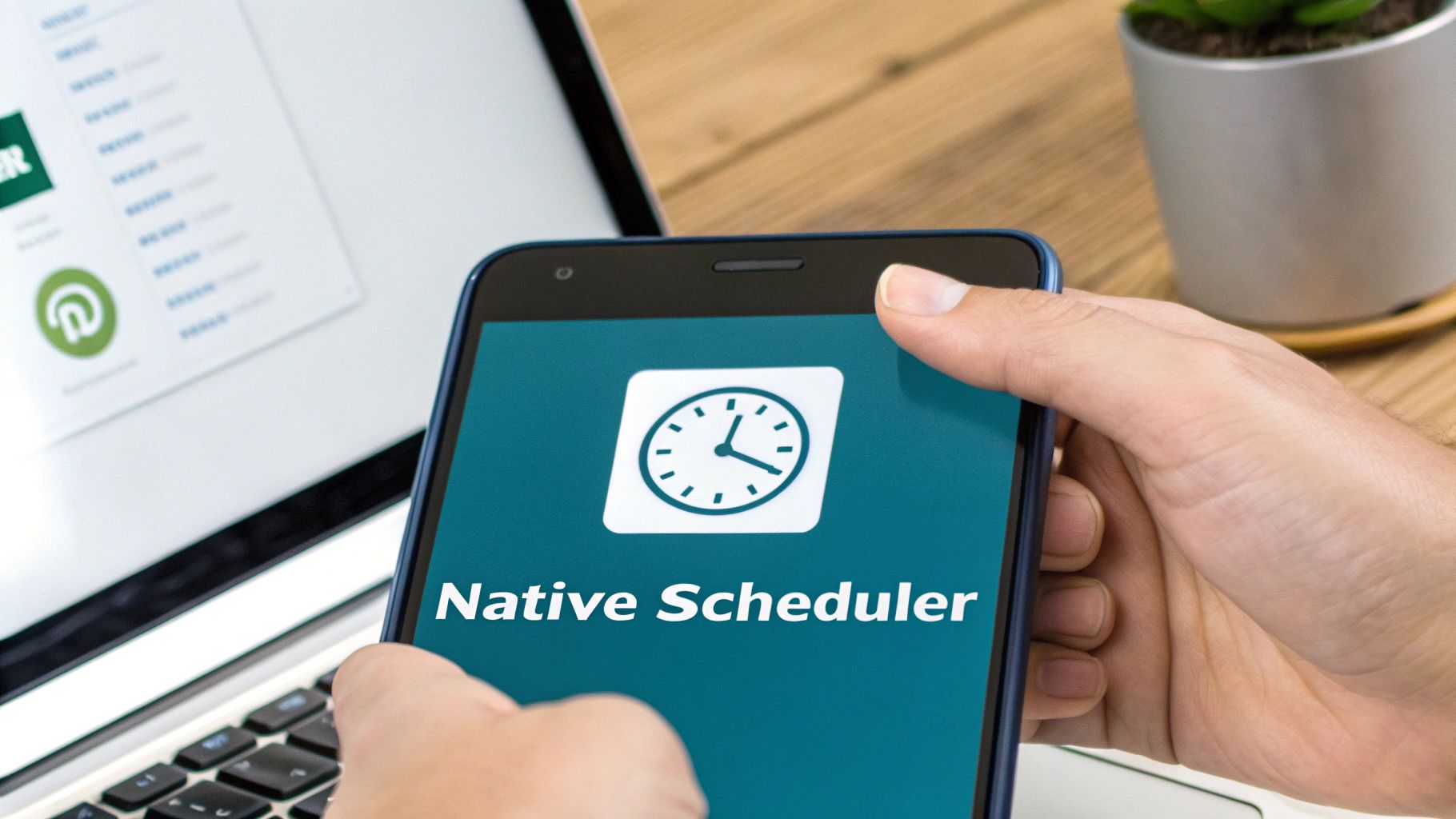
As you can see, it’s neatly integrated right into the posting workflow, making it super accessible.
What about managing your scheduled content? Also a breeze. Just start a new post, click that same clock icon again, and select “View all scheduled posts.” This will show you a list of everything you’ve got lined up, giving you the option to reschedule or delete anything in your content pipeline.
A crucial heads-up: while you can easily change the time a post goes out or delete it completely, LinkedIn’s native tool doesn’t let you edit the content of a scheduled post. If you spot a typo, you’ll have to delete the post and start over.
Knowing the Limitations
The native tool is fantastic for its simplicity, but it’s important to know where it draws the line. It’s built for the core post types, but you’ll hit a wall if you try to schedule certain kinds of content.
Keep these specific limitations in mind:
- No Polls or Events: You can’t schedule interactive content like a LinkedIn Poll or an Event announcement. Those have to be published in real-time.
- No Multi-Image Carousels (Documents): While you can schedule a single image or a video, you can’t schedule a document upload. This is a big one, as that’s how most people create those popular, swipeable carousel posts.
- No Group Posts: Scheduling is only for your personal profile or a Company Page. You can’t schedule content to be posted in any of your LinkedIn Groups.
So, for your standard text, single image, and video updates, the native scheduler is a solid, no-fuss option. But if your content strategy leans heavily on polls, carousels, or group engagement, you’ll quickly realise you need something with a bit more muscle.
Right, so when is it time to graduate from LinkedIn’s own scheduling tool?
The native scheduler is a decent starting point. It gets the job done for basic, one-off posts and lets you plan a little ahead without ever leaving the platform. But let’s be honest, for any serious creator or marketer, you’ll hit its limits pretty quickly. It’s the moment your LinkedIn strategy becomes more than just “posting stuff” that you’ll feel the pinch.
This is where dedicated third-party schedulers come into play. They aren’t just about posting; they’re complete command centres built for efficiency, deep-dive analytics, and team coordination. Making the jump is about recognising that LinkedIn is now a core part of how you build your business or market your brand.
Unlocking Advanced Control and Insights
The first thing you’ll notice when you switch is the beautiful, unified content calendar. Picture this: all your planned content for LinkedIn, X (formerly Twitter), and Facebook, all laid out in one visual dashboard. This big-picture view is a game-changer for creating cohesive campaigns across different platforms—something you simply can’t do with the native tool.
Then there are the analytics. Third-party tools give you data that LinkedIn’s scheduler doesn’t even dream of. You can track engagement trends over time, pinpoint your best-performing content pillars, and pull together reports that actually mean something. For a marketing agency, this isn’t just a nice-to-have; it’s how you prove your worth to clients and make smarter decisions next quarter.
Think about an agency juggling several client accounts. With a tool like Postline.ai, they can keep each client’s content calendar neat and separate but still manage everything from one place. They could automate a recurring “Tip Tuesday” series for one client and then, at the end of the month, generate a detailed report showing exactly which posts drove the most profile visits or leads.
Features That Drive Serious Growth
Once you start looking around, you’ll find a whole world of features designed to claw back your time and boost your results. To help cut through the noise, our team put together a detailed guide on the best social media scheduling tools out there today.
Here are a few of the key features that really make a difference:
- Bulk Scheduling: This is a life-saver. You can upload a simple spreadsheet and schedule out dozens of posts in one go. We’re talking hours saved.
- Team Collaboration: Proper workflows mean you can have team members draft posts, send them for review, and get approval before anything goes live. No more typos or off-brand mistakes.
- AI Writing Assistants: A good scheduler helps you beat writer’s block. These tools can help you refine your copy, punch up your hooks, and make sure every post sounds genuinely like you.
- First Comment Scheduling: A clever little trick. You can schedule a follow-up comment to automatically post after your main post goes live. It’s perfect for adding extra links, context, or hashtags without cluttering the main post, which can give your visibility a nice bump.
Here’s a quick look at how a dedicated scheduler like Postline.ai helps you get your content pipeline in order.
This kind of organised overview lets you see your entire content plan at a glance, making it dead simple to spot any gaps and ensure you’ve got a healthy mix of content going out.
As you weigh your options, this table breaks down the core differences between sticking with LinkedIn’s tool and moving to a dedicated platform.
LinkedIn Native Scheduler vs Third-Party Tools
A side-by-side comparison of features to help you choose the right scheduling method based on your needs.
| Feature | LinkedIn Native Scheduler | Third-Party Tools (e.g., Postline.ai) |
|---|---|---|
| Cross-Platform Support | LinkedIn only | Manages multiple platforms (X, Facebook, etc.) |
| Content Calendar | Basic, list-based view | Visual, unified calendar for all channels |
| Bulk Scheduling | Not available | Yes, often via CSV upload |
| Advanced Analytics | Limited engagement metrics | In-depth performance tracking and reporting |
| Team Collaboration | None | Approval workflows, user roles, comments |
| AI Writing Assistance | Basic (in some regions) | Advanced AI for ideation, drafting, and refinement |
| First Comment Scheduling | Not available | Yes, a key feature for boosting engagement |
| Cost | Free | Subscription-based (free and paid tiers) |
Ultimately, choosing the right tool depends on your goals. For simple, infrequent posting, the native scheduler is fine. But for a strategic, scalable approach, a third-party tool is essential.
The decision to upgrade often comes down to one question: Is the time you spend manually managing your LinkedIn presence costing you more than the price of a specialised tool? When the answer is yes, it’s time to make the switch.
Upgrading isn’t just about getting more bells and whistles. It’s about professionalising how you manage your content. It gives you the power to run a more sophisticated, data-driven strategy that gets consistent results, turning your LinkedIn profile from a simple page into a genuine growth engine.
Finding the Best Time to Post for a German Audience
https://www.youtube.com/embed/kNf0OqplbGM
Scheduling your content is only half the job. Knowing when your audience is actually online and ready to engage is where the real magic happens.
If you’re trying to reach professionals in Germany, timing isn’t just a minor detail—it’s a massive piece of the puzzle. Generic, global advice often falls flat because the German market has its own unique rhythm.
For instance, while some audiences are active in the evenings, German professionals tend to stick to traditional business hours for their LinkedIn scrolling. The data shows engagement really spikes between 10:00 and 11:00 AM on Tuesdays and Wednesdays. You’ve got another solid window from 2:00 to 5:00 PM on weekdays.
Weekends? A completely different story. Engagement plummets, sometimes dropping by as much as 45% compared to a standard weekday. This is a great starting point, but the most valuable insights will always come from your own data.
Uncovering Your Unique Engagement Patterns
Your followers are your own unique community, and their online habits will reflect that. The best way to pinpoint your personal sweet spot for posting is to get your hands dirty and dive into your own analytics.
LinkedIn gives you access to this data for both personal profiles (if you’re using Creator Mode) and Company Pages. This is your window into when your specific audience is most active.
Start by digging into the impressions and engagement numbers on your past posts. Can you see a pattern emerging? Maybe your posts on a particular topic always kill it on a Thursday afternoon, even if that’s outside the “standard” peak times. That’s the kind of personal insight that levels up your entire content strategy.
Don’t just take general stats as gospel. Use them as a starting point, a hypothesis to test against your own audience’s real-world behaviour. Your own analytics are the only source of truth that matters.
For a much deeper dive, check out our complete guide on finding the best time to post on LinkedIn, which walks you through more advanced techniques.
A Framework for Experimentation
Right, you’ve got your baseline from the general data and a few clues from your own analytics. Now it’s time to experiment properly. Don’t just throw posts out there randomly; set up a simple testing schedule.
Here’s a basic framework to get you started:
- Week 1: Schedule your main posts for Tuesday and Wednesday mornings (around 10:00 AM).
- Week 2: Push the same kind of content to the afternoon slot (let’s say 3:00 PM).
- Week 3: Give an early morning slot a try, like Monday at 9:00 AM, to catch people as they’re planning their week.
- Week 4: Test a Friday slot to see if you can grab that pre-weekend attention.
This infographic gives you a quick comparison of the tools you could use to run a test like this, showing the key differences between LinkedIn’s own scheduler and more powerful third-party tools.
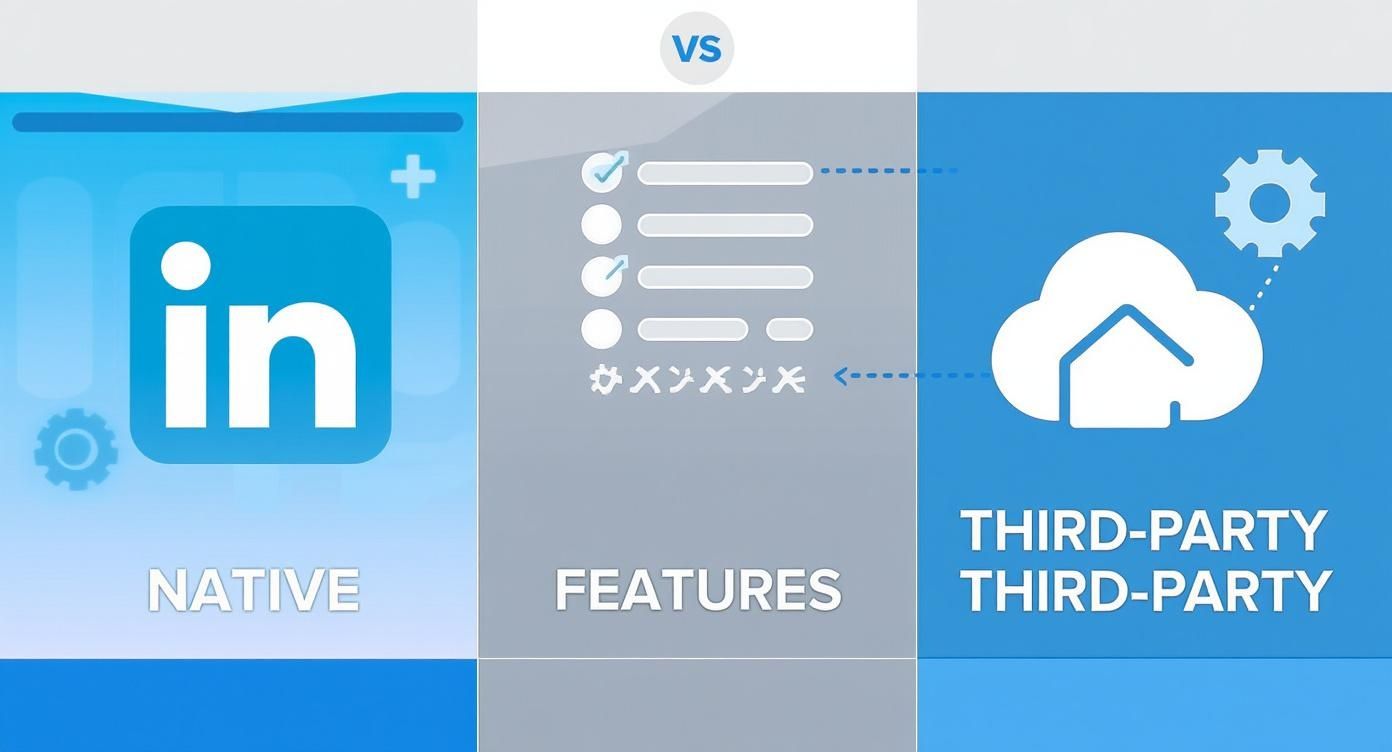
While LinkedIn’s native tool is fine for basic scheduling, you’ll find that dedicated platforms give you the detailed analytics you need for this kind of performance tracking.
After a month, sit down and review your numbers. The data will tell a clear story, showing you which time slots delivered the best impressions, comments, and clicks for your German audience. From there, you’ll have a customised, data-backed schedule that you can use with confidence.
Smart Habits for Successful Post Scheduling
Learning the nuts and bolts of scheduling posts is a huge efficiency win, no doubt. But the real magic happens when you pair that automation with genuine, human interaction.
The biggest mistake I see people make is falling into the “set it and forget it” trap. Think of your scheduled content as the start of a conversation, not the whole thing.
That first hour after a post goes live is absolutely crucial. It’s when the LinkedIn algorithm is watching closely, trying to figure out if your content is worth showing to more people. If you’re there replying to comments and answering questions, you’re sending a powerful signal that your post is sparking a real discussion.
Your goal with scheduling isn’t to disappear. It’s to free up your mental energy so you can be fully present and engaged when it matters most—right after you post.
This kind of proactive engagement can be the difference between a post that fizzles out and one that gains serious traction.
Build a Diverse and Flexible Content Plan
Nobody wants to see the same type of post from you day after day. A rigid, monotonous schedule is the fastest way to get your audience to tune out. Your content plan should be a living, breathing guide, not a stone tablet.
To keep things fresh, make a conscious effort to mix up your formats.
A well-rounded schedule might look something like this:
- Text-only posts for sharing quick thoughts, asking questions, or weighing in on industry news.
- Single-image or video posts to tell a more visual story or share a bite-sized tutorial.
- Document posts (carousels) are perfect for breaking down complex ideas into easy-to-digest slides.
- External links to share valuable articles or resources from other experts in your field.
And of course, you want everything to look sharp. It’s always a good idea to optimize your visuals with the ultimate LinkedIn graphic sizes guide. If you need a hand structuring all this, we’ve got a detailed guide on building a great LinkedIn content calendar that can help.
Leave Room for Spontaneity
While a content calendar provides much-needed structure, you absolutely have to leave some breathing room. The digital world moves fast, and some of the best opportunities come from reacting to what’s happening right now.
Think about it: if a major report drops in your industry, a timely, insightful post scheduled for that morning will blow a generic, pre-planned update out of the water.
This is where smart timing becomes your secret weapon. For instance, in Germany, a staggering 80% of all LinkedIn engagement happens during business hours. Even better, posts that go live between 10–11 AM tend to get 30% more impressions. Knowing little details like this lets you place those spontaneous posts right in the sweet spot for maximum impact.
By balancing your carefully planned content with agile, in-the-moment posts, your automated strategy will feel authentic, human, and genuinely valuable to your network.
Of course, even with the best-laid plans, a few questions always crop up when you’re getting the hang of scheduling LinkedIn posts. It’s totally normal to wonder about the little details that can make or break your strategy. Let’s clear up some of the most common ones so you can move forward with confidence.
One of the biggest worries I hear is whether using a scheduler will hurt your content’s reach. The short answer? Nope. LinkedIn’s algorithm doesn’t penalise posts published through a third-party tool. What really moves the needle is the quality of your content and how much your audience engages with it, not the “how” behind the publishing.
Another common one is about timing: “How far in advance should I actually schedule my content?” While LinkedIn’s built-in tool caps you at three months, platforms like Postline.ai give you the freedom to plan as far ahead as you like. From my experience, the sweet spot is usually two to four weeks out. This keeps your content calendar consistent but still leaves you nimble enough to jump on timely industry news or trends.
Making Changes and Expanding Your Reach
So, what happens if you spot a typo a minute after you hit ‘schedule’? This is where the difference between tools becomes glaringly obvious. With LinkedIn’s native scheduler, you’re stuck. You can change the time or delete the post, but you absolutely cannot edit the content itself. If you need to fix a simple mistake, you have to scrap the whole thing and start over. We break down this frustrating process in our guide on how to edit a scheduled post on LinkedIn. Frankly, this limitation is a major reason why so many professionals switch to a more flexible scheduler.
The ability to easily edit scheduled content isn’t just a nice-to-have; it’s essential for staying agile and maintaining the quality of your content. A simple typo shouldn’t force you to rebuild an entire post from the ground up.
Finally, a question that comes up a lot is about scheduling for LinkedIn Groups. Unfortunately, this is a limitation you’ll run into pretty much everywhere. Neither LinkedIn’s own tool nor most third-party schedulers currently support scheduling content directly into groups. For now, that functionality is just for your personal profile and Company Pages, which should be the main focus of your scheduling efforts anyway. Getting these key questions answered helps you build a much stronger, more effective scheduling habit.
Ready to transform your LinkedIn presence with less effort? Postline.ai is your AI-powered assistant for writing, improving, and scheduling standout content faster than ever. Start scheduling smarter today.

Run every client pipeline in one place
Give each LinkedIn profile its own voice, calendar, approval flow, and analytics. Start in minutes.
Start free trial