
Using a Text Converter LinkedIn to Create Engaging Posts
Discover how a text converter LinkedIn can transform your content strategy. Learn to repurpose articles and notes into powerful posts that grow your audience.

So, what exactly is a text converter for LinkedIn? Think of it as a specialised tool that takes your existing long-form content—like that detailed article or in-depth report you spent weeks on—and cleverly reformats it into posts built for the LinkedIn feed. It’s about turning dense text into something scannable and hook-driven, complete with the right structure, hashtags, and calls-to-action. It’s a massive timesaver that breathes new life into your best work.
Giving Your Long-Form Content a Second Life on LinkedIn
You’ve already done the hard work. You’ve poured hours into creating genuinely valuable content, whether it’s a deep-dive article, a comprehensive report, or even your personal insightful notes. But just dumping that text into a LinkedIn post is a recipe for getting scrolled right past.
LinkedIn’s feed is a different beast altogether. It demands content that’s quick to digest, easy on the eyes, and makes an impact in seconds. That’s where smart content conversion makes all the difference. This isn’t just about trimming words; it’s about completely re-imagining how you present your ideas for a professional audience hunting for quick wins.
Unlocking Untapped Potential
Turning your existing content into new posts is one of the most efficient marketing moves you can make. Instead of constantly being on the hamster wheel of “what do I post today?”, you can simply dip back into your archives. A single, well-researched blog post can easily fuel your LinkedIn presence for weeks.
Think about what this really means for you:
- Boosted Authority: When you consistently share sharp insights from your bigger pieces, you solidify your reputation as an expert.
- Increased Visibility: More posts mean more opportunities to show up in your network’s feed, keeping your name front and centre.
- Time Efficiency: You get to produce a steady stream of quality content without the grind of starting from scratch every single time.
The real secret is to stop seeing content as a one-off event. Instead, build a sustainable ecosystem where every major piece of work becomes the source for dozens of smaller touchpoints on social media. This simple shift multiplies your content’s ROI in a big way.
A Mindset Shift for Maximum Impact
Getting this right requires a slight change in perspective. Don’t look at your blog post as one monolithic block of text. See it for what it really is: a treasure trove of powerful quotes, surprising data points, and actionable tips. Each one of those is a potential standalone post just waiting to happen.
In Germany, for instance, grabbing attention is crucial when you’re competing for eyeballs among 22 million users. To make an impact in a market that size, you have to adapt, not just abbreviate.
For a wider view on this, exploring these smart content repurposing strategies can give you a solid framework. We’ve also put together our own guide on content repurposing strategies with specific tactics you can start using immediately.
Going From Raw Text to Polished Post—The Old-Fashioned Way
Before you even think about handing your content over to an AI, it’s worth mastering the craft yourself. Why? Because understanding the fundamentals of what makes a great post doesn’t just make you a better writer; it makes you a much smarter editor when you do decide to use automation.
Think of it this way: learning the manual process teaches you the ‘why’ behind a post that connects, not just the ‘how’. It forces you to get inside the head of your audience, spot the juiciest parts of a long document, and translate dense information into something that actually stops the scroll. It’s like learning to cook from scratch before buying a high-tech kitchen gadget—you’ll get a far better result because you truly understand the ingredients.
First, Find Your One Big Idea
Every killer LinkedIn post starts with a single, powerful idea. So, before you write a single word, look at your source material—your article, report, or even messy meeting notes—and ask yourself one simple question:
What’s the one thing I absolutely need my reader to walk away with?
This is where so many people go wrong. They try to cram an entire 2,000-word article into a 200-word post, and it just ends up as a cluttered, unreadable mess. Don’t do that. Instead, hunt for a single, compelling nugget.
Look for things like:
- A surprising statistic: Is there a number in your text that makes you go, “huh, I didn’t know that”?
- A powerful quote: Did you (or someone else) say something incredibly sharp and concise?
- A practical tip: Can you pull out one piece of actionable advice someone can use right now?
- A contrarian take: Do you have an opinion that pushes back against a common industry belief?
Nailing this one core idea is everything. It gives your post a laser focus and a clear reason to exist.
Get Brutal: The Art of Pruning and Reframing
Once you’ve got your big idea, it’s time to put on your editor’s hat and get ruthless. Your original text was almost certainly written for a different medium. It’s probably full of jargon, long-winded sentences, and extra details that just don’t belong in a LinkedIn post.
Your mission is to chop, slice, and simplify. Cut away every single word that doesn’t directly support your core message. Translate corporate-speak into plain English. For example, “We successfully implemented a cross-functional synergy paradigm” becomes “We finally got our marketing and sales teams talking to each other.” See the difference? One is fluff, the other is human.
Remember, this isn’t just about making your text shorter. It’s about making it stronger. Every unnecessary word you remove gives the remaining ones more power.
Structure It for the Scroll
You’ve found your idea and trimmed the fat. Now for the final step: structuring your post so people actually read it. On LinkedIn, a dense wall of text is a death sentence for engagement. You need to create a visual path that’s easy on the eyes.
Start with a hook that grabs attention in the first line—it’s your most important sentence. Then, break your main points into short, bite-sized paragraphs, often just one or two sentences long. Use bullet points or numbered lists to make key info scannable, and don’t be afraid of white space. It’s your best friend.
Finally, wrap it up with a clear call-to-action (CTA). Ask a question, invite people to share their thoughts—give them something to do. For a much deeper dive into these techniques, our guide on formatting LinkedIn posts breaks down exactly how to make your content impossible to ignore. Getting this structure right is what separates the posts that get seen from the ones that get scrolled past.
Speeding Up Your Workflow with an AI Text Converter
Getting the hang of manually turning a piece of text into a great LinkedIn post gives you a real gut feeling for what works. But let’s be honest, it takes time. A lot of time. When you’re trying to post consistently, that manual effort can quickly become a bottleneck. This is where a good AI-powered text converter for LinkedIn completely changes the game.
Instead of you having to painstakingly pick through a document, extract the good bits, and then build a post from scratch, you can let a specialised tool do the heavy lifting. This isn’t about replacing your expertise; it’s about giving it a massive boost. You feed the AI your raw material—a lengthy article, some jumbled meeting notes, or even a dense white paper—and it spits out several polished post ideas for you to tweak and perfect.
This simple diagram breaks down the manual process that AI tools are now designed to handle for you.
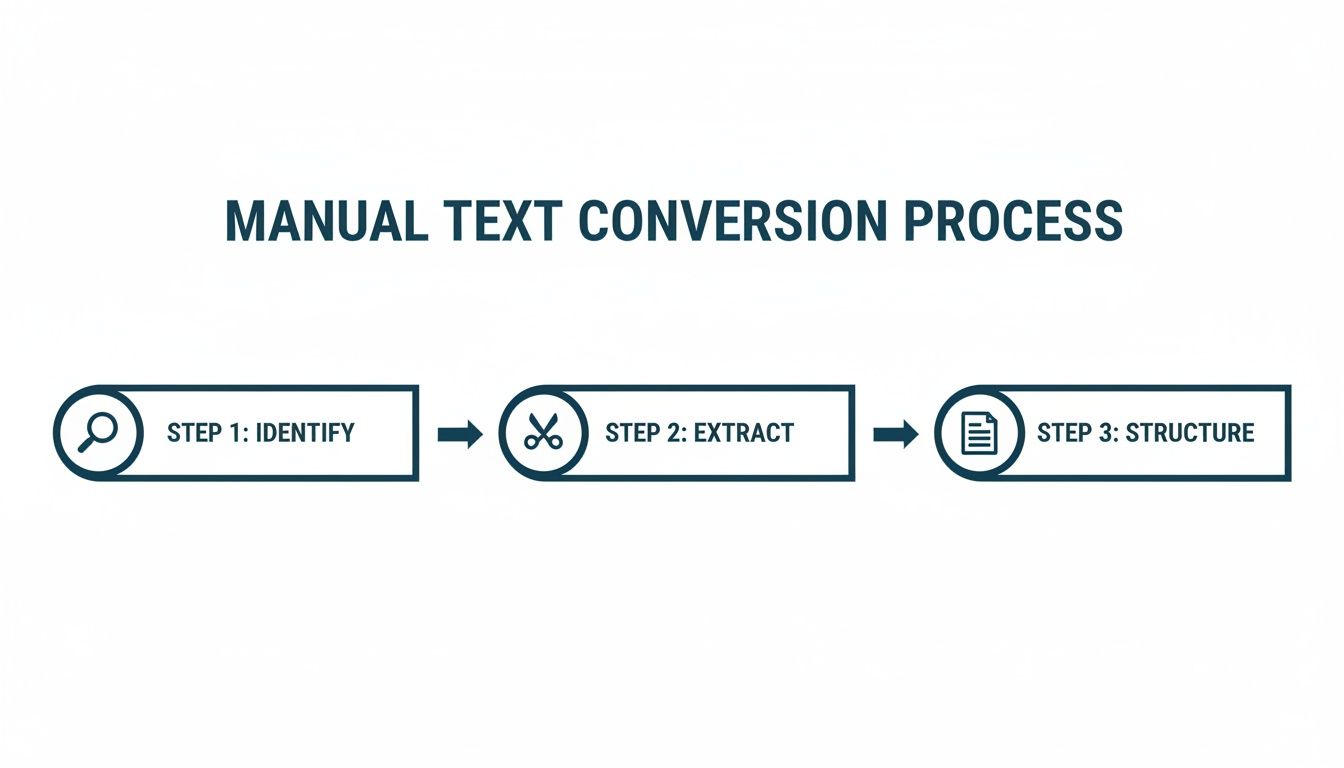
Each of those steps—finding the core message, pulling out key points, and structuring it all for easy reading—is where the time gets lost. An AI can clear those hurdles in seconds, not minutes or hours.
From Raw Text to Ready-to-Post Drafts
The real magic of an AI text converter is how it handles that dreaded first draft. It can look at a long document and instantly:
- Whip up multiple hooks to catch someone’s eye as they scroll.
- Structure the main body with short paragraphs and bullet points so it’s easy to scan.
- Suggest a handful of relevant hashtags to get your post seen by the right people.
- Write clear calls-to-action (CTAs) that tell your audience what to do next.
This completely shifts your role. You go from being a writer staring at a blank screen to a strategic editor. You can flick through different angles, tones, and formats, pick the strongest one, and then add your own unique flavour. It’s a workflow that drastically shrinks the time between having an idea and getting a post scheduled.
Think of an AI text converter less as a robot writer and more as a very efficient assistant. It takes care of the tedious parts of content creation, freeing you up to focus on strategy and adding those human insights that only you can provide.
The Advantage of AI: A Quick Comparison
When you stack up the two methods, the benefits of bringing an AI tool into your workflow become crystal clear. It’s not just about speed; it’s about efficiency and output.
| Feature | Manual Conversion | AI-Powered Conversion |
|---|---|---|
| Time | 30-60 minutes per post, from reading the source to finalising the draft. | 2-5 minutes to generate multiple drafts and make final edits. |
| Effort | High mental load; requires focus to identify hooks, key points, and structure. | Minimal effort; the tool does the initial analysis and structuring for you. |
| Idea Generation | Limited by your own perspective; can be tough to find multiple angles. | Instantly provides several different angles, hooks, and formats from one source. |
| Consistency | Difficult to maintain. Can lead to burnout and inconsistent posting schedules. | Easy to batch-create a week’s or month’s worth of content in a single session. |
| Outcome | One well-crafted post after significant effort. | Multiple high-quality, editable drafts ready for your personal touch. |
The table really tells the story. By automating the grunt work, you gain back valuable time and mental energy that you can reinvest into other parts of your business or personal brand.
Beating Writer’s Block and Posting More Often
One of the biggest struggles for anyone on LinkedIn is just showing up, day after day. It’s draining to constantly come up with fresh, valuable content. An AI tool acts like a tireless creative partner, giving you a steady stream of ideas pulled directly from your own knowledge. It’s the perfect cure for writer’s block.
You can feed it one of your long-form blog posts and walk away with a week’s worth of solid LinkedIn content in a single go. This “batching” approach means you always have a pipeline of quality posts ready to fly, helping you stay top-of-mind in your network’s feed without the daily grind. Plenty of tools have popped up to help with this, and you can find a great overview of the best LinkedIn post generators out there if you’re curious.
By bringing a tool like Postline.ai into your process, you’re not just saving time. You’re building a smarter, more sustainable content system that helps you make a real impact.
Polishing Your Post for Maximum Impact
So, you’ve run your text through a converter and now you have a decent draft. That’s a great start, but we’re not done yet. The difference between a post that gets a few polite likes and one that genuinely sparks conversation lies in this final polishing stage. This is where you apply a human touch to make sure your content really connects.
Nail the First Two Lines
Your opening is everything. On LinkedIn, you have a tiny window to grab someone’s attention before they scroll past or hit the dreaded “…see more” button. That first sentence needs to be a scroll-stopper.
Think of it as the headline for your mini-article. It has to be sharp, intriguing, and promise immediate value. If it doesn’t hook the reader in seconds, the rest of your brilliant content might as well be invisible.
Make It Easy on the Eyes
Nobody wants to read a wall of text, especially on a phone. Dense paragraphs are an instant turn-off. Your goal here is to create a visually inviting post that’s easy to scan and digest.
Here’s how I approach it:
- Keep paragraphs short. One idea, one sentence. Seriously.
- Use bullet points or numbered lists to break down key takeaways.
- Add some personality with emojis. A 💡 for a new idea or a 🚀 to talk about growth can serve as a great visual cue.
This kind of deliberate formatting makes your content feel less like a chore and more like a quick, valuable insight. If you want to dive deeper into this, our guide on using a LinkedIn text formatter has even more practical tips.
Craft a Compelling Call to Action
Every post needs a purpose. What do you want people to do after they read it? Leaving this out is a massive missed opportunity. Don’t be vague; tell your audience exactly what you want from them.
Instead of a weak “What do you think?”, try something that actually invites a specific response:
- “What’s the one tactic you’d add to this list? Drop it in the comments.”
- “Know a colleague who needs to see this? Tag them below!”
- “Ever run into this problem? I’d love to hear how you tackled it.”
These CTAs are conversational and give people a clear, easy way to join the discussion—which is exactly what the LinkedIn algorithm rewards.
The best LinkedIn posts aren’t monologues; they’re conversation starters. Your primary goal should always be to spark a discussion, not just broadcast a message. A strong CTA is your invitation.
Choose Your Hashtags Wisely
Finally, let’s talk about hashtags. Think of them as the distribution engine for your post, helping people who don’t follow you find your content. A balanced strategy works best here.
I recommend a mix of broad, niche, and branded hashtags to get the best reach:
-
Broad tags: (
#Marketing,#Leadership) have huge audiences but also a ton of competition. -
Niche tags: (
#ContentRepurposingStrategy,#B2BLeadGenTips) connect you with a smaller but far more relevant audience. -
Branded tags: (
#YourCompanyName) are great for building a community around your brand over time.
Stick to three to five highly relevant hashtags. This gives the algorithm enough context to categorise your post without it looking spammy. Getting this mix right ensures your carefully crafted post gets in front of the professionals who will find it most valuable.
For an extra edge, an AI Content Optimizer can help refine your post for even better performance. This is especially vital in growing markets. For instance, Switzerland’s active LinkedIn user base swelled from 3.9 million to 5.3 million in just three years, showing a massive appetite for high-quality professional content.
Real-World Content Conversion Examples
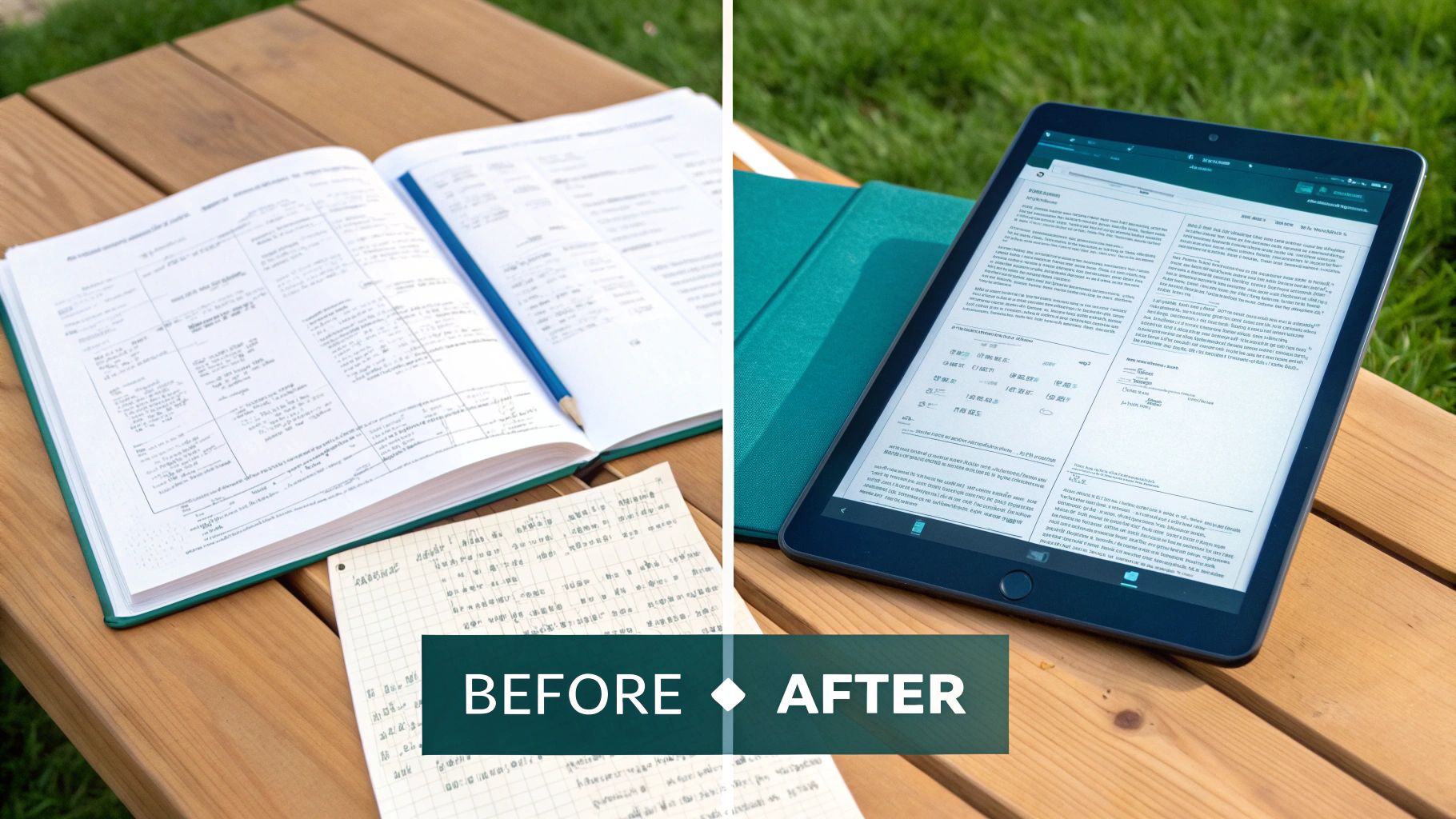
Theory is great, but the real magic happens when you see a text converter for LinkedIn work on actual content. Let’s get our hands dirty and break down a couple of before-and-after transformations. This is where you’ll see the strategic thinking that turns dull text into something people actually want to read.
From Business Report to Insightful Post
You know the type of text I’m talking about—a dense paragraph pulled straight from a quarterly report. It’s full of great data but is an absolute snooze-fest for anyone scrolling through their LinkedIn feed.
Before Text: “Our analysis for the third quarter indicates a significant paradigm shift within the SME sector, where the adoption rate of cloud-based project management solutions has surged by 42% year-over-year. This growth is primarily driven by an increased demand for remote collaboration tools and the necessity for agile workflow optimisation, which has been catalysed by prevailing market dynamics influencing operational decentralisation.”
This is corporate-speak at its finest. While technically correct, it’s impenetrable and guaranteed to be ignored.
After Conversion: “Seeing a huge shift with small businesses right now.
Our latest data shows a massive 42% jump in SMEs adopting cloud-based project tools. Why? It’s no longer a ‘nice-to-have’.
With remote work becoming standard, teams need tools that help them stay agile and connected, no matter where they are. It’s all about smarter, decentralised workflows.
We’re seeing this trend firsthand.
Are you using more cloud tools than you were a year ago?
#CloudAdoption #SMEGrowth #ProjectManagement #FutureOfWork”
See the difference? We immediately ditched the jargon. The key stat—42%—is now the star of the show, used right up front to grab attention. The sentences are short, punchy, and we end with a simple question to get the conversation started.
From Presentation Notes to Actionable Tips
Okay, next up: a set of raw, bulleted notes from a presentation slide. The ideas are solid, but they’re just sitting there without any story or guidance.
Before Text:
- Email marketing open rates declining
- Need to focus on personalisation
- Segmentation is key – don’t blast everyone
- Subject lines must be better – test A/B
- Automation helps but needs human touch
These are the bones of a good post, but they feel like an internal memo, not a piece of valuable public content.
A great LinkedIn post isn’t just a list of facts; it’s a structured piece of advice that guides the reader from a problem to a solution. This is where a text converter shines, adding flow and purpose.
After Conversion: “Is your email marketing feeling a bit… flat?
If open rates are dropping, you’re not alone. The generic email blast is officially dead.
Here are 3 simple ways to fix it:
🎯 Segment Your Audience: Stop sending the same message to everyone. Group your contacts by interest or behaviour for instant relevance.
✍️ Personalise Beyond the First Name: Use data to reference their past interactions or interests. Make them feel seen.
🧪 A/B Test Your Subject Lines: Spend an extra 10 minutes writing a second option. It’s the single biggest lever you can pull for better open rates.
Which of these are you focusing on this quarter?
#EmailMarketing #DigitalMarketing #MarketingTips”
This rewritten version works because it starts with a relatable problem, then frames the notes as a clear, structured solution. Using emojis and bold text makes the tips scannable, and the final question prompts readers to think about their own strategy. It turns a simple list into a mini-guide.
Common Questions About Turning Text into LinkedIn Posts
Jumping into a new workflow always sparks a few questions. When it comes to using a text converter for LinkedIn, I find most people wonder about the same things: Will the quality hold up? Can it handle my specific type of content? What does the final output really look like? Let’s get into the most common questions I hear.
How Do I Make Sure the Converted Post Still Sounds Like Me?
This is the big one. Nobody wants to sound like a robot, and the fear that an AI tool will strip away your personality is completely valid. Authenticity is everything on LinkedIn.
The good news is that the smarter tools are designed to adapt. They can often analyse your previous posts to pick up on your unique tone, the words you use, and how you structure your sentences.
But the secret weapon is always you. I have a simple rule: I read every single AI-drafted post out loud before it goes live. It’s a foolproof way to catch anything that sounds clunky or just isn’t me. This gives you the final say, letting you tweak a word here or a phrase there to inject your personality right back in.
Remember, the point isn’t just to post content; it’s to build connections. That final human touch is what keeps the post feeling genuine and preserves the trust you have with your network.
Can I Really Turn Dense, Technical Info into Something for a General Audience?
Absolutely. In fact, this is one of the most valuable uses for a text converter. The trick is to stop focusing on the complicated “how” and start translating it into the relatable “so what?” for your readers. A good tool can be a fantastic partner in reframing technical jargon into clear benefits.
For example, instead of getting lost in the weeds of a coding process, you can transform that text to explain how it creates a faster, more secure app for the end-user. Think in analogies and outcomes. An AI text converter is great at spotting those complex ideas and suggesting simpler ways to say them, making your expertise accessible to a much wider audience.
How Many LinkedIn Posts Can I Actually Get from One Article?
This is where the magic really happens. A single, well-researched article—say, around 2,000 words—can easily fuel 5-10 unique LinkedIn posts. Sometimes even more. It’s all about learning to see the individual gems hidden inside your longer content.
You can slice and dice your source material in a few different ways:
- Key Statistics: A single surprising number can be the perfect hook for a post.
- Powerful Quotes: Pull out a thought-provoking sentence and build a short post around it.
- Actionable Tips: Bundle a few related tips into a quick, scannable list.
- Sub-topics: Each major section of your article is probably a mini-topic that deserves its own moment in the spotlight.
The goal isn’t just to chop up an article. It’s about strategically re-angling each piece into a standalone bit of value that’s perfectly suited for the fast scroll of the LinkedIn feed.
Ready to turn your best content into a steady stream of engaging posts? See how Postline.ai can accelerate your workflow and help you build a powerful presence on LinkedIn. Try Postline.ai today

Run every client pipeline in one place
Give each LinkedIn profile its own voice, calendar, approval flow, and analytics. Start in minutes.
Start free trial