
Best Taplio Alternatives in 2025 (Compared)
Searching for Taplio alternatives? Discover the top 12 tools for LinkedIn content creation, scheduling, and growth, including AI-powered options.

While Taplio has carved out a strong niche in LinkedIn growth, its feature set isn’t a universal solution for every professional or brand. You might find yourself searching for Taplio alternatives if your needs extend beyond its core offerings. Perhaps you require a platform with more robust team collaboration features, a simpler user interface, or a pricing model that better aligns with your budget.
Your strategy might prioritise multi-platform scheduling, needing a tool that seamlessly manages your presence on LinkedIn, Twitter, and Instagram from one dashboard. Others may seek more advanced, in-depth analytics to precisely measure ROI, or desire a tool like Postline.ai that focuses on a different balance of AI-assisted content creation and authentic engagement. This guide is organised to help you navigate these choices effectively.
We will dive into 12 of the best alternatives, providing a detailed breakdown of their unique strengths and ideal use cases. Each entry includes screenshots and direct links, so you can evaluate the platforms for yourself. We’ll compare key features, analyse pros and cons, and look at pricing structures to help you identify the perfect tool for your specific LinkedIn marketing goals. As you consider these options to streamline your content creation, it’s also beneficial to explore the wider creator economy. For a broader perspective, you can see how these specialised tools fit into the larger picture by reviewing some of the 12 Best AI Tools for Content Creators in 2025. This list is designed to be your definitive resource for finding the right platform to elevate your professional presence.
1. Postline.ai
Postline.ai emerges as a powerful and sophisticated Taplio alternative, specifically engineered for LinkedIn users who prioritise authentic, high-impact content without the extensive time commitment. It positions itself not just as a scheduler, but as an intelligent AI content partner, ideal for entrepreneurs, sales teams, and thought leaders aiming to build a credible and engaging personal brand.
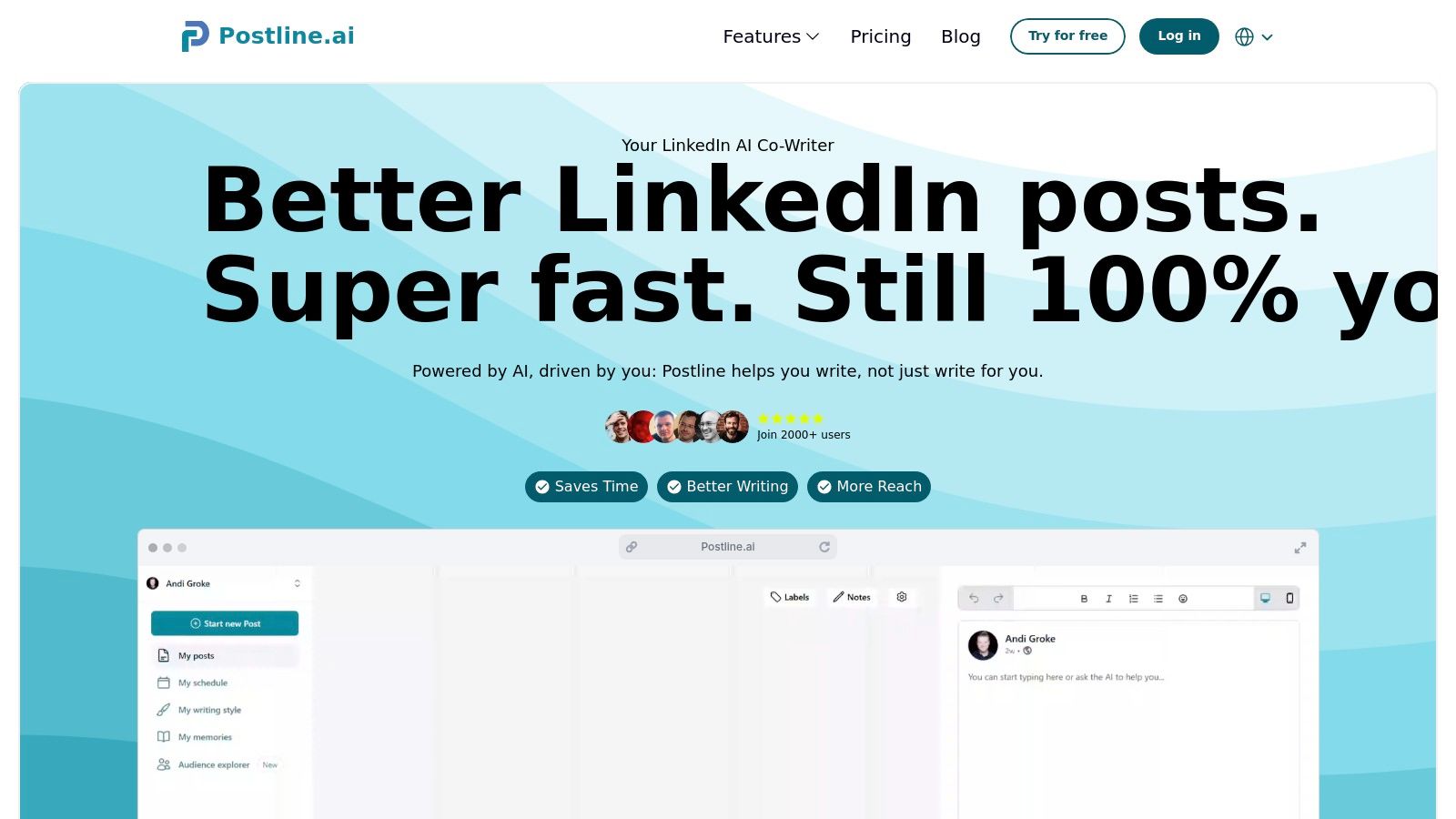
The platform’s core strength lies in its unique blend of AI generation and real-world data. Unlike generic AI writers, Postline’s AI Post Generator conducts real-time online research to inform its content, providing citations for enhanced credibility. This makes it exceptionally useful for professionals who need to ground their thought leadership in factual, timely information.
Key Capabilities and Use Cases
Postline.ai is built around a workflow that moves seamlessly from ideation to publication. Its Audience Explorer helps you discover trending topics and conversations relevant to your niche, ensuring your content strategy is data-driven. From there, the AI can brainstorm ideas or generate complete, optimised posts from a simple prompt.
A standout feature is its personalisation layer. The AI Memory and Ghostwriter Mode analyse your past LinkedIn posts to learn your unique tone, terminology, and style. This training ensures the AI-generated content sounds authentically like you, solving a common problem with automated content tools.
Practical Implementation:
- Sales Professionals: Can use the platform to quickly create posts on industry trends, citing recent articles to establish authority and generate inbound leads.
- Recruiters: Can leverage the Audience Explorer to understand what candidates are discussing and create targeted content that attracts top talent.
- CEOs & Founders: Can utilise Ghostwriter Mode to maintain a consistent, authentic executive presence on LinkedIn in just a few minutes a week.
The integrated scheduler, complete with team collaboration and status labels, streamlines the entire content pipeline. It provides LinkedIn-native formatting for hooks, CTAs, and hashtags, ensuring every post is structured for maximum engagement.
Pros & Cons
| Pros | Cons |
|---|---|
| Authentic AI Voice: AI Memory and Ghostwriter Mode create content that genuinely reflects your personal brand and tone. | LinkedIn-Specific Focus: Excellent for dedicated LinkedIn users but less suitable if you need an all-in-one, multi-platform tool. |
| Credible Content: Real-time research with source citations builds trust and positions you as a knowledgeable authority. | Information Gaps: Pricing, specific trial details, and user testimonials were not provided and require a direct visit to the website. |
| Efficient Workflow: Combines idea generation, writing, media support, team collaboration, and scheduling into a single, unified platform. | |
| Engagement-Focused Tools: The Audience Explorer helps create relevant content that resonates with your target audience, boosting reach and interaction. |
Website: https://postline.ai
2. Buffer
Buffer is a well-established social media management tool that serves as a lightweight and user-friendly Taplio alternative, particularly for those prioritising content creation and straightforward scheduling over aggressive growth automation. It excels in simplifying the process of planning and publishing content across multiple platforms, including LinkedIn profiles and pages.
Its core strength lies in its clean, intuitive user interface. Where some tools can feel overwhelming, Buffer’s queue and calendar views make it simple to visualise and organise your content schedule. You can quickly draft posts, use the built-in AI Assistant to refine your ideas or generate new ones, and even schedule the first comment-a crucial tactic for boosting engagement on LinkedIn. For freelancers or small businesses managing several social channels, its simplicity is a significant advantage, allowing for quick adoption with minimal training.
Core Features & Use Case
Buffer is ideal for users who want robust scheduling without the complexity of advanced outreach and engagement automation features found in Taplio.
- Key Features: AI-powered writing assistant, multi-channel scheduling (queue and calendar), first-comment scheduling, and a hashtag manager.
- Best For: Freelancers, marketers, and small to medium-sized businesses who need a reliable, easy-to-use tool for managing their LinkedIn content alongside other social media accounts.
Our Take: If your main goal is to consistently create and schedule high-quality LinkedIn content and you don’t require automated direct messaging or auto-engagement features, Buffer offers a streamlined and cost-effective solution.
Pros and Cons
| Pros | Cons |
|---|---|
| Simple, intuitive, and quick-to-learn UI | Lacks advanced growth features like DM automation |
| Transparent, low-cost pay-per-channel pricing | In-depth analytics are reserved for higher-priced plans |
| Strong focus on core scheduling and creation | Not specialised for LinkedIn-only growth |
Pricing
Buffer offers a free plan for up to three channels. Paid plans start at $6 per month per channel, with tiered plans (Essentials, Team, and Agency) offering more advanced features and analytics.
Website: https://buffer.com
3. Hootsuite
Hootsuite is an enterprise-grade social media management suite that serves as a powerful Taplio alternative for larger teams and organisations. While creator-focused tools prioritise individual growth, Hootsuite excels at providing the governance, collaboration workflows, and robust analytics required in a corporate environment. It offers comprehensive management for LinkedIn and other major platforms, making it a centralised command centre for a company’s entire social presence.
Its primary strength lies in its team-oriented features and deep analytical capabilities. Hootsuite allows managers to set up approval workflows, assign tasks to team members, and monitor brand mentions and competitor activity through its social listening tools. For businesses that need to maintain brand consistency, manage compliance, and measure the ROI of their social media efforts across multiple departments, Hootsuite provides a structured and secure framework that simpler tools lack.
Core Features & Use Case
Hootsuite is built for teams that require control, security, and in-depth reporting alongside their scheduling capabilities, making it one of the most established best social media scheduling tools.
- Key Features: Advanced content scheduling with “best time to post” recommendations, a unified inbox for all channels, social listening streams, and comprehensive team collaboration and approval workflows.
- Best For: Marketing teams, agencies, and large organisations that need a scalable, all-in-one platform for managing multiple social media accounts with a focus on governance and analytics.
Our Take: If your organisation requires detailed reporting, team-based approval processes, and a unified view of all social media activity beyond just LinkedIn, Hootsuite is a mature and feature-rich solution. It’s less about individual growth hacking and more about professional, organised brand management.
Pros and Cons
| Pros | Cons |
|---|---|
| Robust analytics and workflows for teams | Higher pricing compared to creator-focused tools |
| Mature app ecosystem and training resources | Plan and seat details can be confusing on public pages |
| All-in-one platform for multiple social networks | Can feel overly complex for solo users or small teams |
Pricing
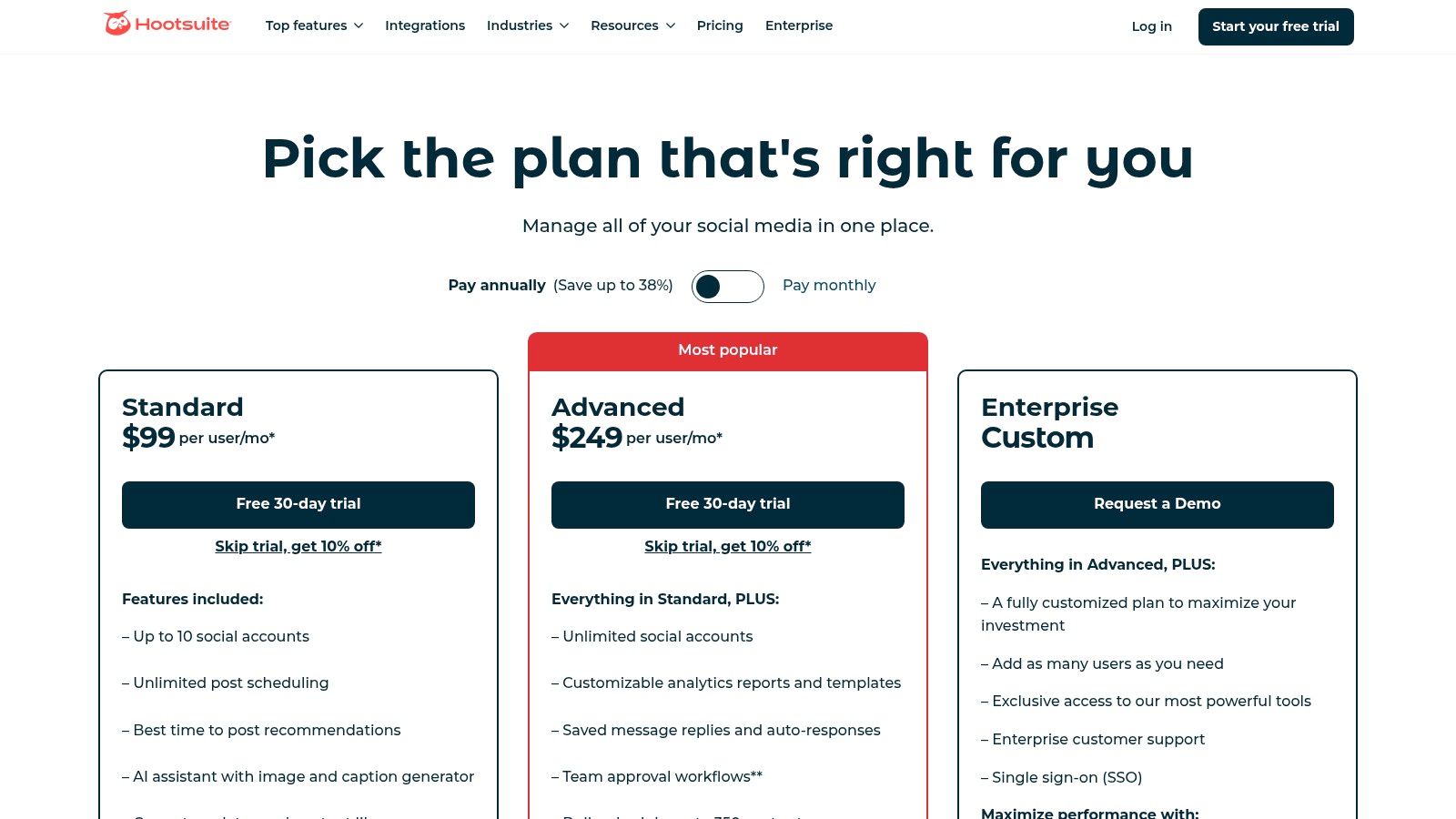
Hootsuite offers a Professional plan starting at €99 per month for one user and 10 social accounts. The Team and Business plans offer more users, accounts, and advanced features, with custom pricing available for enterprise-level needs.
Website: https://www.hootsuite.com/plans
4. SocialPilot
SocialPilot is a powerful social media management platform that serves as an excellent Taplio alternative for agencies and marketing teams managing multiple client accounts. Its core value proposition is scale; it provides generous account limits and robust collaboration features without the steep per-seat pricing common to many competitors, making it a highly practical choice for scaling operations.
The platform shines with its agency-focused workflow tools. Features like client approval processes, team member roles, and white-label reporting simplify the complexities of managing numerous LinkedIn profiles and pages. You can organise accounts into different groups or workspaces, bulk schedule hundreds of posts via a CSV file, and use the built-in AI to generate post ideas, streamlining content delivery across a large portfolio of clients efficiently. This makes it one of the more comprehensive social media automation tools for teams.
Core Features & Use Case
SocialPilot is built for teams and agencies that need to manage a high volume of social accounts, including LinkedIn, with efficiency and control.
- Key Features: Bulk scheduling, client/manager approval workflows, white-label PDF reports, AI content generation, and generous account limits (starting at 10 per plan).
- Best For: Marketing agencies, social media managers, and large teams that require a scalable, cost-effective solution for managing many LinkedIn accounts and other social profiles.
Our Take: If you’re managing more than a handful of LinkedIn accounts and need streamlined client collaboration and reporting features, SocialPilot offers an unbeatable combination of functionality and value that is hard to find elsewhere.
Pros and Cons
| Pros | Cons |
|---|---|
| Excellent price-to-account limit ratio for agencies | UI is more functional and utilitarian than some modern rivals |
| Scales to many accounts without expensive per-seat fees | Lacks the deep LinkedIn-specific growth features of Taplio |
| Strong collaboration and client management features | Social listening and engagement tools are relatively basic |
Pricing
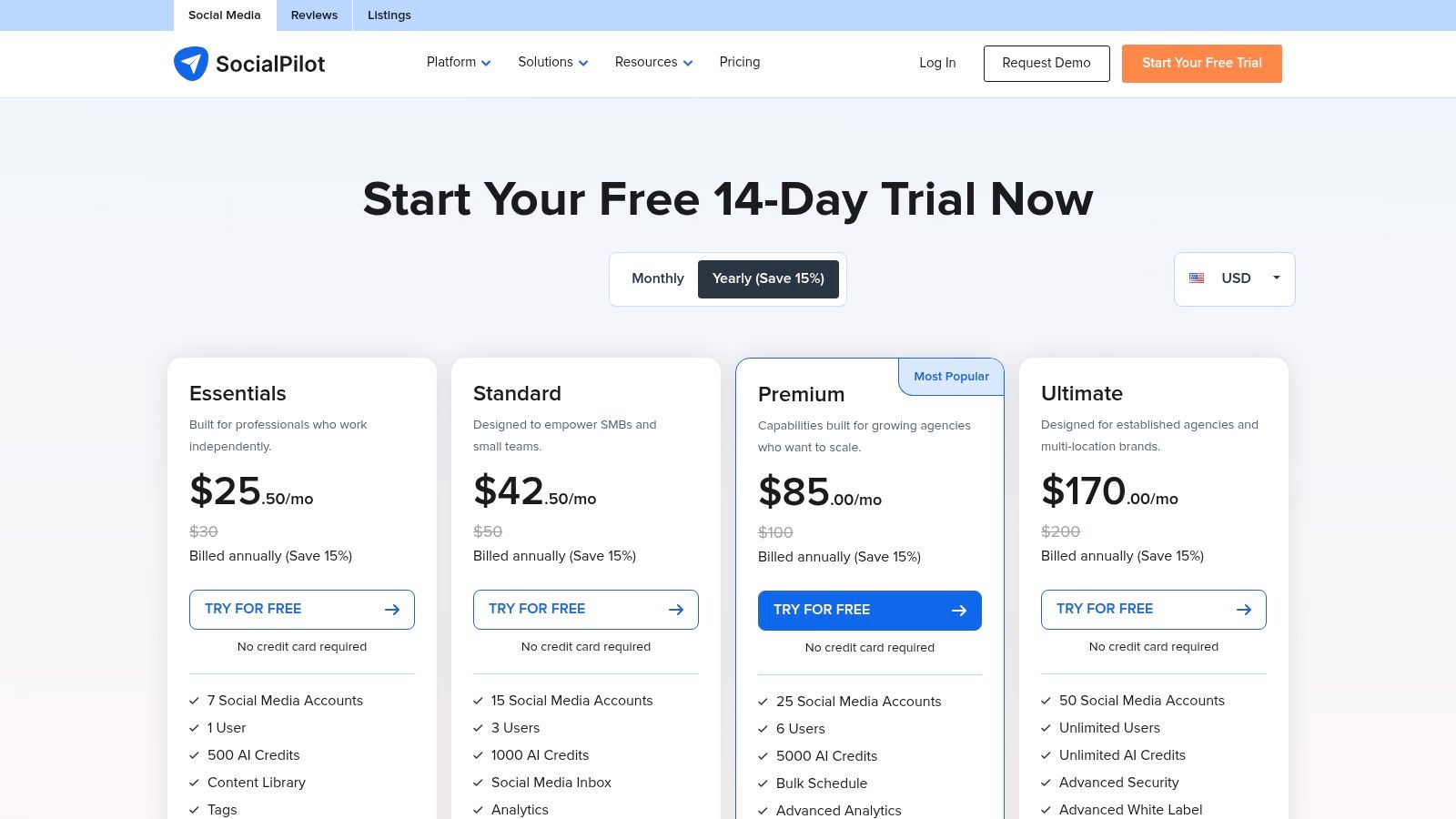
SocialPilot offers several tiered plans, starting with the Professional plan at $30/month for 10 social media accounts. Higher-tier plans (Small Team, Agency, and Agency+) offer increased account limits and advanced features.
Website: https://www.socialpilot.co/plans
5. SocialBee
SocialBee is a robust social media management platform that serves as a feature-rich Taplio alternative, designed for creators and SMBs who value organised publishing workflows. It excels at managing content for LinkedIn and other networks through a unique category-based queuing system, making it easy to maintain a balanced and consistent content mix over time.
Its core strength is its approach to content organisation and longevity. You can sort posts into categories (like “Promotional,” “Curated Content,” or “Behind the Scenes”) and schedule them on a recurring basis. The platform’s evergreen recycling feature ensures your best-performing content gets seen again without manual rescheduling. This, combined with a built-in AI co-pilot and integrations with tools like Canva, creates a powerful hub for both creating and managing your social media presence. Many creators find this approach to be one of the best among social media content creation tools.
Core Features & Use Case
SocialBee is perfect for users who want to automate their posting schedule with a “set it and forget it” mindset, while also having the option to get hands-on help from professionals.
- Key Features: Category-based queues, evergreen content recycling, AI co-pilot for creation, Canva/Unsplash/GIPHY integrations, and workspaces with approval workflows.
- Best For: Content creators, freelancers, and small businesses looking for an organised way to manage multiple content streams and recycle their best work automatically.
Our Take: If you want a system that not only schedules posts but also intelligently manages your entire content library for you, SocialBee is a top contender. The optional concierge services are a unique bonus for those ready to outsource.
Pros and Cons
| Pros | Cons |
|---|---|
| Approachable UI and thoughtful posting workflows | Analytics depth is less than enterprise-level tools |
| Option to purchase managed (done-for-you) services | Promotions can make long-term pricing comparisons tricky |
| Strong focus on content recycling and categorisation | Not hyper-focused on LinkedIn-specific growth automation |
Pricing
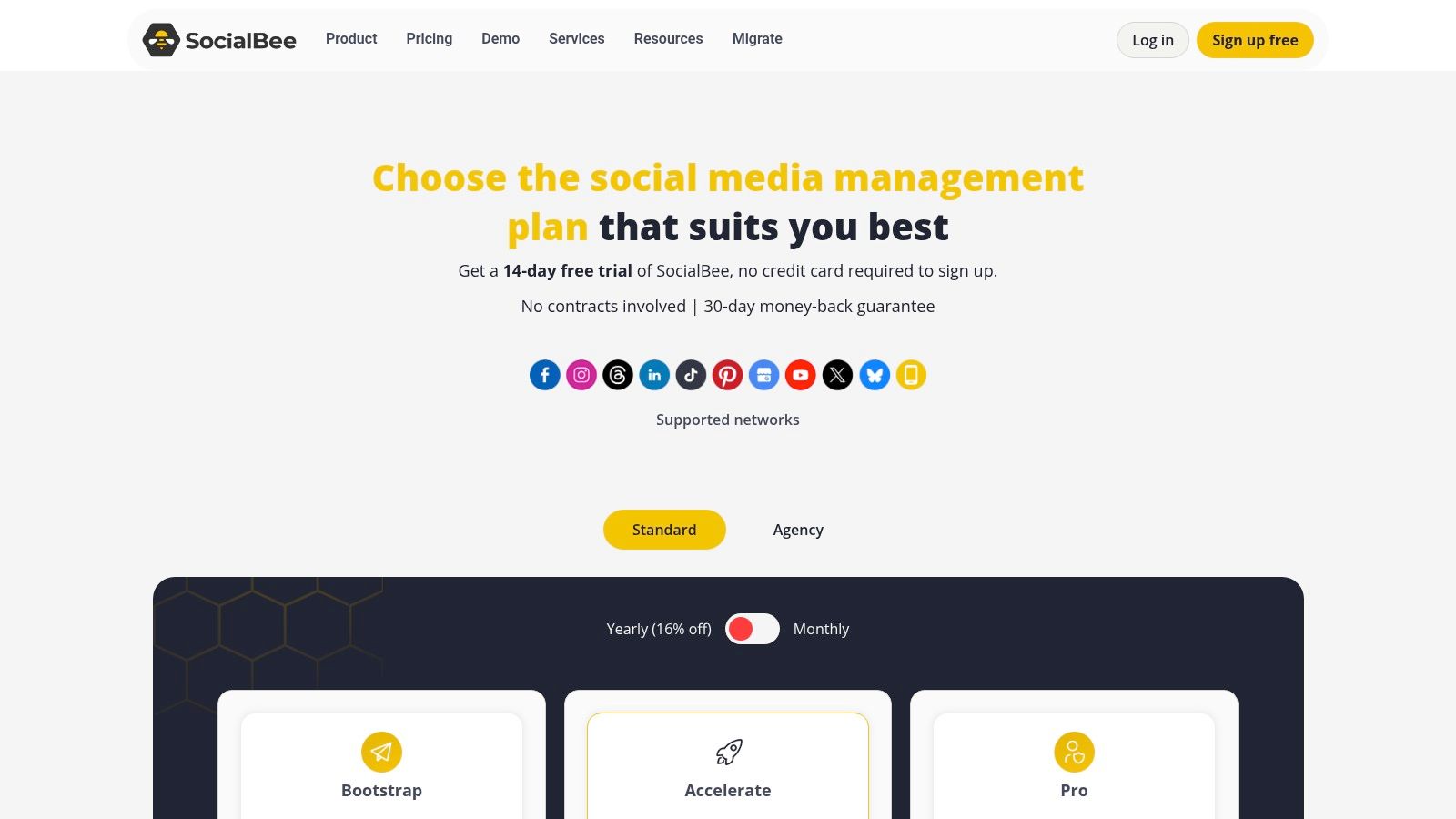
SocialBee offers several tiered plans after a 14-day free trial. The Bootstrap plan starts at $29/month for 5 social accounts. Higher-tier plans like Accelerate ($49/month) and Pro ($99/month) add more accounts, workspaces, and advanced features.
Website: https://socialbee.com/pricing
6. ContentStudio
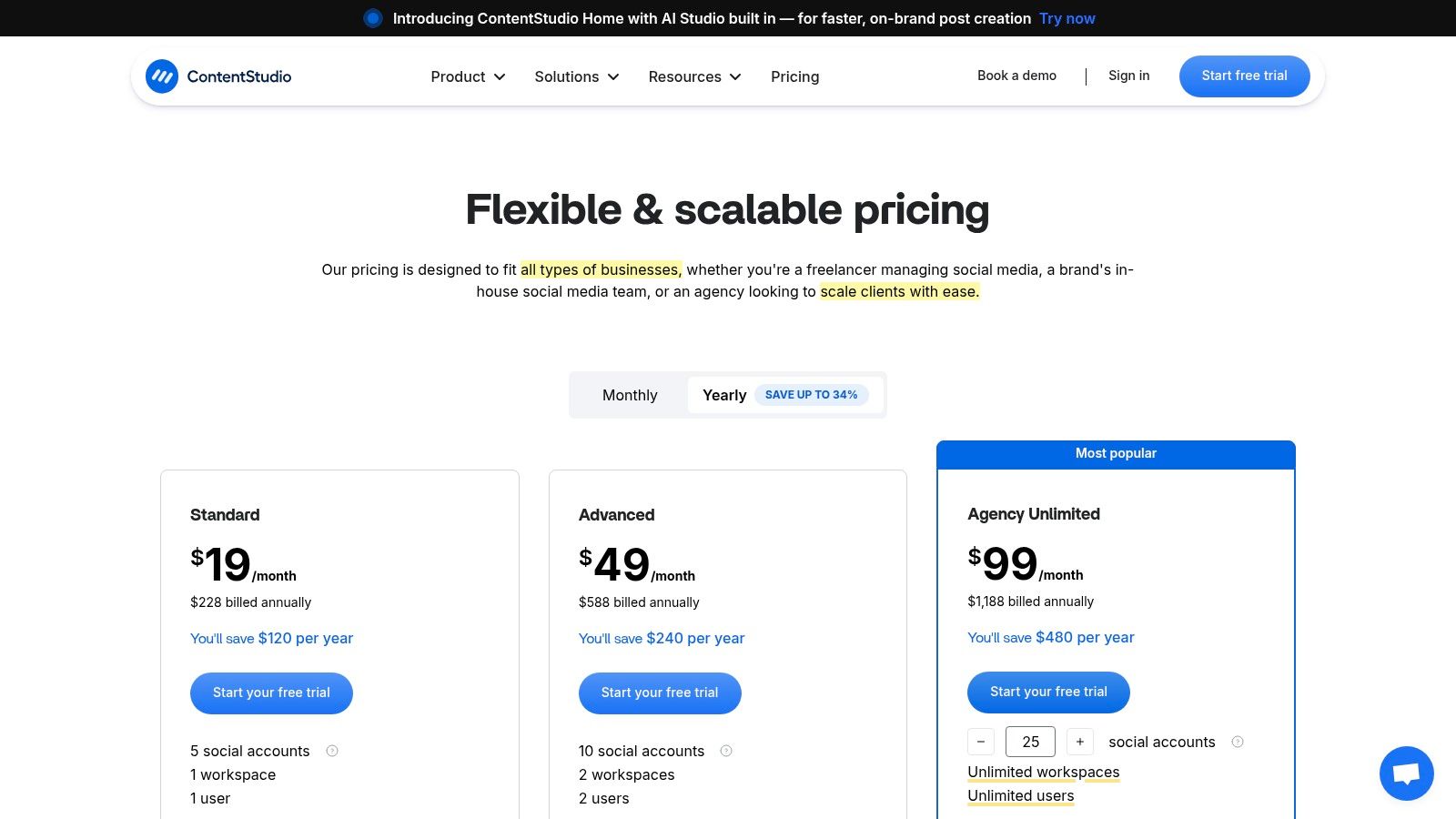
ContentStudio is an all-in-one social media suite that serves as a powerful Taplio alternative for users who want to go beyond simple scheduling. It integrates content discovery, curation, publishing, and analytics into a single platform, making it a strong choice for those who need help with ideation and managing a broader social media presence alongside LinkedIn. Its strength lies in its ability to automate the content pipeline from discovery to publication.
The platform’s discovery engine allows you to find trending articles and topics, which you can then use to fuel your content strategy. This is a significant advantage for users struggling to consistently generate fresh ideas. You can set up automation recipes to automatically share relevant evergreen content, keeping your LinkedIn profile active with minimal manual effort. For agencies or teams, its social inbox and comprehensive reporting tools help streamline client management and demonstrate ROI effectively.
Core Features & Use Case
ContentStudio is best for users who require a robust, centralised hub for their entire social media operation, with a strong focus on content curation and automation to support their content creation workflow.
- Key Features: AI-powered content assistant, robust content discovery and curation tools, evergreen automation recipes, social inbox, and detailed analytics.
- Best For: Marketing agencies, content creators, and businesses that manage multiple social media accounts and need a tool that aids in content ideation and automates posting.
Our Take: If you find yourself spending too much time searching for content ideas or managing multiple tools for scheduling, analytics, and engagement, ContentStudio consolidates these functions into one organised dashboard.
Pros and Cons
| Pros | Cons |
|---|---|
| Deep content curation and automation tools | Learning curve can be steep compared to simpler schedulers |
| Flexible add-on approach for scaling plans | Pricing tables can be complex to navigate |
| All-in-one platform saves using multiple tools | Overkill for users focused solely on LinkedIn growth |
Pricing
ContentStudio offers a 14-day free trial. Paid plans start at $25 per month for the Starter plan, with Pro, Agency, and Enterprise tiers offering more workspaces, users, and social accounts.
Website: https://contentstudio.io/pricing
7. Publer
Publer positions itself as a powerful yet highly affordable Taplio alternative, appealing to users who need granular control over their spending and robust scheduling features. It excels in managing multiple social media accounts efficiently, offering a unique pay-per-account pricing model that is ideal for freelancers and agencies scaling their services.
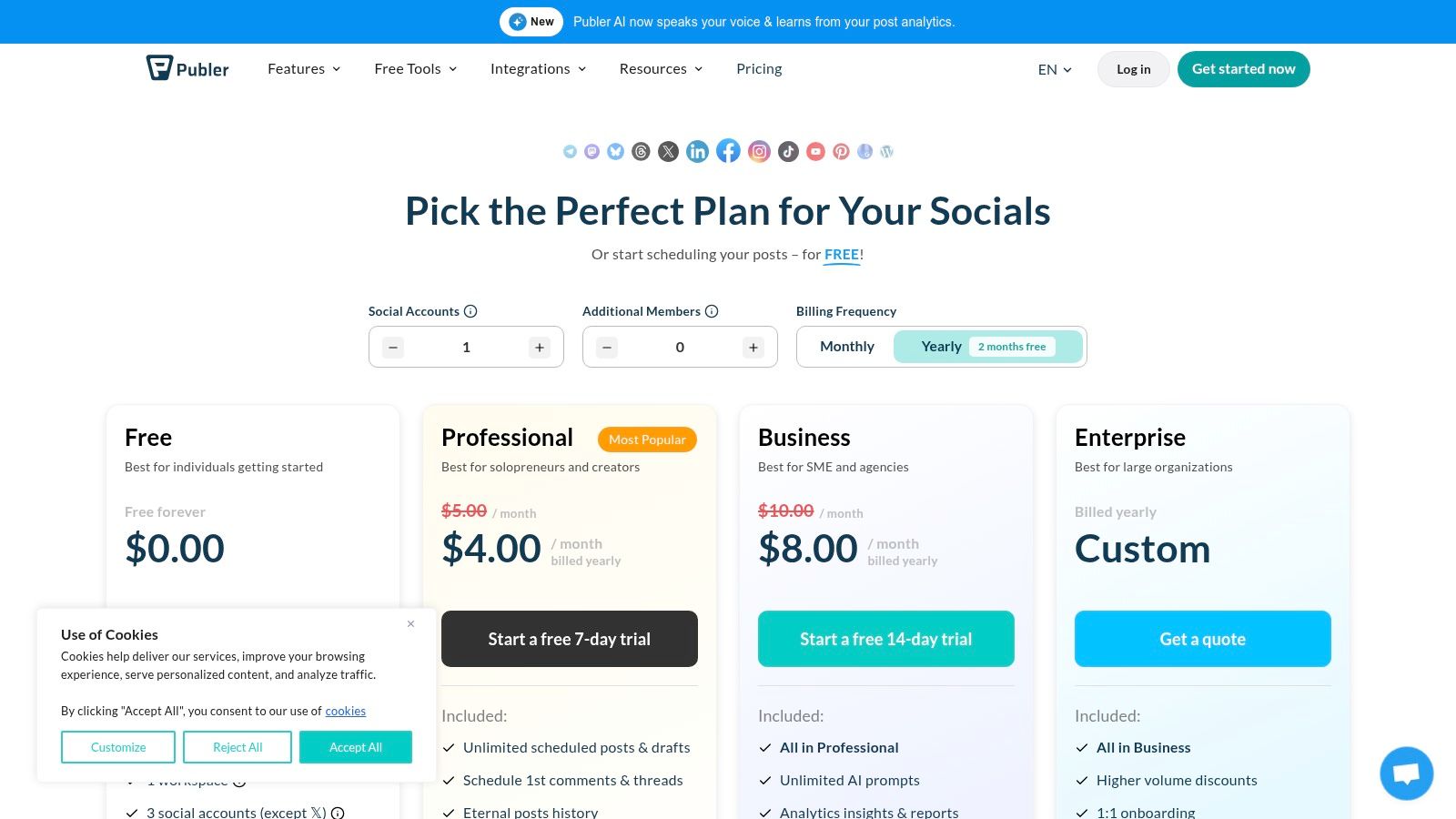
Its strength lies in its combination of affordability and advanced automation. Publer allows for unlimited scheduling, evergreen content recycling, and even supports unique LinkedIn post formats like PDFs, a feature not always found in generalist tools. The inclusion of workspaces, a Canva integration, and RSS feed automation makes it a comprehensive command centre for content managers who handle diverse client needs without committing to a high-cost, fixed-tier plan.
Core Features & Use Case
Publer is best suited for users who require flexible, cost-effective scheduling with powerful automation features, especially when managing multiple brands or clients.
- Key Features: Unlimited bulk scheduling, evergreen content posting, RSS automations, direct Canva integration, and LinkedIn PDF document support.
- Best For: Freelancers, virtual assistants, and small marketing agencies who need to manage numerous social media accounts with predictable, granular pricing.
Our Take: If you’re looking for a budget-friendly scheduler that doesn’t skimp on powerful automation like evergreen posts and you value the flexibility to add or remove accounts without changing your entire subscription, Publer is an excellent choice.
Pros and Cons
| Pros | Cons |
|---|---|
| Highly flexible and granular pay-per-user pricing | Some advanced features are reserved for higher tiers |
| Generous automation features for the price | Free plan does not include X/Twitter integration |
| Supports unique formats like LinkedIn PDFs | UI can feel less specialised than LinkedIn-only tools |
Pricing
Publer offers a free plan for up to 3 accounts. The paid Professional plan starts at $12 per month for 3 social accounts, with the option to add extra accounts or team members for a small additional fee. The Business plan starts at $21 per month for 5 accounts.
Website: https://publer.com/plans
8. Metricool
Metricool is a comprehensive social media management suite that serves as a powerful Taplio alternative for users who prioritise in-depth analytics and reporting alongside their scheduling needs. While not solely focused on LinkedIn, its robust feature set makes it an excellent choice for data-driven brands and agencies that need to manage LinkedIn as part of a broader digital strategy.
The platform stands out with its strong emphasis on analytics, competitor tracking, and advertising integration. It allows you to create detailed, customisable reports in PDF or PPT formats, a feature often found in more expensive tools. For European users, particularly in Germany, Metricool offers transparent Euro pricing with clear VAT handling, removing the common complexities of currency conversion and tax calculations associated with US-based software.
Core Features & Use Case
Metricool is best suited for marketing professionals and agencies who require strong, integrated analytics and reporting to justify ROI, in addition to solid content scheduling.
- Key Features: Advanced analytics with PDF/PPT exports, competitor tracking, SmartLinks (link-in-bio tool), Looker Studio integration, and a content scheduler with AI assistant.
- Best For: Marketing agencies, data-focused social media managers, and European businesses looking for a tool with clear, localised pricing and powerful reporting capabilities.
Our Take: If your LinkedIn strategy is heavily influenced by performance data and you need to create professional reports for stakeholders or clients, Metricool provides an impressive suite of analytical tools at a very competitive price point.
Pros and Cons
| Pros | Cons |
|---|---|
| Excellent reporting and analytics capabilities | LinkedIn is not included in the free plan |
| Transparent EUR pricing and VAT handling for EU/DE users | Interface can feel less specialised than LinkedIn-only tools |
| Integrates content, ads, and web analytics in one dashboard | Connection to X (formerly Twitter) is a paid add-on |
Pricing
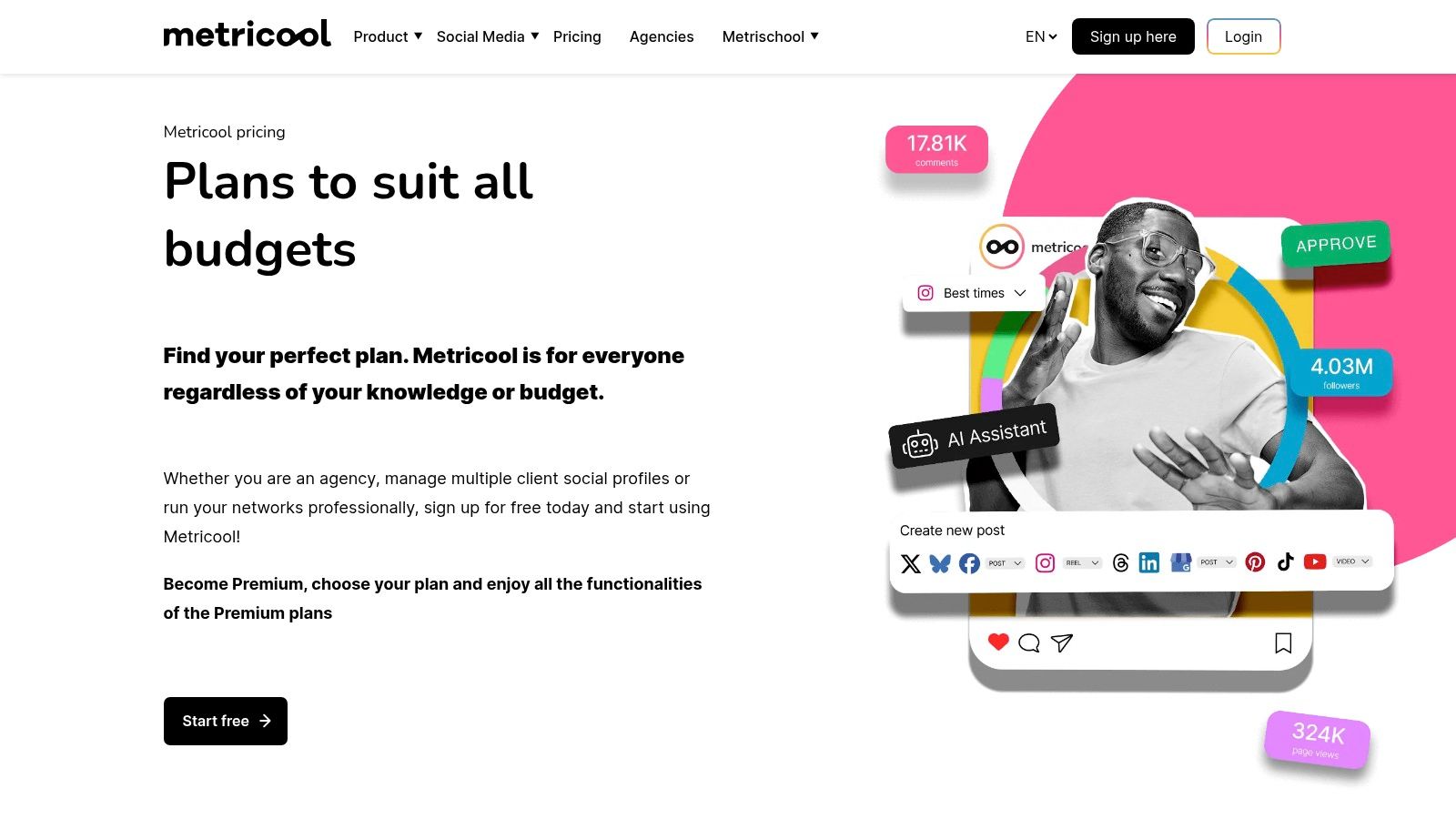
Metricool offers a free plan with limited features. Paid plans start at €12 per month (billed annually) for the Starter plan, with Advanced and Custom tiers available for larger teams and agencies needing more brands or advanced features like API access.
Website: https://metricool.com/pricing
9. Sprout Social
Sprout Social is an enterprise-level social media management suite that functions as a powerful Taplio alternative for larger teams and organisations. It goes far beyond simple scheduling, offering a comprehensive platform built for deep analytics, social listening, and sophisticated team collaboration, making it ideal for brands that need a centralised hub for their entire social media strategy, including LinkedIn.
The platform’s strength is its robust, all-in-one nature. Where Taplio specialises in individual LinkedIn growth, Sprout Social provides the infrastructure for teams to manage multiple brand accounts with structured approval workflows, advanced competitive analysis, and detailed performance reports. Its AI-powered tools, like Smart Compose and suggested replies, are integrated to enhance team efficiency rather than just individual content creation, making it a different class of tool geared towards scalable brand management.
Core Features & Use Case
Sprout Social is best suited for established businesses that require enterprise-grade analytics, team management, and social listening capabilities across all social channels, not just LinkedIn.
- Key Features: Advanced analytics and customisable reports, social listening and trend analysis, team-based content approval workflows, and an AI-powered Smart Inbox.
- Best For: Medium to large businesses, enterprises, and marketing agencies managing multiple clients who need a unified platform with stringent collaboration controls and in-depth reporting.
Our Take: If your organisation treats LinkedIn as a critical component of a broader, multi-channel strategy and requires best-in-class analytics and team workflow features, Sprout Social is a top-tier choice that justifies its premium price.
Pros and Cons
| Pros | Cons |
|---|---|
| Best-in-class reporting and collaboration | One of the more expensive options on the market |
| Scales effectively for large teams and brands | Add-on features can significantly increase the total cost |
| Comprehensive suite with listening and advocacy | Can be overly complex for solo users or small businesses |
Pricing
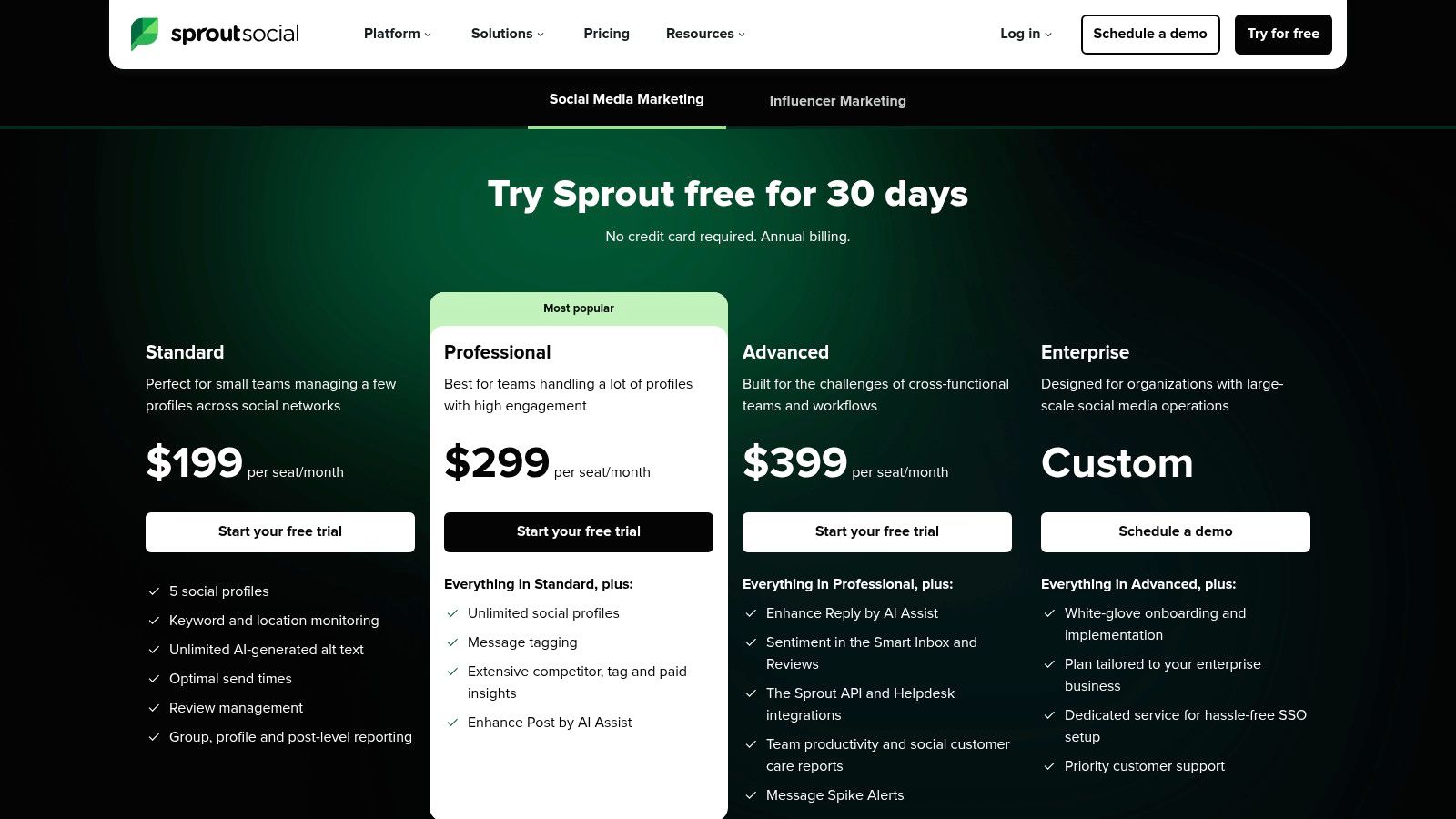
Sprout Social’s plans are geared towards businesses and teams. The Standard plan starts at $249 per month, with more advanced Professional and Advanced plans offering expanded features.
Website: https://sproutsocial.com
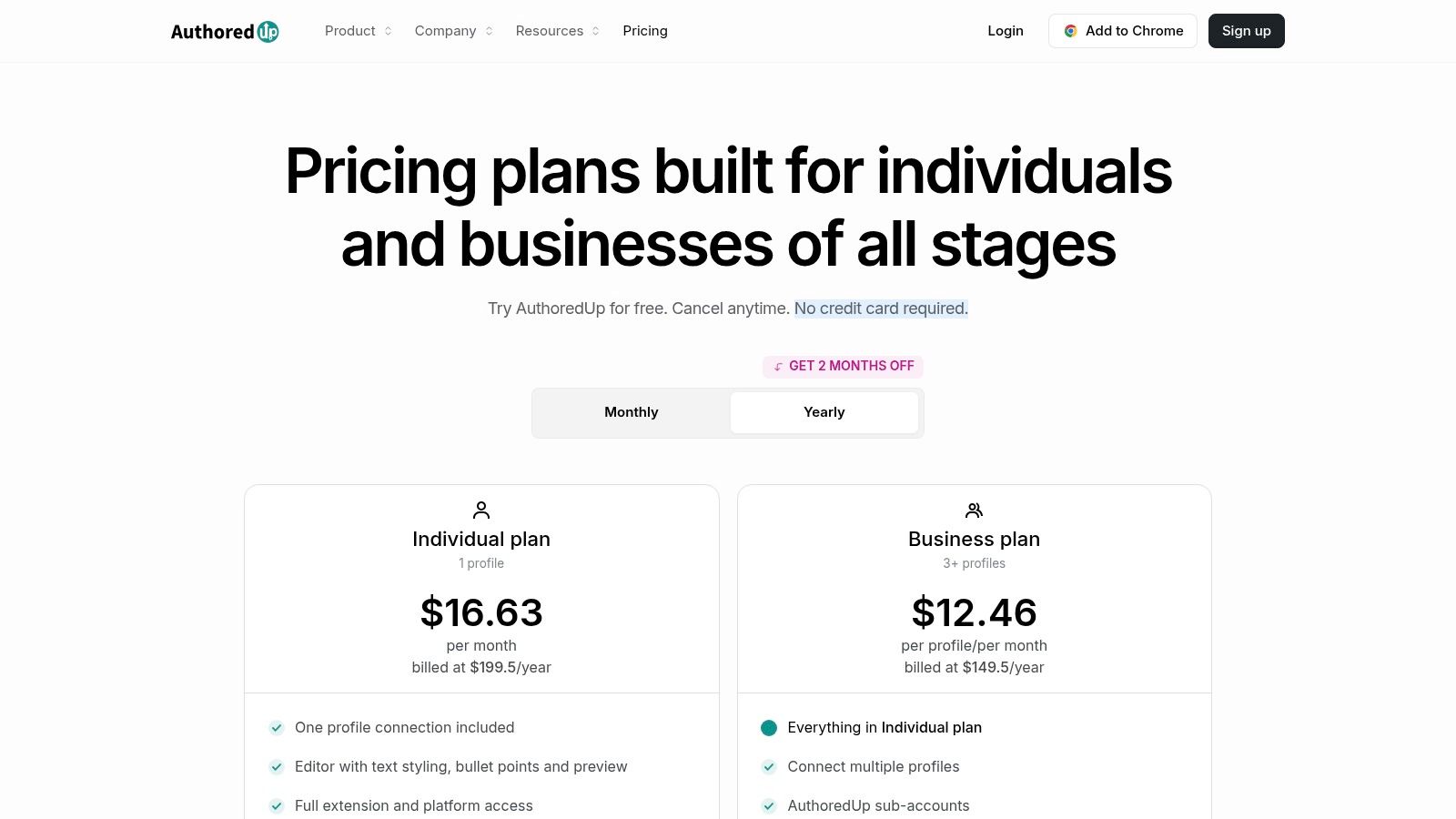
10. AuthoredUp
AuthoredUp is a purpose-built LinkedIn content tool that functions as a powerful Taplio alternative for creators who prioritise writing excellence and safety over automation. It operates primarily through a browser extension and web app, enhancing the native LinkedIn interface with a sophisticated editor designed to improve post quality, formatting, and performance analysis.
Its main appeal lies in its strict adherence to LinkedIn’s terms of service. By avoiding automation and focusing solely on content creation, it provides a safer environment for ghostwriters, solo creators, and teams who want to optimise their workflow without risking account penalties. The rich text editor, complete with live previews, reusable templates, and libraries of proven hooks, empowers users to craft more engaging and visually appealing content directly within their workflow.
Core Features & Use Case
AuthoredUp is the ideal tool for LinkedIn purists who want to augment their writing and analytical capabilities without resorting to growth-hacking tactics.
- Key Features: Advanced LinkedIn post editor with live preview, hook and ending libraries, content templates, in-depth post analytics, and team collaboration features.
- Best For: LinkedIn ghostwriters, content creators, and marketing teams who need a robust, compliance-focused tool for writing, formatting, and analysing their LinkedIn content.
Our Take: If you are looking for a tool that exclusively enhances the content creation experience on LinkedIn and values account safety above all else, AuthoredUp offers a specialised and effective solution.
Pros and Cons
| Pros | Cons |
|---|---|
| Specifically designed for LinkedIn creators and ghostwriters | Not a full social suite-focused only on LinkedIn |
| No automation ensures compliance with LinkedIn’s rules | Scheduling is limited to LinkedIn’s native capabilities |
| Privacy-forward, EU-based vendor | Lacks the outreach and engagement features of other tools |
Pricing
AuthoredUp offers a free plan with basic editor features. Paid plans, Creator and Company, start from €12.42 per month and unlock advanced analytics, team features, and unlimited content libraries.
Website: https://authoredup.com/pricing
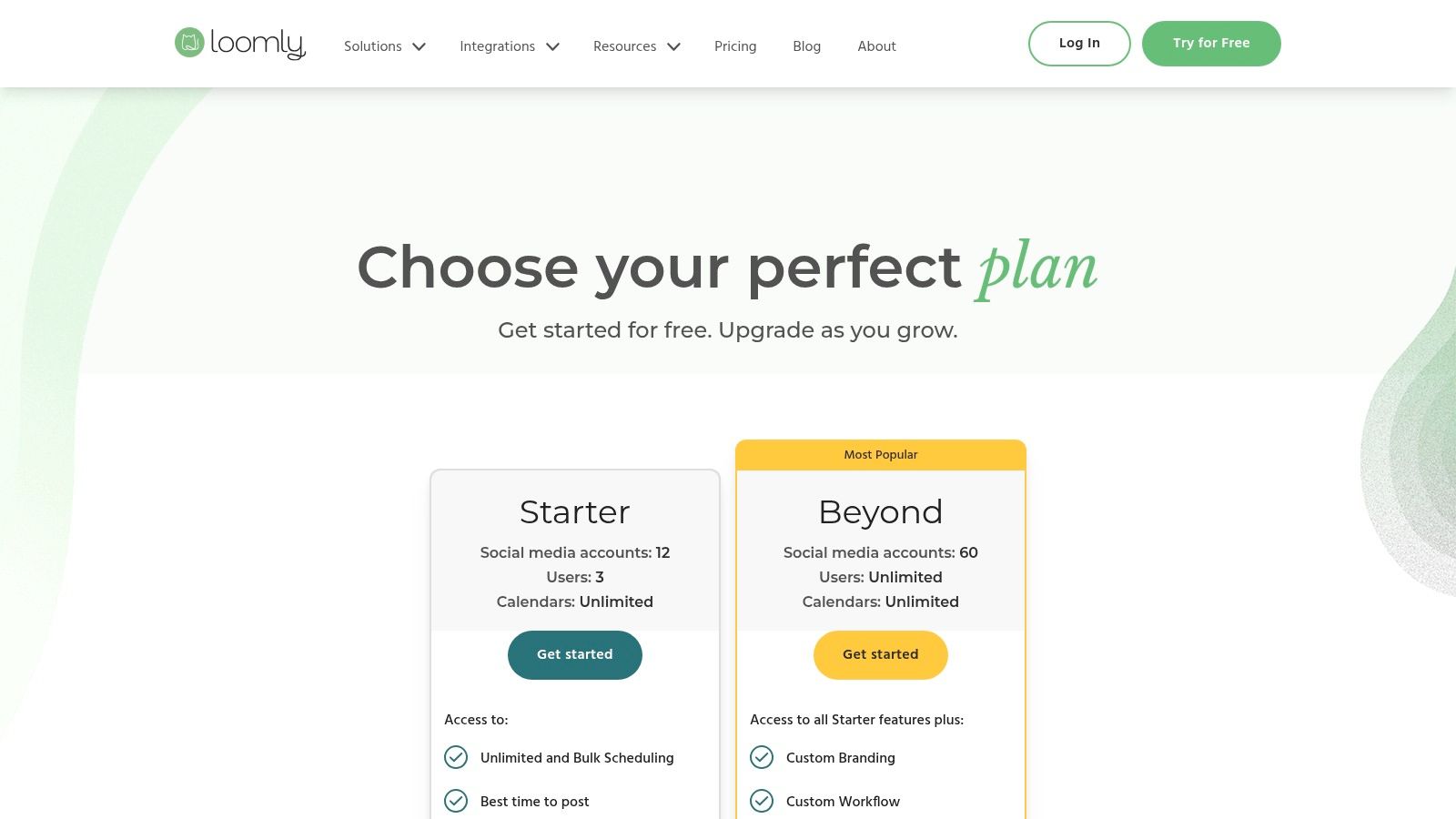
11. Loomly
Loomly is a collaborative social media management platform that presents itself as a strong Taplio alternative for marketing agencies and larger teams. Its primary strength is not in growth automation but in organising a seamless content creation, review, and approval process. It is built around a clear and intuitive content calendar, making it easy for multiple stakeholders to contribute and sign off on posts before they go live.
This platform shines in environments where brand messaging consistency and client approvals are paramount. Instead of focusing on auto-engagement, Loomly provides a structured workflow with post ideas, mockups, and client-facing review links. For teams managing LinkedIn pages for multiple clients, this system removes friction and ensures everyone is aligned, making it a powerful tool for organisational efficiency and quality control.
Core Features & Use Case
Loomly is best suited for teams and agencies that require a robust, centralised system for planning and approving social media content across various accounts, including LinkedIn.
- Key Features: Approval workflows, client review links, multi-profile post customisation, a central asset library, and analytics reporting.
- Best For: Marketing agencies, social media managers, and corporate marketing teams who need to manage content for multiple brands or clients with a focus on collaboration and approval.
Our Take: If your biggest challenge is managing the content workflow and getting approvals from clients or internal teams, Loomly is an excellent choice. It prioritises organised collaboration over the individual growth-hacking features found in Taplio.
Pros and Cons
| Pros | Cons |
|---|---|
| Clean, client-friendly calendar and approval UX | Less emphasis on AI features compared to rivals |
| Centralised asset library for easy access | Not specialised for LinkedIn-specific growth features |
| Nonprofit discounts available (50% lifetime) | Pricing is geared towards teams, not solo creators |
Pricing
Loomly does not offer a free plan but provides a 15-day free trial. Paid plans start with the Base plan at $32/month for two users and ten social accounts. Higher-tiered plans (Standard, Advanced, Premium) scale up in price, offering more users, accounts, and advanced features like custom workflows.
Website: https://www.loomly.com
12. Later
Later is a visually-focused social media platform that serves as a practical Taplio alternative for creators and brands whose primary channels are Instagram and TikTok, but who also need to maintain a presence on LinkedIn. It excels at visual content planning, allowing users to organise their feed aesthetically and schedule content across multiple networks from a single, intuitive calendar.
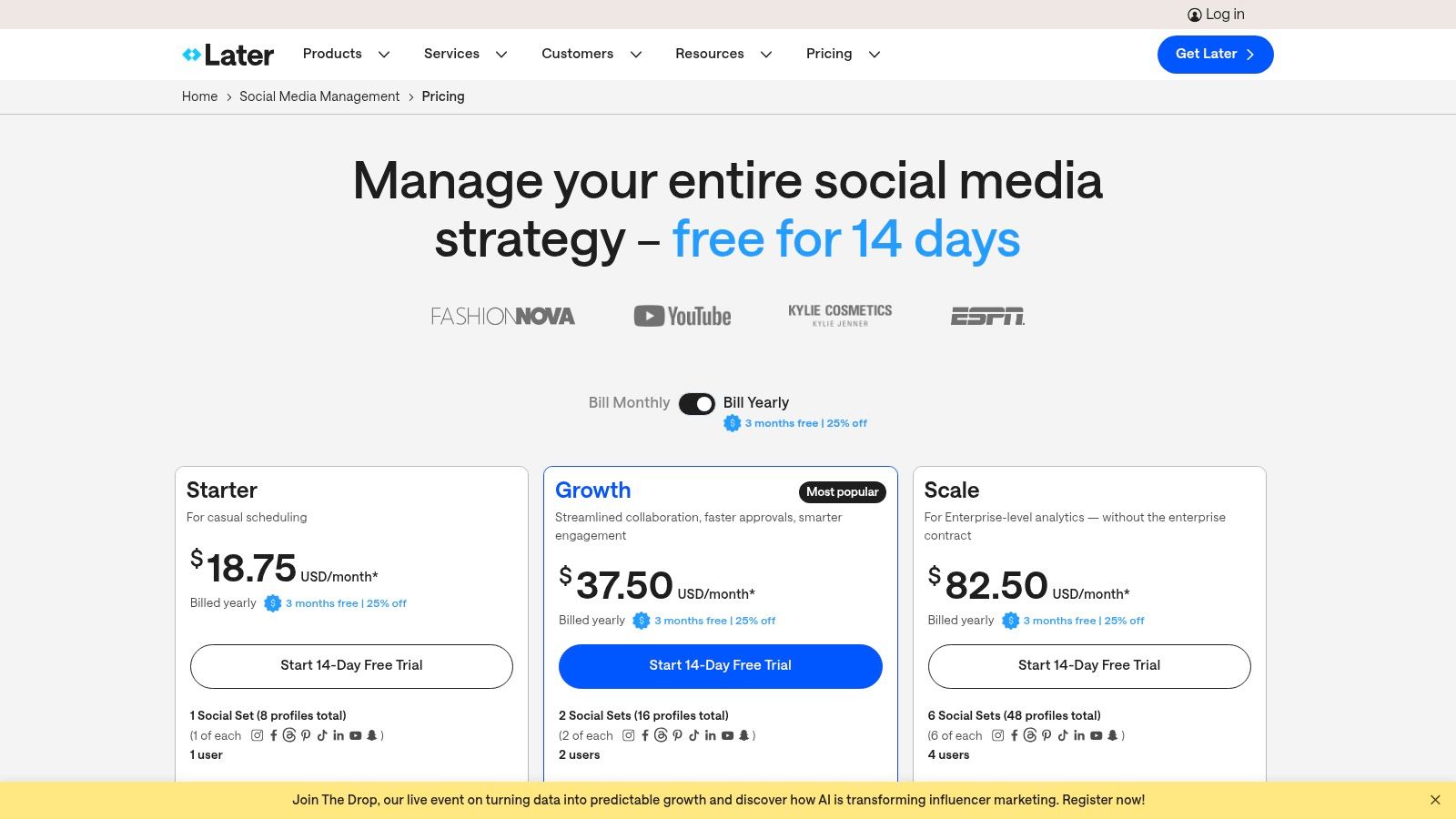
Its strength is rooted in its origin as an Instagram scheduler. The platform’s interface is designed around a visual calendar, making it easy to drag and drop media and plan a cohesive look. While its LinkedIn features aren’t as deep as specialised growth tools, it covers the essentials like scheduling, a link-in-bio tool, and basic analytics. The inclusion of an AI content assistant helps generate post ideas, making it a well-rounded tool for visually-driven marketers who need efficient multi-platform management.
Core Features & Use Case
Later is best suited for users who prioritise visual platforms like Instagram but require a unified and straightforward tool to manage their LinkedIn content simultaneously.
- Key Features: Visual-first content calendar, AI content assistant, link-in-bio functionality, and Social Sets for managing bundled profiles.
- Best For: Social media managers, content creators, and e-commerce brands that are heavily invested in Instagram and TikTok but also need to consistently publish on LinkedIn.
Our Take: If your content strategy is led by visuals and your main goal is to streamline your workflow across Instagram, TikTok, and LinkedIn, Later provides an excellent, user-friendly solution without the complexity of LinkedIn-specific growth automation.
Pros and Cons
| Pros | Cons |
|---|---|
| Strong choice for creators with heavy IG/TikTok usage | LinkedIn features are more basic compared to dedicated tools |
| Clear plan tiers and a free 14-day trial for paid features | Lower-tier plans have significant limits on posts per profile |
| Excellent, user-friendly visual planning interface | Not built for deep LinkedIn engagement or outreach automation |
Pricing
Later offers a free plan with limitations. Paid plans start with the Starter plan at $25/month, followed by the Growth plan at $45/month, and the Advanced plan at $80/month, each offering more posts, users, and features.
Website: https://later.com
Taplio Alternatives — 12-Tool Comparison
| Product | Core features ✨ | UX & quality ★ | Price / Value 💰 | Target audience 👥 | USP / Why choose |
|---|---|---|---|---|---|
| 🏆 Postline.ai | AI post generator, voice learning, live research, scheduler, team collab ✨ | ★★★★★ LinkedIn‑native, personalized | 💰 Premium Value (visit site) | 👥 Creators, founders, recruiters, sales, teams | 🏆 AI that learns your voice & cites real-time research |
| Buffer | Scheduler, AI assistant, queue & calendar, analytics ✨ | ★★★☆☆ Simple, fast to learn | 💰 Low‑cost entry; pay‑per‑channel | 👥 Freelancers & SMBs | ✨ Easy UI + affordable scheduling |
| Hootsuite | Unlimited scheduling, inbox, listening, analytics, workflows ✨ | ★★★★☆ Enterprise‑grade | 💰 Higher‑priced (enterprise focus) | 👥 Teams & enterprises | ✨ Robust analytics, governance & integrations |
| SocialPilot | Bulk scheduling, approvals, white‑label, many accounts ✨ | ★★★☆☆ Utilitarian UI | 💰 Mid‑market — strong price:limits | 👥 Agencies & account managers | ✨ Agency-friendly limits & reporting |
| SocialBee | Category queues, evergreen recycling, AI, integrations ✨ | ★★★★☆ Organized posting workflows | 💰 Creator/SMB pricing; managed option | 👥 Creators, SMBs, those who outsource | ✨ Evergreen + optional done‑for‑you services |
| ContentStudio | Publishing, discovery/curation, automation, inbox ✨ | ★★★☆☆ Flexible, steeper learning | 💰 Add‑ons + tiered pricing (review) | 👥 Content teams & marketers | ✨ Deep content curation & automation |
| Publer | Bulk tools, evergreen, LinkedIn PDF, API access ✨ | ★★★★☆ Fast setup, pragmatic UX | 💰 Very flexible per‑account/member pricing | 👥 Freelancers & small agencies | ✨ Granular pricing & powerful bulk tools |
| Metricool | Scheduler, reporting, competitor tracking, exports ✨ | ★★★★☆ Data & reporting focus | 💰 Clear EUR pricing + VAT notes | 👥 EU/DE brands, analysts | ✨ Excellent reporting & Euro pricing clarity |
| Sprout Social | Deep analytics, listening, workflows, AI assist ✨ | ★★★★☆ Best‑in‑class reporting | 💰 Premium — higher total cost | 👥 Mid‑large teams & brands | ✨ Enterprise reporting & collaboration |
| AuthoredUp | Rich LinkedIn editor, hooks/templates, analytics ✨ | ★★★★☆ LinkedIn‑focused, privacy‑forward | 💰 Pricing on site; EU privacy focus | 👥 LinkedIn creators & ghostwriters | ✨ Rule‑safe, privacy‑first LinkedIn tooling |
| Loomly | Calendar, approvals, multi‑profile posting, analytics ✨ | ★★★★☆ Client‑friendly calendar & reviews | 💰 Agency/team pricing; nonprofit discounts | 👥 Agencies, client teams | ✨ Clean client review & approval UX |
| Later | Visual scheduler, Social Sets, link‑in‑bio, AI credits ✨ | ★★★☆☆ Visual‑first for IG/TikTok | 💰 Clear tiers + 14‑day trial | 👥 Visual brands & IG/TikTok creators (adds LinkedIn) | ✨ Strong IG/TikTok workflows with LinkedIn coverage
Choosing the Right Taplio Alternative for Your LinkedIn Goals
The journey to finding the perfect LinkedIn content creation tool is highly personal and depends entirely on your unique strategic objectives. We have explored a dozen powerful Taplio alternatives, each offering a distinct set of features, from comprehensive social media management suites to specialised, AI-powered writing assistants. Your decision should not be about finding a one-to-one replacement, but rather identifying the platform that best complements your workflow, budget, and long-term vision for your personal brand or business on LinkedIn.
The process of selecting the ideal Taplio alternative involves a careful evaluation, much like when exploring alternatives for various software solutions in general. It requires a clear understanding of your non-negotiable features and where you are willing to compromise.
Recapping the Top Contenders
Let’s summarise the key archetypes we’ve covered to help you categorise your choice:
- For the AI-Powered Content Purist: If your primary goal is to generate high-quality, authentic, and research-backed LinkedIn content with maximum efficiency, Postline.ai stands out. Its focus on voice personalisation and real-time data integration makes it a formidable choice for creators who prioritise content excellence over managing dozens of social platforms.
- For the All-in-One Agency or Team: Professionals managing multiple client accounts or collaborating within a larger team will find immense value in platforms like SocialPilot, Loomly, or ContentStudio. Their robust approval workflows, client management features, and comprehensive reporting are built for scale and organised collaboration.
- For the Enterprise-Level Organisation: For large businesses requiring deep analytics, advanced social listening, and enterprise-grade security, Sprout Social and Hootsuite remain the industry heavyweights. They offer a complete command centre for your entire social media presence, albeit at a premium price point.
- For the Budget-Conscious Solopreneur: If you’re starting out or simply need reliable scheduling and basic analytics without a significant financial commitment, Buffer, Publer, and Metricool provide exceptional value. They deliver the core functionalities needed to maintain a consistent presence on LinkedIn and other networks.
Your Action Plan for Selecting the Right Tool
Choosing the right platform from this list of Taplio alternatives requires a strategic approach. Before you commit, follow these steps to ensure you make an informed decision that will serve you well into the future:
- Define Your Core Need: Are you struggling with writer’s block? Is scheduling your main bottleneck? Do you need better analytics? Pinpoint your single biggest challenge. If it’s content quality and idea generation, a tool like Postline.ai or AuthoredUp is your best bet. If it’s workflow management, look towards SocialPilot or SocialBee.
- Audit Your Current Workflow: Map out how you currently create and publish LinkedIn content. Identify the friction points. A new tool should solve these problems, not create new ones. For example, if you spend hours researching trends, a platform with built-in, real-time data analysis is a must-have.
- Utilise Free Trials: Nearly every tool on this list offers a free trial or a freemium plan. This is your most valuable resource. Don’t just browse the features; actively use the platform for a week. Schedule real posts, generate content ideas, and test the user interface. This hands-on experience is the ultimate test.
- Consider Your Future Growth: The tool that’s perfect for you today might not be in a year. Think about your goals. Do you plan to hire a team? Expand to other social platforms? Choose a tool that can either scale with you or one you are happy to outgrow for a more specialised solution later.
Ultimately, the best Taplio alternative is the one that empowers you to show up consistently and authentically on LinkedIn. It should feel less like a chore and more like a strategic partner, amplifying your voice and helping you build meaningful connections that drive your professional goals forward.
Ready to transform your LinkedIn content creation with AI that understands your unique voice? Postline.ai is designed to be the ultimate Taplio alternative for creators who prioritise quality and authenticity. Stop brainstorming in a vacuum and start generating research-backed, personalised content in minutes by trying Postline.ai today.

Run every client pipeline in one place
Give each LinkedIn profile its own voice, calendar, approval flow, and analytics. Start in minutes.
Start free trial