
Schedule LinkedIn Posts Automatically
Learn how to schedule LinkedIn posts automatically using AI planners and proven workflows. Save time, maintain consistency, and boost your engagement.
If you’re looking to schedule LinkedIn posts automatically, you have two main options. You can use LinkedIn’s own scheduler for simple planning, or you can leverage a third-party tool that unlocks advanced features like a comprehensive LinkedIn content planner and AI-powered content creation. Adopting a scheduling system isn’t just about saving time; it’s about transforming your content strategy from random updates into a consistent, professional, and strategic plan.
Why You Should Schedule Your LinkedIn Posts
Let’s be clear: scheduling your LinkedIn content is more than a simple time-saver. It’s a strategic move that elevates your professional presence. By using a LinkedIn content planner, you shift from posting on a whim to executing a deliberate content calendar that works for you, even when you’re focused on other tasks.
This consistency is crucial. When your network sees you sharing valuable content regularly, it builds trust and establishes you as an authority. You remain top-of-mind with peers, clients, and industry leaders without being chained to your device. This approach is all about planning your content in a queue or calendar, helping you identify the best time to post for maximum impact.
Before we dive deeper, let’s compare a scheduled approach to manual posting.
Manual vs Automated LinkedIn Posting: A Comparison
The difference between posting manually and using an automated scheduler is like the difference between walking to work and using a well-planned transit system. One gets you there, but the other offers superior efficiency, strategy, and reliability. This table breaks it down.
| Feature | Manual Posting | Automated Scheduling |
|---|---|---|
| Consistency | Sporadic; depends on daily availability and memory. | High; posts go out at optimal times, regardless of your schedule. |
| Time Investment | High; requires daily effort to create and publish. | Low; batch-create content for weeks or months in one session. |
| Strategic Planning | Difficult; posts are often reactive and short-term. | Easy; allows for a long-term content calendar and strategy. |
| Team Collaboration | Clunky; involves messy back-and-forth for approvals. | Streamlined; built-in workflows for drafting, review, and approval. |
| Performance | Hard to track; requires manual data collection. | Often includes analytics to track engagement and optimise content. |
As you can see, automation isn’t just about saving time. It’s about enabling a more strategic and impactful presence on the platform.
Build a Powerful Content Engine
A dedicated LinkedIn content planner lets you batch your creative work. Instead of feeling the daily pressure to “think of something,” you can block out a couple of hours and produce a full week’s or month’s worth of posts. My experience shows this not only saves time but also leads to more thoughtful, cohesive, and higher-quality content that aligns with your goals.
For teams, scheduling tools are a lifesaver. Drafts can be reviewed, edited, and approved well before they publish. This simple step prevents last-minute scrambles and ensures every post is on-brand and accurate, turning potential chaos into a smooth, organised workflow.
The real magic of scheduling is the mental shift from being reactive to proactive. You stop just joining conversations and start initiating them on your own terms.
The Strategic Edge of Automation
When you automate your posting schedule, you gain the power to be truly strategic. You can plan content around major industry events, company announcements, or product launches, ensuring your message lands at the perfect moment for maximum impact. A well-maintained content calendar gives you a bird’s-eye view of your messaging, helping you maintain a healthy mix of promotional, educational, and engaging posts. For a deeper dive on this, check out our guide on how to increase LinkedIn engagement.
This strategic advantage is why so many businesses are embracing automation. In Germany, for example, it’s estimated that around 45% of medium to large enterprises use social media automation tools, with LinkedIn being a prime focus for B2B efforts. This trend makes sense given the platform’s massive professional user base in the region. Ultimately, scheduling helps you build a robust content engine that fuels consistent growth and solidifies your professional brand.
Choosing Your LinkedIn Scheduling Tool
So, you’re ready to start scheduling your LinkedIn posts automatically. The first big decision is whether to use LinkedIn’s built-in scheduler or opt for a specialised third-party tool. There’s no single right answer—it boils down to your specific goals, posting frequency, and what you want to achieve.
If you’re just starting with content planning, LinkedIn’s native scheduler is a great entry point. It’s free, simple, and handles basic text and image posts effectively. It’s a solid way to build a consistent posting habit without any initial investment.
But as your strategy grows more sophisticated, you’ll likely feel its limitations. What if you want to manage other social platforms from the same place or get detailed data on what’s working? This is where dedicated platforms, particularly a LinkedIn post scheduling AI like Postline.ai, really start to shine.
When to Upgrade to a Dedicated Tool
You’ll know it’s time to upgrade when your content plan evolves beyond “post something on Tuesday.” If you’re juggling multiple social networks, scheduling complex formats like carousels, or simply want to be more efficient, a dedicated tool becomes a necessity, not a luxury.
These platforms are designed for serious content creators and marketers, offering a suite of features that LinkedIn’s own tool can’t match.
- AI Content Generation: A tool like Postline.ai can be a lifesaver for beating writer’s block, helping you generate fresh ideas and draft polished posts in minutes.
- Deeper Analytics: Forget just tracking likes and comments. Third-party tools give you insights into reach, engagement rates, and the specific content driving results.
- Content Queues: Wondering what to do with your best-performing posts? Content queues let you automatically recycle your evergreen content, keeping your feed active and maximising the value of every post.
- Multi-Platform Management: This is a huge advantage. Instead of logging in and out of different platforms, you can manage your entire social media presence from one clean dashboard.
The decision to upgrade isn’t just about features; it’s about ambition. It’s for anyone serious about turning their LinkedIn profile into a consistent, growth-driving machine.
To get a better sense of the options out there, it’s worth checking out comparisons of the best social media automation tools to see what the broader market offers. We’ve also put together our own deep dive on the best social media scheduling tools to help you find the perfect fit.
LinkedIn Native Scheduler vs Third-Party Tools
To put it all into perspective, here’s a straightforward comparison table. I’ve put this together to help you see, at a glance, where the native tool works well and where dedicated automation platforms really pull ahead.
| Feature | LinkedIn Native Scheduler | Third-Party Automation Tools |
|---|---|---|
| Basic Scheduling | Yes (posts, simple polls) | Yes (all post types) |
| AI Writing Assistance | No | Yes (e.g., Postline.ai) |
| Detailed Analytics | Limited | Comprehensive Performance Data |
| Content Recycling | No | Yes (via content queues) |
| Multi-Platform Support | No (LinkedIn only) | Yes (centralised management) |
| Team Collaboration | Minimal | Advanced (drafts, approvals) |
At the end of the day, the choice comes down to matching the tool to your strategy. LinkedIn’s scheduler is a fantastic starting point for building consistency. But when you’re ready to unlock serious efficiency and get a deeper understanding of your performance, a dedicated LinkedIn content planner is the way to go.
How to Automate Your Content with an AI Planner
Alright, let’s move from theory to action, because this is where the magic really happens. Using a LinkedIn content planner that’s powered by AI isn’t just about plugging posts into a calendar. It’s about building a smart, dynamic content engine that works for you. I’ll walk you through how to take a simple idea and turn it into a fully scheduled, high-impact LinkedIn post—minus all the usual headaches.
Think about this scenario: you’re a marketing consultant who wants to run a ‘Weekly Industry Update’ series. Doing this manually is a grind. Every week, you’ve got to find a relevant article, summarise it, write a compelling caption, dig up the right hashtags, and remember to post it. With an AI planner, almost that entire workflow runs on autopilot.
From a Simple Idea to a Scheduled Post
It all starts with giving the AI a solid prompt. Instead of something vague like “write a post about marketing,” you need to give it context. Try something more specific, like: “Create a LinkedIn post summarising the key takeaways from a recent report on AI’s impact on SEO. Make the tone authoritative but keep it accessible for small business owners.”
The AI’s job isn’t just to write; it’s to research. It can pull in real-time information to make sure your weekly update is actually current and credible. This subtle shift changes your role entirely. You go from being a content creator, staring at a blank page, to a content curator, where your job is simply to guide the AI and add that final human polish.
Once the AI gives you a draft, you can fine-tune it. The best AI planners, like a LinkedIn post scheduling AI, actually learn your unique voice over time by looking at your past posts. That means the drafts it produces get better and better, sounding more like you and requiring less editing. If you’re curious about which tools are best at this, our guide on the best LinkedIn post generator is a great place to start.
Building Your Content Calendar
With a polished draft in hand, scheduling is the last easy step. This is where you get to see your entire content strategy laid out for the week or month. Having a visual calendar is brilliant for making sure you’ve got a healthy mix of content going out.
You could structure your content themes like this:
- Mondays: Your ‘Weekly Industry Update’ to start the week by providing immediate value.
- Wednesdays: A personal story or a lesson learned to build that all-important connection.
- Fridays: A promotional post, perhaps highlighting a recent case study or a new service.
This is what it looks like in practice—a clean, visual layout where all your drafts and scheduled content are organised.
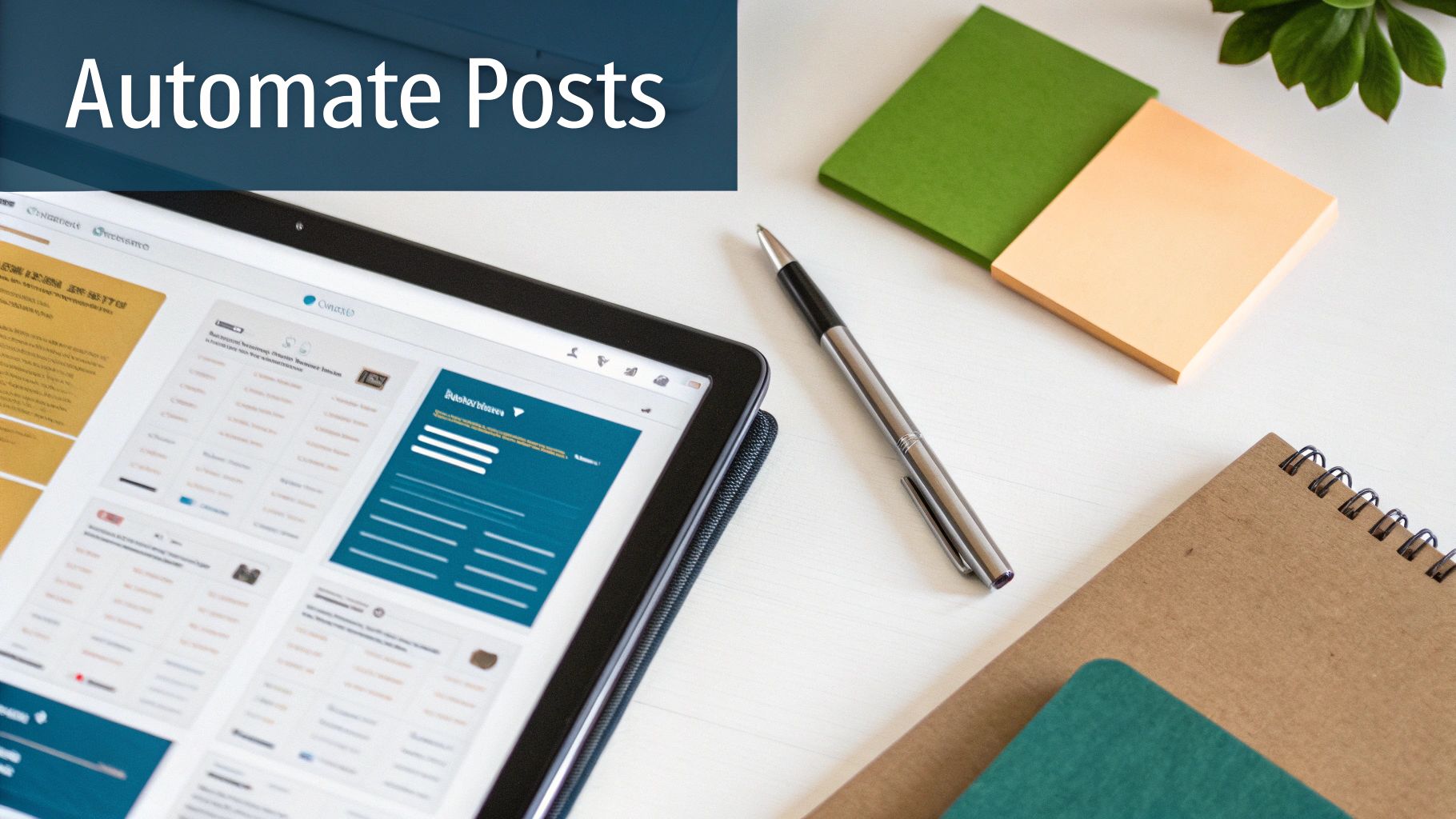
The calendar view gives you a quick, at-a-glance feel for your content flow, so you can easily spot gaps or shuffle posts around if something timely comes up.
An AI planner is more than just a writing assistant; it’s a strategic partner. It helps you keep up a consistent, high-quality presence that builds your authority and keeps your audience hooked, even when you’re busy with other things.
Leveraging Queues for Evergreen Content
Now for one of the most powerful ways to schedule LinkedIn posts automatically: the content queue. We all have those killer, evergreen articles or insights that stay relevant for ages. Instead of letting that great content get buried in your feed, you can put it into a queue to be shared again.
Here’s a real-world example: Let’s say you have five cornerstone blog posts that always bring in traffic and leads. You can add each one to an “Evergreen Articles” queue inside your planner. Then, you just set a simple rule, like “publish one post from this queue every Tuesday at 9:00 AM.”
The tool takes it from there, automatically cycling through your best posts and sharing them at optimal times without you lifting a finger. It’s a dead-simple but incredibly effective way to make sure your best content is always out there working for you, reaching new followers and reminding your current network of your expertise.
Taking Your Automation to the Next Level
Once you’ve got the hang of basic scheduling, you can really start building a content machine that runs itself. This is where we move beyond queueing up posts one by one and start linking your different tools together into a seamless system. These advanced workflows are the secret to clawing back hours each week and making sure your LinkedIn presence is always on, even when you’re not.
Picture this: every time you hit ‘publish’ on a new blog post, a polished LinkedIn draft, complete with the link and title, magically appears in your scheduler, waiting for a final tweak. This isn’t some far-off dream; it’s a simple, powerful setup you can build right now.
Building Your Content “Recipes”
The real aim here is to cut out as many manual steps as you can. By connecting the dots between your tools, you create “recipes” where one action automatically triggers the next. A multi-step headache becomes a single, automated event. This is how you can truly schedule LinkedIn posts automatically with almost zero ongoing effort.
Let’s look at a few practical examples to get the ball rolling:
- Blog-to-LinkedIn Pipeline: You can use a tool like Zapier to watch your blog’s RSS feed. Just set up a “Zap” that fires off every time a new article goes live. The action? It instantly creates a new draft post in Postline.ai, pulling in the blog title for the caption and, of course, the link.
- Automated Content Curation: Find a top industry blog or news site you respect? Hook its RSS feed directly into a dedicated content queue. Your scheduler can then pull in their latest articles automatically, positioning you as a go-to source for what’s new and relevant in your field.
- Frictionless Team Approvals: You can even integrate your LinkedIn content planner with a project management tool like Notion or Asana. Imagine a team member dragging a content idea card from “Drafting” to “Ready for Review.” That simple move could trigger an automation that creates the post draft in your scheduler, ready for final sign-off.
These kinds of integrations are what separate a simple scheduling setup from a truly professional content operation. If you want to dive deeper into connecting your digital toolkit, our guide on social media automation tools has more ideas for building these efficient systems.
A well-designed workflow does more than just save time—it enforces consistency. By automating the tedious parts of content creation, you free up mental energy to focus on strategy and genuine engagement with your audience.
Connecting Your Entire Content Ecosystem
The most effective content strategies don’t treat each platform as its own little island. They see everything as a connected ecosystem, and your automation should reflect that. For example, you could set up a workflow where saving an interesting article to Pocket automatically adds it to a “Content Ideas” list in your scheduler.
This interconnected approach means inspiration is never lost and your content pipeline is always topped up. By building these small but mighty bridges between the tools you already use, you create a powerful system that constantly feeds your LinkedIn presence with high-quality material. It allows you to maintain an active, authoritative voice with incredible efficiency.
Best Practices for Effective LinkedIn Scheduling
To really get the most out of automatically scheduling your LinkedIn posts, you need to pair smart tools with an even smarter strategy. The aim isn’t just to fill up a content calendar; it’s about building a consistent, authentic, and compliant presence that actually connects with your audience. Think of your scheduler as a powerful assistant—it handles the busywork, but you provide the direction.
One of the biggest traps people fall into is blindly following generic advice on the “best” times to post. Industry benchmarks can be a decent starting point, sure, but your audience is unique. The real gold is buried in your own LinkedIn analytics. Dig in and find out when your people are most active. Are you getting more traction during the workday lunch hour, or are early mornings your sweet spot? Your own data will always trump a one-size-fits-all blog post.
Blend Automation with Authenticity
A common worry is that scheduling content will make your profile feel cold and robotic. The trick to avoiding this is to see your scheduled posts as the foundation of your content plan, not the entire building. Automation takes care of your pre-planned, evergreen material, freeing you up to focus on what truly builds community: real-time engagement.
Here’s how to strike that balance:
- Leave Room for Spontaneity: Don’t cram your schedule so full that you have no space to jump on breaking news or join a trending industry conversation.
- Engage with Comments: Automation pushes the post live, but the real work starts in the comments section. Make a point to respond to questions, acknowledge feedback, and thank people for their insights.
- Mix in Live Content: Whenever you can, pepper your scheduled content with spontaneous thoughts, quick behind-the-scenes updates, or even the occasional live video.
This blended approach keeps your profile feeling dynamic and, most importantly, human.
This process flow shows how you can take content from a source like your company blog, run it through an automation tool, and have it queue up as a scheduled LinkedIn post.
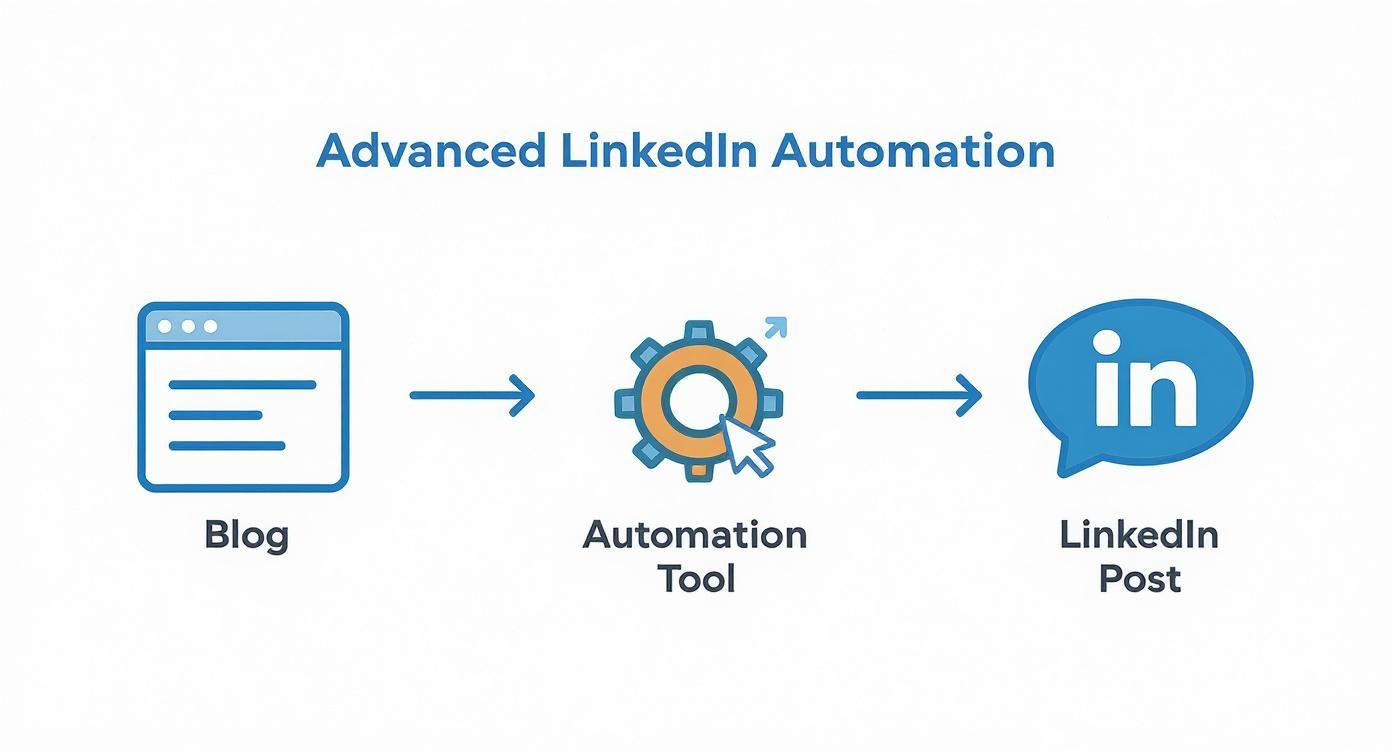
As the infographic shows, an integrated system like this creates a steady, automated stream of valuable content without constant manual effort.
Stay Compliant with LinkedIn’s Rules
It’s absolutely vital to understand what LinkedIn deems acceptable automation. Using an official, API-approved LinkedIn content planner to schedule your posts is completely safe—in fact, it’s encouraged. These tools are built to play by LinkedIn’s rules. And to make sure your scheduled posts really pop, it helps to know how to make social media videos that get noticed.
A word of caution: You must steer clear of any tools that automate engagement or connections. Activities like auto-commenting, auto-liking, or sending automated connection requests are a direct violation of LinkedIn’s policies and can lead to your account being restricted. Stick strictly to content scheduling to automate safely and effectively.
Got Questions About Scheduling on LinkedIn? Let’s Clear Things Up
Diving into LinkedIn automation for the first time? It’s completely normal to have a few questions. After all, you’re connecting a new tool to your professional profile, so it pays to be thorough. Let’s tackle some of the most common things people ask when they start looking to schedule LinkedIn posts automatically.
Will a Scheduler Hurt My Post’s Reach?
This is probably the biggest concern I hear. The simple answer is no, it won’t. LinkedIn’s algorithm cares about one thing above all else: high-quality, engaging content. It doesn’t give a post bonus points or penalise it based on whether you hit “publish” manually or used an approved tool.
If you ever see a drop in reach, take a closer look at the content itself. Was the opening line compelling? Did the topic truly resonate with your audience? Nine times out of ten, the issue lies with the post’s substance, not the publishing method.
Is It Safe to Connect a Tool to My Account?
Absolutely, provided you stick with reputable tools. Legitimate platforms like Postline.ai use LinkedIn’s official API for authentication. This is a crucial detail. It means you’re not handing over your password; instead, you’re granting specific, limited permissions through a secure authorisation process that LinkedIn itself has approved.
How Far Ahead Should I Schedule My Content?
Finding the sweet spot for planning is key. I’ve found that scheduling your posts 1-2 weeks in advance works best for most professionals. It gives you a nice buffer for creating thoughtful content and getting any necessary approvals, without locking you in so far ahead that you can’t be spontaneous.
You can, of course, schedule timeless, evergreen posts further out or drop them into a recurring content queue.
The goal is to build a reliable content calendar that still leaves you room to jump on trending topics or share timely news. Think of your schedule as a guide, not a straightjacket.
And what happens if you need to make a change? Maybe you spot a last-minute typo or want to add a new statistic. That’s one of the best parts of using a proper LinkedIn content planner. Any decent tool will let you easily find your scheduled post in a calendar view and edit, reschedule, or delete it right up to its publication time.
Is Scheduling a “Set It and Forget It” Strategy?
Not quite. While automation takes care of the publishing logistics, the real magic of LinkedIn happens in the engagement. The most successful people on the platform use scheduling to guarantee their consistency.
This consistency frees up their mental energy and time to do what really matters: replying to comments, joining relevant conversations, and actually building relationships. The winning formula is a blend of smart automation and genuine human interaction.
Ready to build a powerful and consistent presence on LinkedIn without the daily grind? Postline.ai combines an intuitive scheduler with a powerful AI writer to help you create and schedule a week’s worth of high-quality content in minutes. Start scheduling smarter today.

Run every client pipeline in one place
Give each LinkedIn profile its own voice, calendar, approval flow, and analytics. Start in minutes.
Start free trial