
A Guide to Creating Your Next High-Impact LinkedIn Video Post
Stop the scroll with a powerful LinkedIn video post. Learn the strategies for planning, filming, and optimizing video content that drives real engagement.
A LinkedIn video post is hands-down one of the best ways to grab attention, build genuine trust, and get real results on the platform. It’s moved beyond being just a “nice-to-have” creative option; it’s now a core part of any serious strategy for professionals who want to build their personal brand, find new leads, and connect with their audience on a much more human level.
Why Your Next LinkedIn Post Should Be a Video
LinkedIn may have started as a text-heavy networking site, but video has clearly become the king of engagement. It’s simple: text tells, but video shows. This format lets you share your personality, convey genuine emotion, and demonstrate your expertise in a way that a block of text just can’t match. That direct, human connection is what builds trust faster than anything else.
Think about it from the user’s perspective. A good video stops the endless scroll. It pulls people out of their passive consumption and invites them into a real conversation, making your message stick. The LinkedIn algorithm has definitely noticed this, and it often gives native video content a healthy boost in the feed.
The Undeniable Power of Visual Engagement
The numbers don’t lie—video isn’t just a trend; it’s a powerhouse. Take Germany, for example, where LinkedIn video ads rack up 30% more comments per impression compared to static ads. On top of that, members spend nearly three times longer watching video content.
Even more impressive? Companies that go live on LinkedIn see an incredible 7x more reactions and a massive 24x more comments. It’s clear proof that video turns passive viewers into active participants.
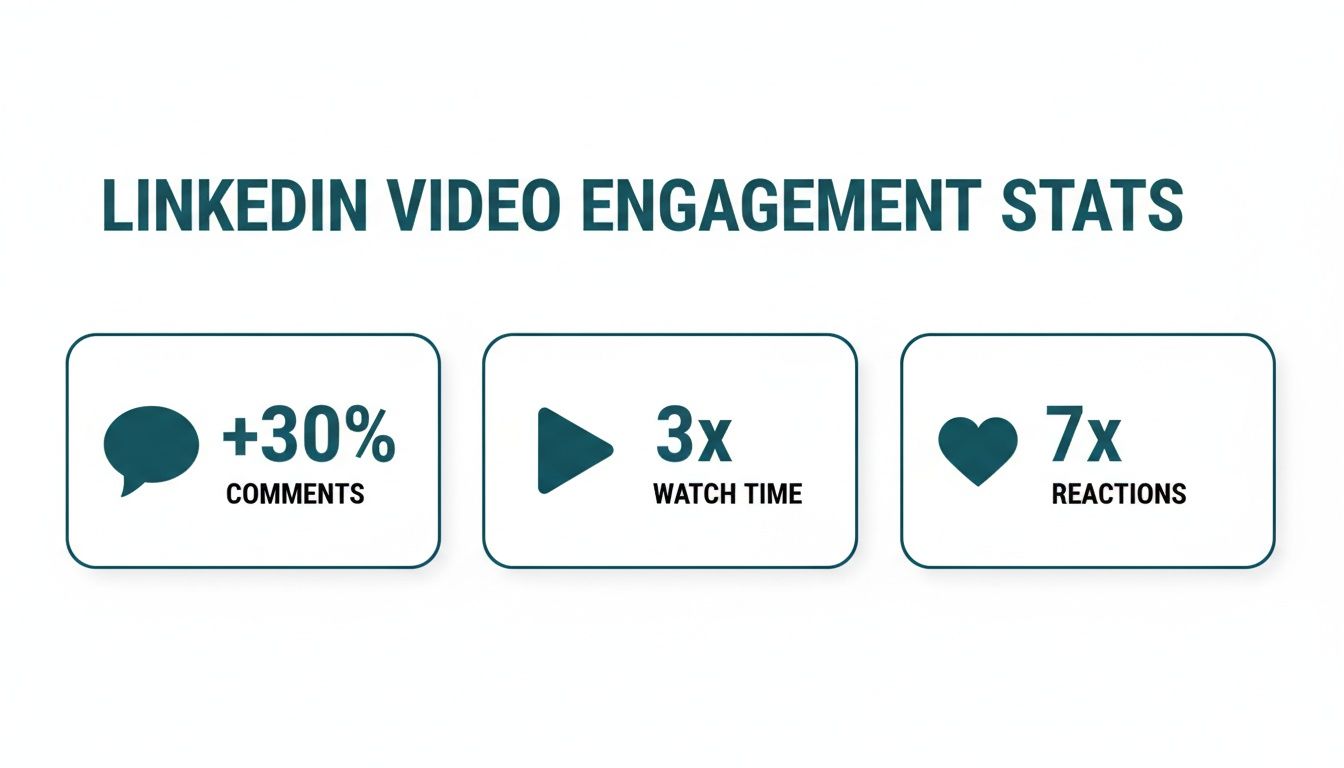
Here’s a quick side-by-side to really drive the point home.
LinkedIn Video vs. Text Post Performance Snapshot
| Metric | Video Post Impact | Text Post Impact |
|---|---|---|
| Watch Time | High (Members spend nearly 3x longer watching) | Low (Dependent on reading speed) |
| Reactions | Very High (7x more for Live video) | Moderate |
| Comments | Very High (30% more on ads, 24x more for Live) | Moderate |
| Trust Building | Excellent (Conveys personality and emotion) | Good (Relies on writing skill alone) |
Ultimately, video drastically increases the time people spend with your content and encourages far more meaningful interactions, from thoughtful comments to enthusiastic reactions.
Mastering the LinkedIn video post isn’t just about pushing out content; it’s about building a strategic asset. Each video is a chance to sharpen your brand, show your value, and build the connections that will actually move your professional goals forward.
To get a solid grasp of what makes great video tick, understanding the essential strategies for creating high-impact social media video content is a great starting point. Making video a priority is a direct investment in your professional visibility and influence.
Planning a Winning Video Before You Hit Record
Great videos don’t just happen. They’re the result of smart, upfront planning. A successful LinkedIn video is built on a solid foundation long before you even think about hitting the record button. This groundwork is what makes sure your content is focused, engaging, and actually gets you the results you’re after.
First thing’s first: define one single objective. Are you trying to drive sign-ups for a webinar? Build brand awareness? Or just share a key piece of industry knowledge? A video that tries to do everything will end up accomplishing nothing.
Think of it this way: a marketing consultant’s goal might be to generate two qualified leads from their next video. With that in mind, their video would naturally focus on a common client pain point and end with an invitation to book a free 15-minute consultation. This clarity shapes every single second of the video.
Crafting a Scroll-Stopping Structure
With your objective locked in, you can start to map out your video’s narrative. On a busy feed, the first three seconds are everything. You need a hook powerful enough to make someone stop scrolling dead in their tracks.
You could kick things off with a provocative question, a surprising statistic, or a bold statement that challenges a common belief. Once you’ve grabbed their attention, the middle of your video has to deliver on the hook’s promise by providing clear, concise value.
Finally, every single video needs a strong Call-to-Action (CTA). This isn’t the time to be subtle. Tell your audience exactly what you want them to do next.
- Weak CTA: “Let me know what you think.”
- Strong CTA: “Share your biggest marketing challenge in the comments below, and I’ll reply with a tip.”
The difference between a video that gets views and one that gets results often comes down to the clarity of its CTA. If viewers don’t know what to do next, they will simply scroll on.
Getting the Technical Details Right
Planning isn’t just about the message; it’s also about the presentation. A poorly formatted video looks unprofessional and can immediately turn viewers away, no matter how good the content is. On LinkedIn, mobile viewing is king, so your technical choices have to reflect that reality.
The square (1:1) aspect ratio is a genuine game-changer for mobile feeds. Why? Because it takes up significantly more screen real estate than a traditional landscape (16:9) video. This simple tweak makes your post more prominent and a lot harder to ignore.
To avoid any last-minute headaches, it’s a good idea to familiarise yourself with LinkedIn’s video specs from the get-go. Getting these right during the planning phase ensures your final product looks polished and is primed to perform well from the very first view.
LinkedIn Video Technical Specifications
| Specification | Recommendation | Why It Matters |
|---|---|---|
| Aspect Ratio | 1:1 (Square) or 9:16 (Vertical) | Maximises screen space on mobile devices, where most users watch video. |
| File Format | MP4 | The most universally supported format, ensuring compatibility across all devices. |
| File Size | 75 KB - 5 GB | A good balance between high quality and reasonable upload times. |
| Video Length | 30 seconds - 3 minutes | Captures attention effectively without losing viewer engagement. |
| Resolution | Minimum 256x144, Maximum 4096x2304 | Ensures your video looks crisp and professional, not pixelated. |
Paying attention to these details early on is what separates the amateurs from the pros. It means that when you finally upload your content, it’s not just good—it’s optimised for success.
How to Film and Edit Your Video Content
Right, with your plan sorted, it’s time to actually make the thing. Don’t worry, creating a high-quality LinkedIn video post doesn’t require a Hollywood budget. The smartphone in your pocket is more than powerful enough, as long as you nail a few fundamentals that make a world of difference.
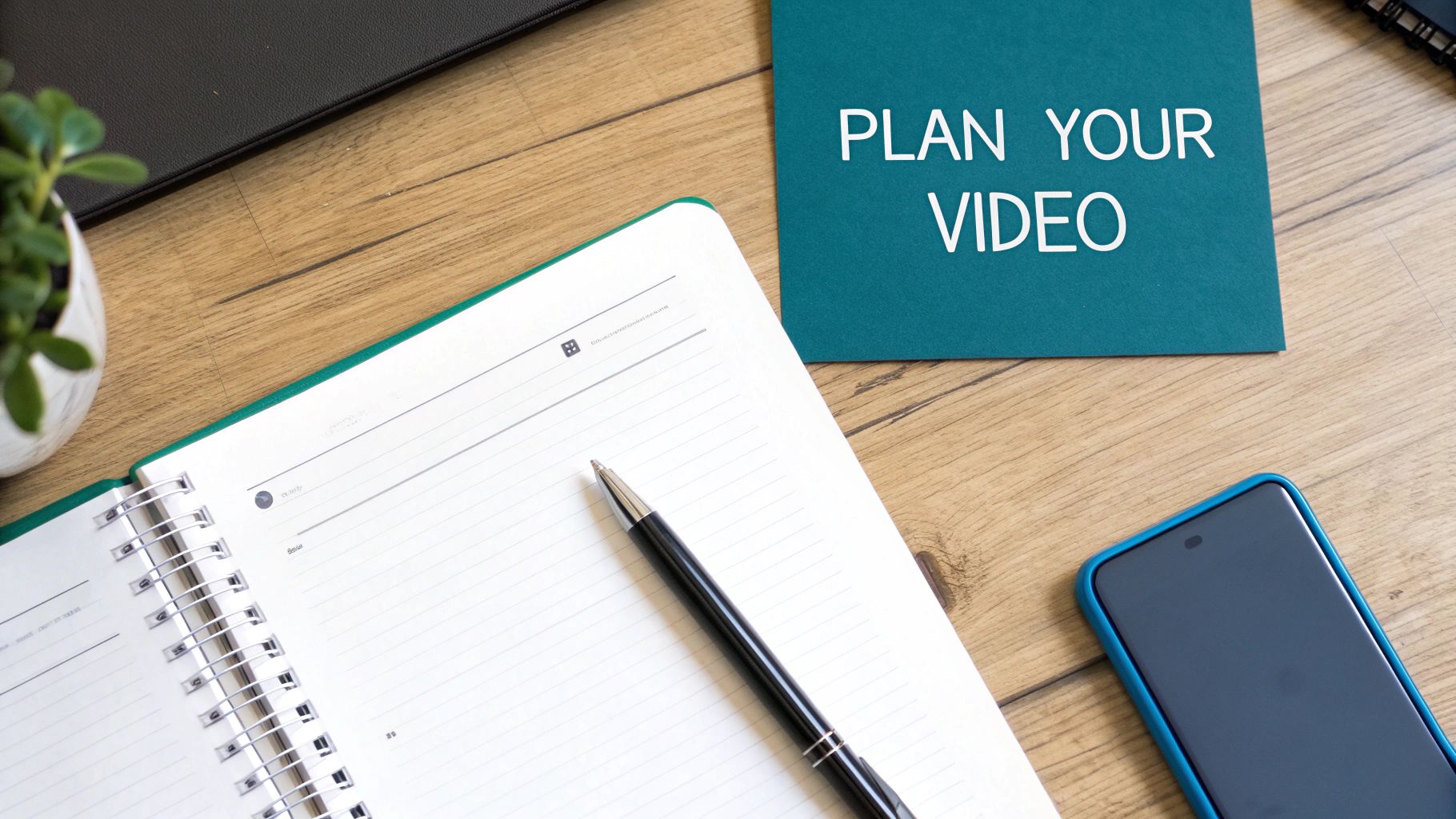
Whether you’re using your phone or a fancy DSLR, stability is non-negotiable. Shaky footage just screams unprofessional and completely pulls focus from your message. A simple tripod is one of the cheapest, most effective investments you can make to instantly level up your video quality.
From there, the two things that truly separate amateur videos from professional-looking content are lighting and audio. Get these right, and you’re golden.
Mastering Lighting and Audio
You don’t need a complex studio. The best light source is free: the sun. Try filming while facing a window to get soft, even light on your face. Just avoid having a bright light behind you, otherwise you’ll end up as a dark silhouette. If natural light isn’t cutting it, a simple ring light is a fantastic alternative for consistent, flattering illumination.
But here’s the real secret: clear audio is even more important than perfect video. People will forgive slightly grainy footage, but they will absolutely not stick around for muffled, hard-to-hear audio. The mic on your phone is okay in a pinch, but an external lavalier (lapel) mic that clips onto your shirt will be a game-changer for clarity.
I see this mistake all the time. People spend ages on the visuals and forget about sound. If your audience can’t clearly understand you, the value of your message is completely lost.
Post-Production Essentials for Engagement
Got your raw footage? Great. The editing process is where you polish it into something concise and impactful. This is your chance to trim out the awkward pauses, add a bit of branding, and make sure your message hits home.
You don’t need to be a professional editor. Simple cuts are usually all you need for LinkedIn. There are plenty of great apps and software options out there, and it’s worth exploring some social media content creation tools that can make this whole process a lot smoother.
That said, there are two editing steps that are absolutely non-negotiable for success on LinkedIn.
1. Add Burned-In Captions
Seriously, do not skip this. Studies show that up to 85% of social media videos are watched with the sound off. Without captions, your video is effectively silent to a huge chunk of your audience. Burned-in captions (subtitles that are part of the video file itself) mean everyone can follow along, whether they’re in a quiet office or on a noisy train. Most editing tools can auto-generate these for you, so it’s just a matter of a quick review.
2. Create a Custom Thumbnail
Your video’s thumbnail is the first impression. It’s what people see before the video auto-plays, and it’s your visual hook. Don’t just let LinkedIn pick a random, blurry frame from your video. Create a dedicated thumbnail instead.
A great thumbnail usually includes:
- A Clear Image: A high-quality photo of your face often works best, or a relevant graphic.
- Compelling Text: A short, punchy headline that teases the video’s main benefit or asks a question.
- Your Branding: Use your brand colours and fonts for consistency.
This small step makes your content look deliberate and professional in the feed. It gives people a reason to stop scrolling and actually pay attention to what you have to say.
Publishing and Scheduling for Maximum Reach
Making a brilliant video is one thing, but getting it in front of the right people at the right time? That’s where the real magic happens. Your distribution strategy needs just as much attention as your content creation. It’s about more than just hitting ‘upload’; you need to build the perfect context around your video.
The upload process itself is dead simple, whether you’re on a desktop or your phone. But here’s the golden rule: always, always upload your video file natively. LinkedIn’s algorithm gives a massive thumbs-up to content that keeps users on the platform. Native videos auto-play right in the feed and get way more visibility than a shared YouTube link ever will.
Crafting a Compelling Post Narrative
Your video can’t just stand on its own. It needs a strong written intro to give it context and convince people to stop scrolling and watch. This text is your chance to set the stage and promise value.
Kick things off with a powerful hook. Then, add a few lines explaining what the video covers and why it’s worth their time. To stretch your reach beyond your network, you’ll want to use hashtags strategically—think of them as signposts guiding interested professionals right to your content.
Here are a few quick tips for your post copy:
-
Get specific with hashtags: Instead of a generic tag like
#Marketing, try something more focused like#B2BMarketingStrategyor#ContentMarketingTips. - Tag relevant people and companies: Did you mention a specific person or a company in your video? Tag them! This sends them a notification and encourages a share, which can seriously amplify your reach.
-
Use a smart mix: I’ve found a good balance is 1-2 broad hashtags (like
#Leadership) combined with 3-4 niche ones. This covers all your bases.
Timing Your Post for Professional Audiences
Posting when your audience is most active gives your video a massive initial boost. This early engagement signals to the algorithm that you’ve shared something valuable. While the perfect time can vary, there are some clear patterns for professional networks like LinkedIn.
Generally, you’ll see engagement on LinkedIn peak during typical business hours, especially mid-week. Tuesdays, Wednesdays, and Thursdays between 10 AM and noon in your audience’s local time zone are often the sweet spots. It’s when people are taking a coffee break or catching up on what’s happening in their industry. Steer clear of weekends or late nights when most professionals have logged off.
These are solid guidelines, but they’re not set in stone. The absolute best time to post is when your unique audience is online. Don’t be afraid to experiment and dive into your analytics to see what works for you.
For a much deeper look at the data, our guide on the best time to post on LinkedIn has everything you need to fine-tune your schedule. Nailing your timing ensures all that hard work gets the eyeballs it deserves.
Streamline Your Workflow with Postline.ai
Let’s be honest, creating a solid LinkedIn video post has a lot of moving parts. You’ve got the initial idea, scripting, filming, editing, and then scheduling everything. Trying to juggle all of that consistently can feel like a full-time job in itself. This is exactly where smart automation can completely change your game, helping you get better content out the door, faster.

Tools built specifically for LinkedIn can take on the heavy lifting. This frees you up to focus on what really matters: creating valuable video content that connects with people, without getting swamped by all the manual admin.
From Brainstorming to Polished Post Copy
One of the biggest hurdles is often just figuring out what to write in the text that goes with your video. You need a hook that grabs attention, a clear point, and the right hashtags to get seen. An AI-powered assistant can make a world of difference here.
Imagine you’ve just finished a great video but you’re staring at a blank screen, trying to find the right words. A tool with an AI Post Generator can take your core idea and spin up compelling copy in seconds. For instance, you could just type in, “new video about improving team productivity with asynchronous communication,” and the AI would draft a full post for you.
This is a huge advantage:
- Beats writer’s block: No more staring at a blinking cursor. You get instant ideas and text to work with.
- Saves serious time: The hours spent drafting and redrafting post copy? You can have that time back.
- Guarantees a strong start: It creates hooks designed to stop people from scrolling right past your post.
To really add some weight to your post, features like Online Research can pull in current data and stats to back up your claims. This turns what might be a simple opinion into a data-supported argument, instantly making it more authoritative and valuable to your audience. For a closer look at the tech behind this, some resources explain in detail how AI automates LinkedIn video creation and the wider content process.
Perfecting Formatting and Scheduling
Once the copy is drafted, how it looks is just as important. Getting the formatting right is key for readability and engagement on LinkedIn. A dedicated LinkedIn Formatter handles all of that for you, ensuring your post has the perfect structure—from a killer hook and a clear call-to-action to perfectly placed hashtags. It just takes the guesswork out of it.
But here’s the thing: a brilliant video posted once in a blue moon will never have the impact of a consistent stream of great content. This is where scheduling becomes your secret weapon.
A Post Scheduler is absolutely essential for building and keeping momentum. It lets you map out your content calendar for weeks, or even months, in advance. You can batch-create your videos, write the copy, and then set them to go live at the best possible times for your audience. This automated approach keeps you visible and top-of-mind, without the daily scramble to post manually.
By bringing all these pieces together, you can shift from a time-sucking manual process to a smooth, automated system. Platforms like Postline.ai bundle all of this into one place, giving you a central hub for planning, writing, and scheduling every single LinkedIn video post. It’s a shift that lets you stress less about the logistics and focus more on creating videos that actually resonate.
Common Questions About LinkedIn Video Posts
When you’re diving into video, a few questions always pop up. Getting clear answers to these common hurdles can make the difference between a video that performs well and one that falls flat. Let’s tackle some of the most frequent queries I hear about creating a successful LinkedIn video post.
What Is the Ideal Length for a LinkedIn Video?
While LinkedIn technically lets you upload videos up to ten minutes long, you should resist the temptation to use all that time. From my experience, the sweet spot for feed-based content is between 30 and 90 seconds.
This is just long enough to deliver a powerful, memorable insight but short enough to hold the attention of a busy professional scrolling through their feed. If you’re creating a more in-depth tutorial, you can stretch this to about three minutes. Just make sure the value you provide is incredibly high right from the very first second.
Should I Post a Native Video or a YouTube Link?
This one is simple: always upload your video natively. LinkedIn’s algorithm heavily favours content that auto-plays in the feed and, most importantly, keeps users on the platform.
Think about it from LinkedIn’s perspective. Posting a YouTube link introduces an extra click and actively sends your audience away from their site—something the platform’s algorithm is designed to discourage. As a result, native video consistently gets far more organic reach and engagement. For a more detailed walkthrough, check out our guide on how to properly post a video on LinkedIn.
Sharing an external link is like putting a speed bump in front of your content. Native uploads create a seamless, frictionless viewing experience that the algorithm rewards.
How Important Are Captions for My Video?
Captions are absolutely essential, not just a nice-to-have. A massive number of users watch videos in sound-off environments, whether they’re in an open-plan office, on public transport, or just scrolling during a meeting.
Without captions, your message is completely lost to them. They make your content accessible, improve comprehension, and have been proven time and again to significantly increase view time. Don’t skip this step.
Can I Edit a Post After I Publish It?
You can edit the accompanying text, hashtags, and any @mentions after you’ve published your post. However, and this is a big one, you cannot replace the video file itself.
To change the video, you must delete the entire post and re-upload it, which means losing all the likes, comments, and shares you’ve already earned. This makes it critical to double-check your video file and thumbnail before you hit that publish button. Get it right the first time.
Ready to stop guessing and start scheduling? Postline.ai combines an AI post generator with a powerful scheduler to help you create and automate a full calendar of high-impact LinkedIn video posts in minutes. Start your free trial today!

Run every client pipeline in one place
Give each LinkedIn profile its own voice, calendar, approval flow, and analytics. Start in minutes.
Start free trial