
Your Definitive Guide to LinkedIn Post Specs
Master your content with our complete guide to LinkedIn post specs. Get the latest dimensions, limits, and file types for images, videos, carousels, and more.
When it comes to LinkedIn, the numbers that really matter are 1200 x 627 pixels for your standard images and link previews. File sizes are just as critical: keep images under 5MB, documents under 100MB, and videos under a hefty 5GB.
Nailing these core specs from the start means your content will always look sharp and professional, avoiding any awkward cropping or frustrating quality loss.
Your Quick Reference Guide for LinkedIn Post Specs
To make a real impact on LinkedIn, your content needs to look polished. Every single time. Sticking to the platform’s technical requirements is the first, and arguably most important, step to ensure every post—from a simple image to a detailed video—appears exactly as you intended.
This is how you sidestep common blunders like blurry images, text getting cut off, or videos that simply refuse to upload. Think of these specs as the blueprint for your content. Get them right, and your message lands clearly, which has a direct effect on your engagement and how your audience perceives your professionalism.
Essential LinkedIn Post Specifications at a Glance
For those moments when you just need the numbers without the fuss, this table is your go-to. It’s a quick summary of the most common specs you’ll need before you hit publish.
| Post Type | Specification | Recommended Value |
|---|---|---|
| Text Post | Character Limit | 3,000 characters |
| Image Post | Dimensions (Shared Link) | 1200 x 627 pixels |
| Image Post | Dimensions (Square) | 1200 x 1200 pixels |
| Video Post | Maximum File Size | 5GB |
| Video Post | Minimum Duration | 3 seconds |
| Video Post | Maximum Duration | 10 minutes |
| Document Post | Maximum File Size | 100MB |
| Document Post | Maximum Page Count | 300 pages |
Keep this table handy. It’s designed to be a quick checklist to help you move fast while still maintaining high standards for all your LinkedIn content.
Key File Size Limits
The size of your file can make or break the user experience. It directly affects upload speeds and how smoothly your audience can view your content. Here’s a quick visual breakdown of the maximum file sizes for the most common post types.
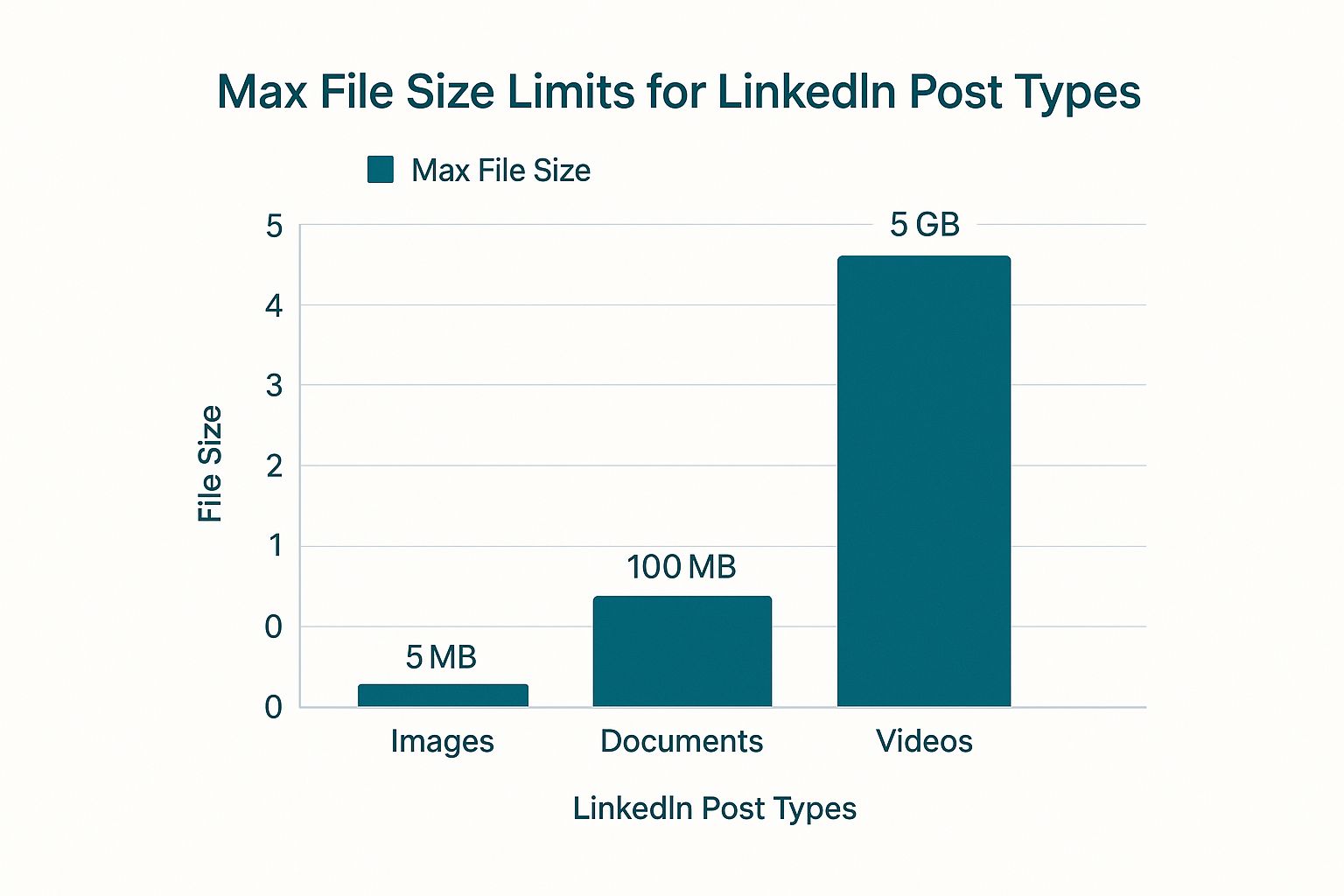
As you can see, videos get a massive amount of space, which is great for sharing high-resolution content. On the other hand, images are kept lean to ensure the feed loads quickly for everyone. This simple chart makes it easy to remember the different technical needs for each media type.
Mastering LinkedIn Text and Article Specs
While a great visual can stop the scroll, it’s the words in your posts and articles that actually deliver your message and get people thinking. Getting a handle on LinkedIn’s specs for text-based content is crucial if you want your words to land with impact and spark real conversations.
For a standard text post, LinkedIn gives you a pretty generous 3,000 characters to play with. But just because you can, doesn’t mean you should. Let’s be honest, nobody has time for a wall of text on their feed. To keep your audience hooked, it’s almost always better to be concise. In fact, research from pros like Buffer in their analysis of LinkedIn engagement shows that shorter posts often perform better.
Maximising Post Readability
Writing the text is only half the battle; you have to make it easy for people to scan. The goal is to make your post look inviting, not intimidating.
Here are a few simple tricks I use all the time:
- Short Paragraphs: Break up your thoughts. Stick to one or two sentences per paragraph to create white space.
- Strategic Emojis: A well-placed emoji can add a splash of personality and create a much-needed visual break in the text.
- Bullet Points: Got a list? Use bullet points or numbers. It’s a clean, simple way to structure information so it’s easy to digest.
When to Use LinkedIn Articles
Sometimes, your message just needs more room to breathe than a standard post can offer. That’s where LinkedIn Articles come in. This feature is your best bet for establishing yourself as a genuine thought leader.
Unlike posts, Articles give you a massive character limit—around 125,000 characters. This is where you can dive deep, tell compelling stories, and provide in-depth analysis. To really make this format work for you, it’s worth learning the ropes of writing a LinkedIn Article that truly grabs and holds your audience’s attention.
Optimising Your Image and Carousel Post Specs
Visuals are hands-down your best tool for stopping the scroll, but only if they’re sized correctly. Getting the specs right prevents that dreaded awkward cropping and makes sure your brand looks sharp and professional. When you’re posting a single image, you’ve got a couple of options depending on what you’re trying to achieve.
A landscape image at 1200 x 627 pixels (a 1.91:1 ratio) is the old standard, and it works perfectly when you’re sharing a link. But if you want to claim more real estate on the mobile feed—and you definitely should—a square image (1080 x 1080 pixels) is far more effective.
To make things easier, here’s a quick reference table with all the key image specs you’ll need.
LinkedIn Image Dimensions and Requirements
| Image Format | Recommended Dimensions (Pixels) | Aspect Ratio | Max File Size | Supported File Types |
|---|---|---|---|---|
| Single Image (Landscape) | 1200 x 627 | 1.91:1 | 5 MB | JPG, PNG, GIF |
| Single Image (Square) | 1080 x 1080 | 1:1 | 5 MB | JPG, PNG, GIF |
| Carousel Card (Square) | 1080 x 1080 | 1:1 | 5 MB | JPG, PNG, GIF |
| Carousel Card (Vertical) | 1080 x 1350 | 4:5 | 5 MB | JPG, PNG, GIF |
| Company Logo | 300 x 300 | 1:1 | 4 MB | JPG, PNG |
| Cover Photo (Profile) | 1584 x 396 | 4:1 | 8 MB | JPG, PNG, GIF |
| Cover Photo (Company) | 1128 x 191 | 5.9:1 | 4 MB | JPG, PNG |
Keep this table handy to ensure your visuals always look their best and load smoothly for your audience.
Perfecting Carousel Post Dimensions
Carousel posts are a fantastic way to tell a story or break down complex information. I use them all the time for sharing step-by-step guides. To create that seamless, swipe-through experience, every single image or “card” in your carousel needs to have identical dimensions.
The go-to size for carousel cards is 1080 x 1080 pixels. This square format is clean and guarantees consistency as people swipe. You’ll also want to keep an eye on your file sizes to prevent slow loading times, which can kill engagement.
One of the most common mistakes I see is mixing aspect ratios within a single carousel. LinkedIn tries to fix this by adding ugly grey bars to some of your images, which looks incredibly unprofessional and totally disrupts the flow. Don’t do it.
The data backs this up, too. Multi-image posts are gaining serious traction. In Germany, engagement for formats like carousels has recently climbed past 6%, proving just how powerful they’ve become.
Key File Requirements for Images
Beyond just the dimensions, you’ve got to stick to LinkedIn’s file requirements for a successful upload. Following these simple rules ensures your visuals maintain their quality and don’t get rejected.
- Supported File Types: You can upload JPG, PNG, or GIF files.
- Maximum File Size: Make sure each image stays under 5 MB.
These specs are in place to keep the platform running smoothly for everyone. For an even deeper look into optimising your visuals, check out our complete guide on the best LinkedIn post images size for getting maximum impact.
Getting to Grips with LinkedIn Video and Document Specs
Moving beyond static images and text opens up some really dynamic ways to grab attention and share deeper knowledge on LinkedIn. Video and document posts are perfect for this, but they come with their own set of technical rules you need to follow. Nail these, and they’ll look great in the feed.
Getting these specs right from the start is a must for a smooth upload and a professional look. A video that’s too long or a document that’s too large will just get rejected by the platform, and you’ll have to start all over again.
Essential Video Post Specifications
Video is a massive performer on LinkedIn, but it does require some prep work. The platform is actually pretty flexible, supporting a huge range of resolutions from 256x144 pixels all the way up to 4096x2304 pixels. If you want a safe bet for great quality, uploading in 1080p is a solid choice.
Here are the core technical details you’ll want to keep in mind:
- File Size: Your video file needs to be between 75KB and 5GB.
- Duration: Videos have to be at least 3 seconds long, but they can’t run for more than 10 minutes.
- Aspect Ratio: While standard landscape (16:9) and square (1:1) are always good, vertical formats like 4:5 and 9:16 are fantastic for mobile viewing.
- File Formats: LinkedIn plays nice with most of the common video formats, including MP4, AVI, and MOV.
If you’re looking for a more detailed walkthrough, our guide on how to post a video on LinkedIn breaks down every single step. For some extra pro tips, it’s also worth reading up on optimizing videos for social media to make sure your files are compressed without killing the quality.
Mastering Document Post Requirements
Document posts—think PDFs or PowerPoint presentations—are an absolute gem for sharing things like reports, case studies, or slide decks directly in the feed. LinkedIn cleverly turns your document into a clickable, swipeable carousel that people can interact with.
To make sure it’s a seamless experience for your audience, stick to these key specs:
- Maximum File Size: Make sure your document is under 100MB.
- Maximum Page Count: You’re limited to 300 pages for any single document.
- Supported File Types: You can upload PDF, PPT, PPTX, DOC, and DOCX files.
Here’s a crucial tip for document posts: spend some time designing an engaging cover page. That first slide is what everyone sees in the feed, acting as your post’s thumbnail. Make it pop with a good description to get those clicks.
Understanding Your LinkedIn Profile and Page Specs
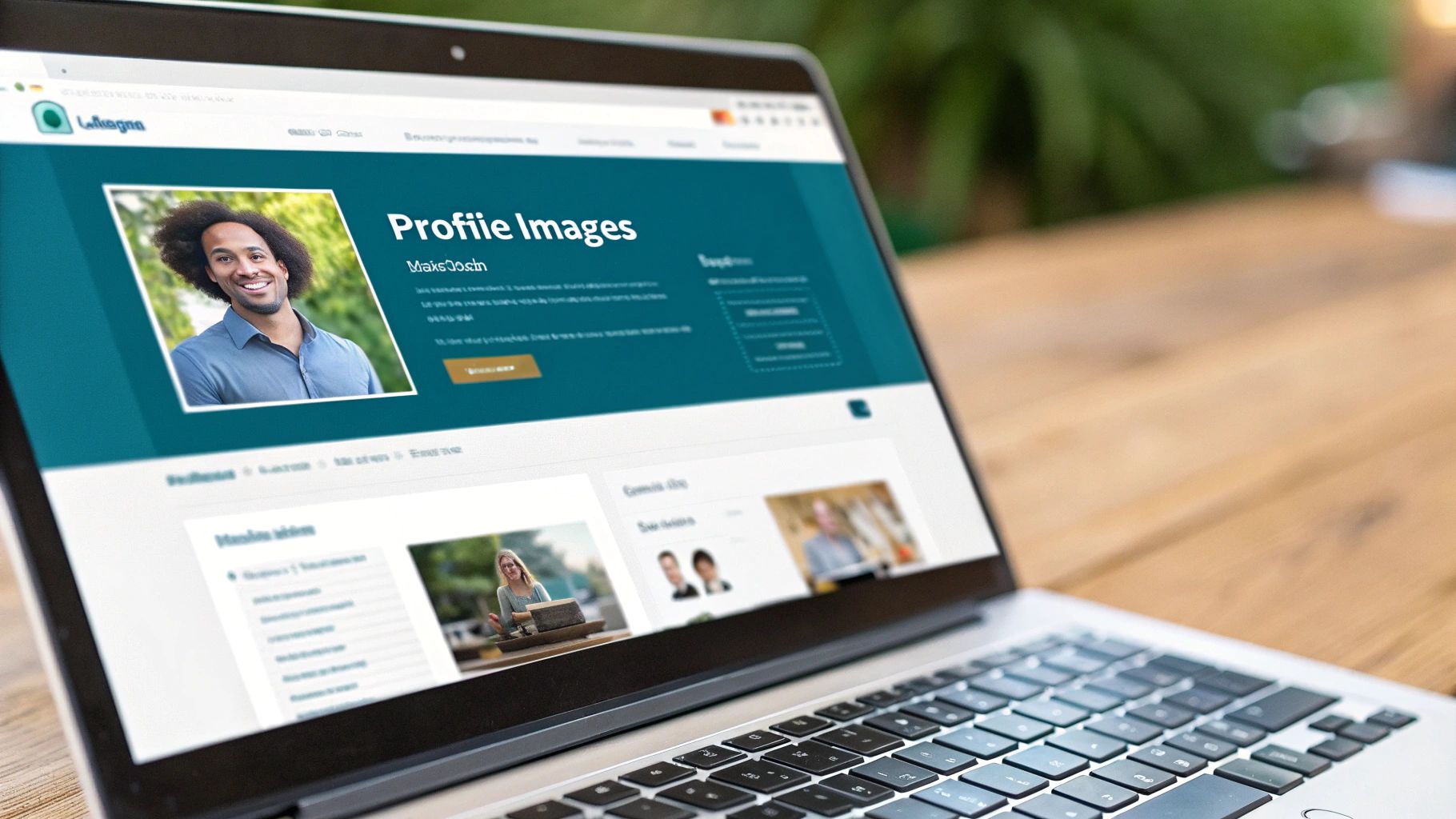
While your feed content is what drives daily engagement, your personal profile and Company Page are the true cornerstones of your professional brand on LinkedIn. Getting these core visual assets right is non-negotiable if you want to make a solid first impression. Think of them as the always-on elements that contacts, recruiters, and potential clients will see first.
Getting these visuals right involves more than just uploading a random photo. You have to nail the specific dimensions to ensure everything looks sharp and clear, no matter what device someone is using. A poorly sized banner or a blurry logo can instantly chip away at your credibility, which is why paying close attention to the official linkedin post specs for profiles and pages is such a critical first step.
Key Profile and Page Dimensions
Your personal profile and your company page each have their own unique image requirements, and they’re different from what you’d use for a standard post. Here’s exactly what you need to know to maintain that polished, professional look.
- Personal Profile Picture: Stick to a high-resolution image at 400 x 400 pixels. This ensures your headshot looks crisp and clear everywhere, from search results to the comment section.
- Personal Cover Photo: Your banner needs to be 1584 x 396 pixels. My pro tip? Keep all the vital information smack in the centre to avoid it getting awkwardly cropped on mobile devices.
- Company Logo: A 300 x 300 pixels logo is the standard here. This is the little icon that appears next to all your company’s posts and updates.
- Company Cover Image: This banner is a bit smaller, coming in at 1128 x 191 pixels. Because of the tighter space, you’ll want to design a simple, high-impact visual that fits perfectly.
It’s absolutely essential to get these foundational elements set up correctly before you even think about posting content. If you’re looking for a step-by-step tutorial, have a look at our guide on how to create a business profile on LinkedIn.
Frequently Asked Questions About LinkedIn Specs
Even with a detailed guide in hand, some specific questions about linkedin post specs always seem to pop up right when you’re in the middle of creating content. Getting straight answers quickly is key to fixing common snags and keeping your workflow smooth.
Let’s tackle some of the most common queries I hear from professionals, with practical solutions for these everyday headaches.
What Is the Best Image Size for a LinkedIn Post?
For a standard single-image post, 1200 x 627 pixels (landscape) or 1080 x 1080 pixels (square) are the go-to recommendations. But from my experience, a portrait aspect ratio of 4:5, like 1080 x 1350 pixels, almost always performs better on mobile.
Why? This vertical format simply takes up more screen real estate. That makes it far more effective at stopping the scroll as people browse their feeds on their phones, which is where most of your audience is.
Can I Edit Media in a LinkedIn Post After Publishing?
You can hop in and edit the text of a published LinkedIn post anytime you like—perfect for fixing a typo or adding a quick update. The media, however, is a different story. You absolutely cannot change or edit an image, video, or document once the post is live.
If you need to change the media you’ve attached, your only move is to delete the original post and start fresh with a new one using the correct file. It’s a pain, but it’s the only way.
How Do I Prevent Blurry Videos on LinkedIn?
Blurry video is usually the result of heavy compression or starting with a low-resolution file. To sidestep this, always begin with a high-resolution video. Aim for at least 720p, but 1080p is really the standard you should be shooting for.
Don’t forget that a stable internet connection during the upload is just as crucial. LinkedIn processes every single video, so giving its algorithm the highest quality source file to begin with gives you the best shot at a sharp final product.
What Are the Specs for a LinkedIn Poll?
LinkedIn Polls have their own little set of rules and character limits, and sticking to them is important if you want it to look clean and professional. The specs are pretty tight:
- The question itself can be no longer than 140 characters.
- Each of the four possible options has a strict limit of 30 characters.
- You can set the poll duration to 24 hours, 3 days, 1 week, or 2 weeks.
Ready to create perfectly formatted LinkedIn posts in minutes? Postline.ai combines powerful AI writing with real-time research and scheduling to help you master LinkedIn without the hassle. Turn your ideas into standout content and grow your audience faster at https://postline.ai.

Run every client pipeline in one place
Give each LinkedIn profile its own voice, calendar, approval flow, and analytics. Start in minutes.
Start free trial