
LinkedIn Post Generator (with AI)
Discover how a LinkedIn post generator transforms your content strategy. Learn to create engaging, AI-powered posts in minutes with our ultimate guide.
Tired of staring at a blank screen, trying to come up with your next LinkedIn post? A LinkedIn post generator is your secret weapon. It’s an AI-powered co-pilot that helps you brainstorm, write, and polish high-impact content in a fraction of the time.
Its goal is simple: to help you beat writer’s block, save hours, and consistently publish engaging posts that build your personal brand and professional network.
See It in Action: From Simple Idea to Polished Post
Here’s a quick demo of how you can write LinkedIn posts with AI. Let’s say you’re a startup founder with big news.
Your Simple Prompt: “Write a post announcing our company, InnovateTech, has just closed a €5 million seed funding round led by Visionary Ventures. Mention how this will help us accelerate product development and expand our team. Tone should be grateful and future-focused.”
The Polished AI-Generated Post: “Absolutely thrilled to share a major milestone for InnovateTech! 🚀
We have officially closed our €5 million seed funding round, led by the incredible team at Visionary Ventures. I’m immensely grateful for their belief in our mission to revolutionise the data analytics space.
This is more than just capital; it’s fuel for our future. With this investment, we will be accelerating our product development roadmap and, most importantly, expanding our world-class team.
A massive thank you to every member of the InnovateTech family. Your hard work and dedication made this possible. We’re just getting started!
If you’re passionate about building the future of data, we’re hiring! Check out our open roles.
#Startup #Funding #VentureCapital #DataAnalytics #TeamGrowth”
As you can see, the AI takes a simple idea and instantly transforms it into a well-structured, engaging post, complete with a strong hook, clear messaging, and relevant hashtags.
What Is an AI LinkedIn Post Generator
If you’re a busy professional—a founder, consultant, sales leader, or marketer—you already know the struggle. Keeping up an active LinkedIn presence is a constant battle. You know you should be posting valuable content to stay visible, but finding the time and inspiration can feel like a herculean task. This is the exact gap an AI LinkedIn writer is designed to fill.
Today’s generators are a world away from the basic templates and clunky text spinners of the past. They’ve become sophisticated partners that use artificial intelligence to really get what you and your audience are all about. Instead of just asking you to fill in some blanks, these tools help you dream up fresh ideas, shape your thoughts into compelling stories, and tweak your tone until it sounds authentically you.
Beyond Automation A Creative Partner
It’s a common myth that using an AI tool means your posts will sound robotic and lose their authenticity. The truth is, the best platforms work more like a trusted assistant. They can take your half-baked ideas, a few key talking points, or even just a link, and spin them into polished first drafts. You bring the core message and personal insights; the AI handles the heavy lifting of formatting, crafting a great hook, and optimising the language.
This partnership helps you:
- Defeat Writer’s Block: Instantly get multiple drafts and different angles on any topic. It’s a powerful way to get the ball rolling.
- Save Significant Time: Stop spending hours staring at a blank cursor. You can knock out a week’s worth of content in a single sitting.
- Improve Content Quality: Make sure every post is grammatically sound, well-structured, and ends with a solid call-to-action.
- Maintain Consistency: Post regularly to keep your profile buzzing and stay top-of-mind with your network—a massive factor in how the LinkedIn algorithm sees you.
A LinkedIn post generator is your strategic advantage. It empowers you to translate your expertise into valuable content consistently, turning your professional knowledge into a powerful personal brand asset.
In short, these tools take care of the tedious parts of creating content, which frees you up to focus on the bigger picture and add that unique human touch only you can provide. They are just one piece of a much larger ecosystem of helpful social media content creation tools out there, all built to make your digital marketing sharper and more efficient. By managing the structure and initial drafting, an AI partner ensures you can consistently share your expertise and build genuine connections.
How AI Actually Writes Great LinkedIn Posts
Ever wondered what goes on behind the curtain when an AI LinkedIn post generator turns your quick idea into a polished post? It’s not magic, but it’s pretty close. Think of it like a master chef in your kitchen. You give them the recipe—your topic, a few key points, and the vibe you’re going for—and the AI uses its massive pantry of knowledge to cook up something special. The secret sauce here is a technology called Natural Language Processing (NLP).
NLP is just a fancy way of saying the AI can read, understand, and write like a human. When you type in a prompt like, “Write a post about why mentorship is so important for young professionals,” the AI doesn’t just see a bunch of words. It gets the real meaning, picks out the core concepts (“mentorship,” “young professionals”), and figures out what you’re trying to achieve: an insightful, encouraging post.
The system then taps into everything it’s learned from millions of articles, books, and online posts to put together something that follows the unwritten rules of LinkedIn. It knows how to start with a strong hook, use white space to make text easy to read, and wrap up with a clear call-to-action because it’s seen what works time and time again. It’s a smart process that takes your raw thoughts and gives them structure and professional flair.
The Real Power Is Learning Your Unique Style
Any basic AI can spit out a generic post, but an advanced AI LinkedIn writer learns to write like you. This is where features like Style Memory and Research Memory really change the game. They’re what separate a decent tool from a great one, making sure your content always sounds authentic and genuinely useful.
With these features, the AI stops being a simple task-doer and becomes a real creative partner. It starts picking up on the patterns in your writing, the specific phrases you like to use, and how you build your arguments.
- Style Memory: This works by looking at your past posts or other content you feed it. The AI figures out your unique voice—are you witty, formal, technical, or super casual? Over time, what it produces starts to sound more and more like you wrote it yourself, which means less time spent editing.
- Research Memory: This lets the AI remember specific facts, stats, or case studies you want to use again. You can “teach” it about your company’s latest product launch or a key industry trend, and it will pull that data into future posts without you having to repeat yourself.
When you combine NLP with this kind of personalised memory, a LinkedIn post generator becomes an extension of your own brain. It remembers what you know and how you like to say it, helping you draft content that’s not just well-written but also perfectly aligned with your personal brand.
From a Simple Prompt to a Polished Post
So, how does this actually play out when you write LinkedIn posts with AI? Let’s say you want to share a story about a recent win at work. Your input might be as simple as: “Post about our team hitting our Q3 sales target. Mention the hard work and collaboration. Tone: celebratory and grateful.”
From there, the AI kicks into gear, following a clear set of steps:
- Break Down the Prompt: First, it pulls apart your request into the main ingredients: the event (hitting the Q3 target), the key themes (hard work, collaboration), and the feeling (celebratory, grateful).
- Create a Killer Hook: It drafts an opening line designed to stop the scroll, like “I’m absolutely thrilled to share some incredible news…” or “A team that pulls together, wins together.”
- Build the Narrative: The AI then fleshes out the body of the post, expanding on the themes you gave it. It might add phrases that celebrate teamwork or show appreciation, using its knowledge of what sounds good in a professional setting.
- Add Your Personal Touch: If it’s learned your voice, it will sprinkle in your typical language and sentence structures, making sure the post feels genuinely yours.
- Apply the Finishing Touches: Finally, it will suggest relevant hashtags like #TeamSuccess or #SalesGoals and add a closing line that encourages people to comment or react, tying it all together.
This back-and-forth between you and the AI is what makes a modern LinkedIn post generator so powerful. It does the heavy lifting on structure and phrasing, freeing you up to focus on the personal stories and strategic insights that only you can bring to the table.
The Real Benefits of Using a LinkedIn Post Generator
Using a smart LinkedIn post generator isn’t just about saving a few minutes here and there. It’s about gaining a real strategic edge that can seriously move the needle on your personal brand and career goals. The advantages boil down to three things: getting your time back, making your content better, and being seen by more people.
Imagine this: you sit down and schedule an entire week’s worth of polished, high-quality content in less than an hour. That’s the most immediate win. Instead of battling a blank screen, you can feed the AI a simple idea and get multiple post drafts in seconds. It’s a game-changer if you’ve ever struggled with how to get rid of writer’s block. All that saved time can be reinvested where it truly counts—networking, actually engaging with comments, and building relationships.
The whole process is incredibly simple. You start with your raw idea, the AI does the heavy lifting, and out comes a finished post.
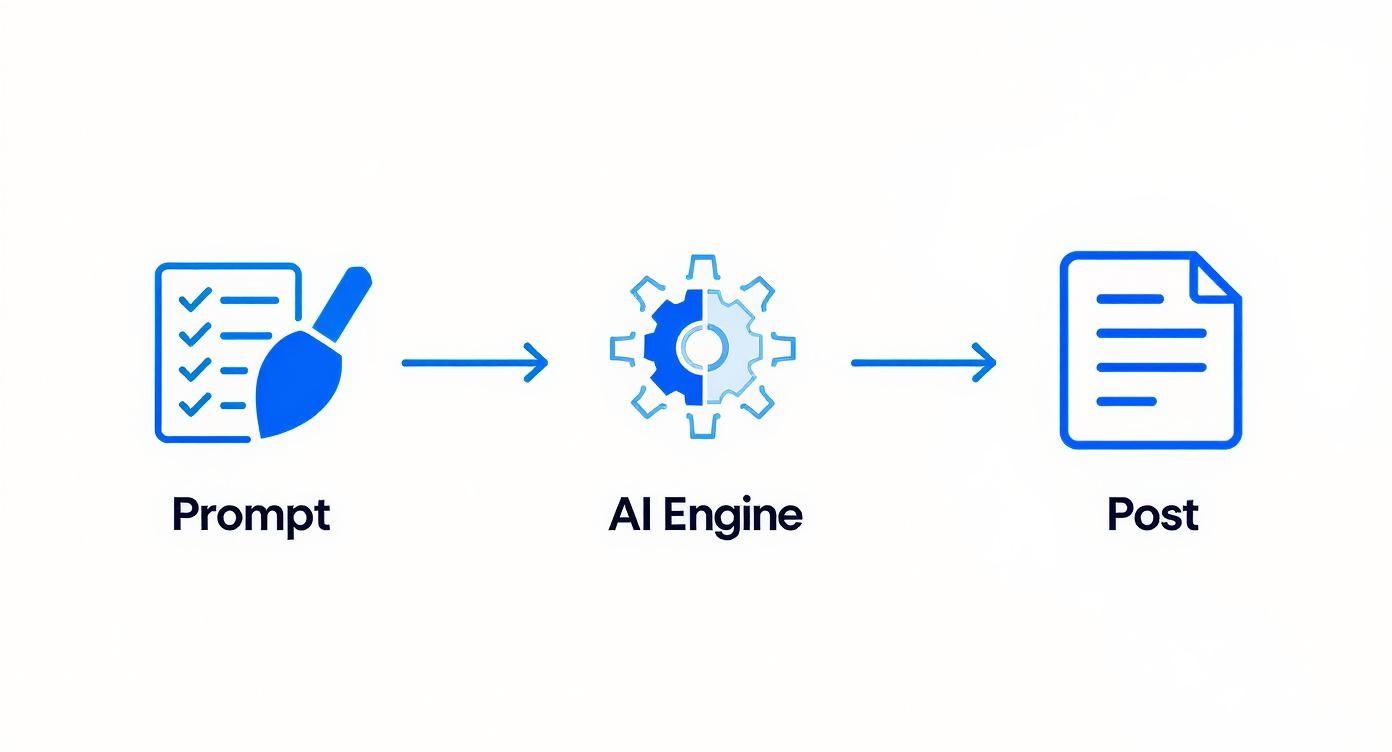
This workflow turns content creation from a chore you dread into a quick, repeatable system.
Let’s look at the difference this makes in practical terms.
Manual vs AI-Generated LinkedIn Content Creation
| Aspect | Manual Content Creation | AI LinkedIn Post Generator |
|---|---|---|
| Time Investment | 1-2 hours per post (research, writing, editing) | 5-10 minutes per post |
| Consistency | Often sporadic, depends on inspiration and time | Easy to maintain a daily or weekly schedule |
| Quality Control | Prone to typos, grammar mistakes, and awkward phrasing | Polished, professional tone with minimal errors |
| Idea Generation | Relies entirely on your own creativity; can lead to writer’s block | Provides endless ideas, hooks, and angles |
| Engagement | Can be hit-or-miss without structured calls-to-action | Optimised for engagement with strong hooks and CTAs |
As you can see, the AI approach systematically removes the biggest hurdles that stop most people from being consistent on LinkedIn.
Elevate Your Content Quality and Consistency
Beyond just speed, a good AI LinkedIn writer is like having a personal editor and content strategist on call. It catches those embarrassing grammar mistakes and clunky sentences, making sure everything you publish looks professional and sharp. But more importantly, it helps you stick to a consistent posting schedule, which is a massive signal to the LinkedIn algorithm.
When you show up regularly with quality content, you stay top-of-mind with your network. That consistency is how you build trust and establish yourself as an authority. The AI is brilliant at helping you:
- Craft Irresistible Hooks: It knows how to grab attention right from the first sentence.
- Structure Posts for Readability: It uses short paragraphs, bullet points, and clean formatting so people can easily scan your content.
- End with a Strong Call-to-Action: It prompts you to encourage comments, questions, and shares to get the conversation going.
A generator ensures you never have to choose between posting consistently and posting well. You can reliably put out valuable content that connects with your audience, building your reputation with every share.
Increase Visibility and Professional Engagement
At the end of the day, the goal is to get seen and heard by the right people. Consistent, high-quality content is the fuel for that. And you need it now more than ever. LinkedIn is buzzing with over 15 million creators, and 40% of active users have enabled “Creator Mode” to push their original content even further.
In such a crowded space, a LinkedIn post generator gives you a huge advantage. It empowers you to consistently share valuable insights, which is precisely what the platform’s algorithm is built to reward.
This steady drumbeat of activity leads to real-world results. For example, content tagged with #Leadership gets 2.5 times more shares. In Germany, top voices in industries like Information Technology (29.6%) and Health Care (24.4%) have built huge followings simply by being consistent thought leaders. By using an AI writer to keep that stream of relevant content flowing, you can plug into these trends and watch your professional visibility climb.
When you write LinkedIn posts with AI, you’re not just automating a task. You’re building a system for sustained growth. This is what leads to hitting those big career goals, whether that’s generating more leads, attracting recruiters, or cementing your reputation as the go-to expert in your field.
Putting AI to Work with Real Post Examples
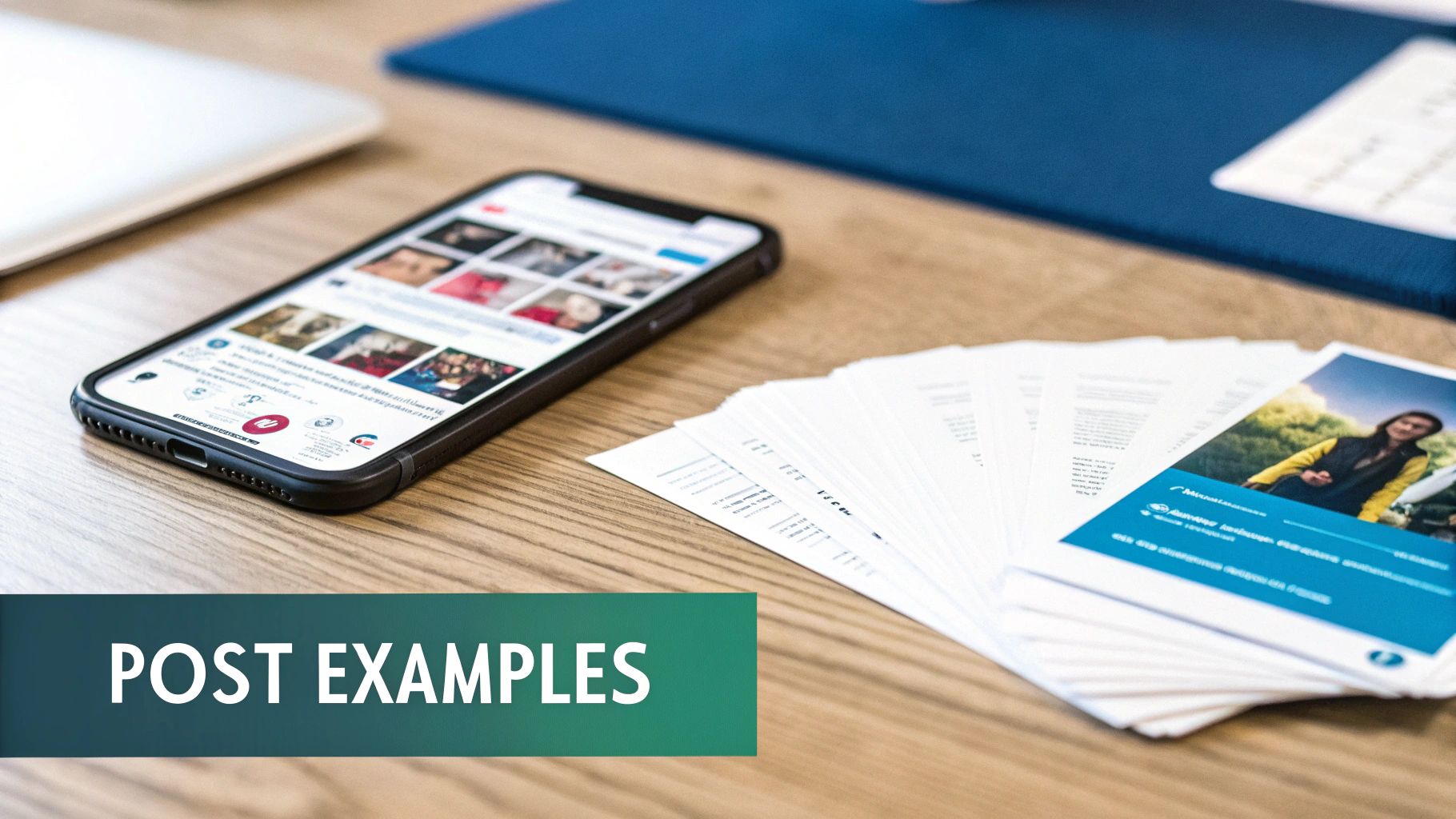
Theory is one thing, but seeing a LinkedIn post generator in action is where the penny really drops. Let’s get practical and look at how a simple idea can be spun into a compelling, ready-to-publish post.
We’ll walk through three classic professional moments: a founder shouting about a big win, a consultant making a complex idea simple, and a sales leader showing off a new feature. For each, you’ll see the ‘before’ (the raw idea) and the ‘after’ (the slick AI output), showing exactly how an AI LinkedIn writer nails the tone, structure, and hook.
Example 1: The Founder’s Funding Announcement
A startup founder has some huge news to share: a successful seed funding round. The post needs to feel celebratory yet professional, giving a nod to the team and looking ahead.
The Simple Prompt: “Write a post announcing our company, InnovateTech, has just closed a €5 million seed funding round led by Visionary Ventures. Mention how this will help us accelerate product development and expand our team. Tone should be grateful and future-focused.”
The Polished AI-Generated Post: “Absolutely thrilled to share a major milestone for InnovateTech! 🚀
We have officially closed our €5 million seed funding round, led by the incredible team at Visionary Ventures. I’m immensely grateful for their belief in our mission to revolutionise the data analytics space.
This is more than just capital; it’s fuel for our future. With this investment, we will be accelerating our product development roadmap and, most importantly, expanding our world-class team.
A massive thank you to every member of the InnovateTech family. Your hard work and dedication made this possible. We’re just getting started!
If you’re passionate about building the future of data, we’re hiring! Check out our open roles.
#Startup #Funding #VentureCapital #DataAnalytics #TeamGrowth”
Analysis: See what happened there? The AI took the basic facts and slotted them into a proven announcement format. It kicked off with a high-energy hook, stated the news clearly, explained what it means for the future, gave credit where it’s due, and finished with a strong call-to-action for hiring. Perfect.
Example 2: The Consultant’s Industry Trend Breakdown
A marketing consultant needs to break down the buzzword “hyper-personalisation” so that anyone can get it. The aim is to build authority and actually teach their network something useful.
The Simple Prompt: “Create a post explaining the concept of hyper-personalisation in marketing. Use an analogy to make it simple. Emphasise why it’s more than just using a customer’s first name. Goal is to be educational and insightful.”
The Polished AI-Generated Post: “Is your marketing still just saying, ‘Hello, [First Name]’? It’s time to go deeper.
Let’s talk about hyper-personalisation. Think of it like this: → Standard personalisation is a barista remembering your name. → Hyper-personalisation is the barista remembering your name, your usual oat milk latte, and asking how that big project you mentioned last week went.
It’s about using data to understand customer behaviour and context in real-time to deliver an experience that feels uniquely theirs. This goes beyond names and purchase history. It’s about anticipating needs.
Why does this matter? ✅ It builds genuine loyalty. ✅ It significantly boosts conversion rates. ✅ It turns customers into advocates.
The brands that master this will win the next decade.
What’s the best example of hyper-personalisation you’ve seen? Share in the comments!
#Marketing #Personalisation #CustomerExperience #DigitalMarketing #CX”
Being able to churn out quality, engaging content like this is a massive advantage. In Germany, where LinkedIn is the go-to for B2B, strategies like this are essential. As of 2025, 40% of B2B marketers rated LinkedIn as their best channel for sourcing high-quality leads. This is no surprise when you consider that 40% of visitors engage with company pages organically every week, proving the power of consistent, valuable posts.
Example 3: The Sales Leader’s Product Feature Highlight
A sales leader wants to drum up some excitement for a new time-saving feature. The post must focus on the user’s benefit, not just the tech specs.
The Simple Prompt: “Write a post about our new ‘Automated Reporting’ feature for our CRM platform, ‘ConnectSphere.’ Highlight how it saves sales teams hours of manual work each week so they can focus more on selling. Tone should be benefit-driven and energetic.”
The Polished AI-Generated Post: “How much time does your sales team spend on manual reporting each week? 5 hours? 10 hours?
What if they could get all that time back?
I’m incredibly proud to introduce the new Automated Reporting feature in ConnectSphere! We built this to solve one of the biggest time-sinks for sales professionals.
No more exporting spreadsheets. No more manually building charts.
Just custom, insightful reports delivered to your inbox, exactly when you need them. This means more time for what truly matters: building relationships and closing deals.
This is a game-changer for sales productivity.
Want to see how it works? Drop a ‘report’ in the comments, and I’ll send you a quick demo video.
#SaaS #Sales #Productivity #CRM #NewFeature”
Each of these examples shows how you can write LinkedIn posts with AI to turn a basic idea into a structured, engaging piece of content made for the platform. The secret is giving it a clear prompt and then letting the tech do the heavy lifting of formatting and writing something that connects.
For more ideas, check out our guide on other effective LinkedIn post examples that stop the scroll.
How to Choose the Right AI LinkedIn Writer
With so many tools out there, picking the right AI LinkedIn writer can feel like a chore. The secret is to look past the flashy marketing and zero in on what actually helps you create authentic, high-impact content. A great tool should feel like a creative partner, not just a content machine.
Your real goal is to find a generator that gets you—your unique perspective, your voice—and helps you share it with the world. This means you need to judge these tools on a few core things that directly affect the quality of your posts and how much time you save.
Focus on Content Quality and Authenticity
This is the big one. The single most important thing is whether the AI can produce high-quality, creative, and non-generic posts. Any basic tool can string together a grammatically correct sentence, but a great one will help you tell a compelling story with a hook that grabs attention.
Look for features that allow for deep customisation. One-size-fits-all writing is a dead end on LinkedIn, where your personal voice is your biggest advantage.
Crucial Feature Brand Voice Memory: The best LinkedIn post generators have a “style memory” or “brand voice” feature. This is where the AI learns from your past posts, making sure everything it writes genuinely sounds like you. It’s the difference between a post that feels a little off and one that perfectly captures your tone.
To really nail this, it helps to define your voice first. You can get a head start by checking out our guide on how to create powerful brand voice guidelines for consistent, on-brand messaging.
Evaluate Key Features and Integrations
Beyond the quality of the writing, the right tool should slide right into your current workflow. The right features can save you hours every single week and make creating content feel almost effortless.
Here are a few things to look for when you’re comparing your options:
- Ease of Use: Is the interface intuitive? You should be able to get a post generated and edited in minutes, not hours.
- Editing and Regeneration: A must-have. The tool needs to let you easily edit drafts, regenerate just one part (like the hook or call-to-action), and tweak the output without starting over.
- Scheduling Integrations: Can you schedule posts directly to LinkedIn? Or maybe connect to a scheduler you already use? A built-in scheduler streamlines the entire process, from idea to published post.
- Research Capabilities: This is next-level stuff. Advanced tools like Postline.ai can do real-time online research, pulling in credible data and fresh insights to your posts automatically.
It’s also worth comparing specialised tools against general-purpose AI models. Looking into the differences between a dedicated platform like Salesmotion vs. ChatGPT can really show you the perks of using a tool built specifically for professional content.
Before you commit to a tool, it’s a good idea to run through a quick checklist of what’s important for your specific needs. Here’s a table to help you think through the must-have features.
Feature Checklist for LinkedIn Post Generators
| Feature | Importance | What to Look For |
|---|---|---|
| Brand Voice Memory | High | The ability to analyse your past posts or style guides to learn your unique tone. |
| Real-Time Research | High | Internet access to pull in current data, news, and relevant statistics. |
| Editing & Regeneration | High | Tools to easily tweak hooks, CTAs, or entire sections without starting from scratch. |
| Intuitive User Interface | Medium | A clean, easy-to-navigate dashboard that doesn’t require a steep learning curve. |
| Post Scheduling | Medium | Built-in scheduling or seamless integration with tools like Buffer or Hootsuite. |
| Content Idea Generation | Medium | Features that suggest trending topics or relevant ideas based on your industry. |
| Multiple Output Versions | Low | Options to generate several different takes on a post to find the best angle. |
| Analytics & Performance | Low | Basic tracking of post engagement to see what’s working and what’s not. |
This checklist isn’t exhaustive, but it covers the core functions that separate a decent tool from a great one. Prioritise what matters most for your workflow to make the best choice.
Test Drive with a Free Trial
Honestly, the best way to choose the right LinkedIn post generator is to try it yourself. Almost every reputable tool offers a free trial or a free plan. Use it. Put the tool through its paces and see how it holds up.
During your trial, create a few different kinds of posts—maybe a personal story, a data-backed insight, and a quick tip. See how well the AI adapts and, crucially, how much editing you have to do. This hands-on experience will tell you everything you need to know about whether a tool is the right fit for your brand.
Best Practices for Working with Your AI Partner

Here’s the secret: the most successful people treat their LinkedIn post generator less like an order-taker and more like a creative partner. Think of it as your brilliant junior copywriter—great at getting a first draft on paper, but it still needs your strategic direction and personal stories to truly shine.
When you adopt this mindset, your role shifts from writer to editor-in-chief. You bring the vision, the unique anecdotes, and the final polish. The AI handles the heavy lifting—structuring the post, getting the formatting right, and conquering that dreaded blank page.
This human-AI partnership is the key to creating content that’s not just efficient, but genuinely sounds like you.
Give Rich and Detailed Prompts
The quality of your AI-generated post is a direct reflection of the quality of your prompt. Vague instructions will get you generic, forgettable posts. To get something that stands out, you need to give your AI partner some real context to work with.
So, instead of a simple prompt like, “Write a post about teamwork,” try something with more substance: “Write a post about a recent project where our sales and marketing teams worked together to smash our quarterly goal. Make sure to talk about how important shared communication channels and a unified vision were. The tone should be celebratory and insightful.”
A detailed prompt is like a creative brief for your AI. It sets up the guardrails—the topic, tone, key points, and desired outcome—that guide the AI toward producing a first draft that’s already 90% of the way there.
Always Proofread and Personalise
An AI-generated draft is exactly that—a draft. The final, most important step is to inject your own voice, experiences, and personality. This is what stops your content from sounding robotic and helps it connect with your audience on a human level.
Once you have a draft, run through these questions:
- Does this sound like me? Tweak the phrasing and word choices to match your natural style.
- Can I add a personal story? A quick, relevant anecdote can turn a generic point into something personal and memorable.
- Is this insight truly unique? Throw in your own perspective or a counter-intuitive thought that adds value beyond the obvious.
This final editing pass is non-negotiable. It’s where you transform a well-structured post into a piece of authentic thought leadership that only you could write.
Align Content with Your Strategic Goals
Finally, make sure every post you create serves a bigger purpose. Are you trying to generate leads, build your personal brand, or attract new talent? Your AI-generated content needs to line up with these broader marketing goals.
This is especially true in active professional hubs. Germany, for instance, had around 20.9 million LinkedIn users as of January 2025, with a huge number of professionals aged 25-34. To grab the attention of this digitally-savvy crowd, your content has to be both strategic and well-presented.
To make sure your posts really pop, it’s vital to follow best practices for presentation. This guide to formatting LinkedIn posts is a great place to start for making them readable and impactful. By combining smart AI drafts with your strategic oversight and personal touch, you create a powerful system for professional growth.
Common Questions About AI for LinkedIn
Jumping into AI for content creation is exciting, but it naturally brings up a few questions. Professionals often wonder about authenticity, effectiveness, and how these tools really fit into a winning strategy. Let’s clear up the most common queries we hear from people thinking about using a LinkedIn post generator.
Can People Tell If My Post Was Written by AI?
This is the big one, and it’s a fair concern. The short answer? Not if you use the tool correctly. An AI-generated post only sounds robotic when it’s a generic, unedited first draft. The secret is to treat the AI output as a starting point, not the final product.
Think of it this way: the AI builds the house, but you do the interior design. By giving a detailed prompt and then spending a few moments personalising the draft with your own stories, specific data, or unique opinions, you breathe your authentic voice into it. The best tools are designed to learn your style anyway, making this even easier. It’s a collaboration—AI gives you the structure, you give it a soul.
Will an AI Writer Capture My Unique Brand Voice?
Absolutely, but it takes the right tool and a bit of upfront effort. A good AI LinkedIn writer will have features like “brand voice memory” or style customisation. These systems work by analysing your past content—posts you’ve already written and loved—to get a feel for your specific tone, phrasing, and sentence structure.
This training process is what separates a generic text generator from a true writing partner. It learns to mimic your voice, ensuring that every post it helps create is consistent with your personal brand. You guide it, and it adapts to you.
The more you use it and tweak its outputs, the better it gets at sounding exactly like you. It’s an ongoing partnership that just keeps improving.
How Does This Tool Help with Lead Generation?
A LinkedIn post generator is a massive help for lead generation, but it does so indirectly. Its real power lies in solving the single biggest challenge for professionals on the platform: consistency. Let’s be honest, generating leads on LinkedIn is rarely about one viral post. It’s about consistently showing up with valuable content that builds trust and cements your authority.
This consistency keeps you top-of-mind with your network. When you regularly share helpful insights and solve problems for your audience, you naturally attract your ideal clients.
- It saves you time, giving you the freedom to post high-value content daily or weekly without the grind.
- It ensures quality, making sure every post is professional, polished, and ready to engage.
- It builds authority, positioning you as the expert people remember when they need help.
Ultimately, the AI handles the heavy lifting of content creation. This frees you up to focus on what really matters: building relationships and having the conversations that turn connections into clients. It’s the engine that powers a reliable lead-generation machine.
Ready to turn your ideas into compelling LinkedIn content in minutes? With Postline.ai, you can brainstorm, write, and schedule posts that sound authentically you, backed by real-time research. Start your free trial today and see the difference.

Run every client pipeline in one place
Give each LinkedIn profile its own voice, calendar, approval flow, and analytics. Start in minutes.
Start free trial