
A Practical Guide to the LinkedIn Link Post
Transform your LinkedIn link post strategy with this guide. Learn to drive clicks, boost engagement, and master the algorithm for maximum professional impact.
Let’s be honest, sharing a link on LinkedIn can feel like you’re shouting into the void. You pour hours into a brilliant article or a detailed case study, hit ‘post’, and then… crickets. It’s a common frustration, but it usually comes down to a few persistent myths and overlooked details.
Why Your LinkedIn Link Posts Aren’t Working
The biggest misconception is that the LinkedIn algorithm flat-out hates external links. Sure, the platform wants to keep people scrolling on-site, but a well-executed link post can absolutely crush it. The failure isn’t the link itself; it’s the flimsy strategy wrapped around it.
The Real Reasons for Low Engagement
Too many professionals fall into the trap of just dropping a link with a lazy caption like, “Check out my new blog post!” This approach is doomed from the start. It gives your network zero reason to stop their scroll, let alone click away from the platform. Without a compelling hook or a fresh take, your post is just more noise in an already crowded feed.
Another huge culprit is a botched link preview. That little visual card is your post’s billboard. If it’s showing a blurry, irrelevant image or a headline that’s cut off and confusing, you’ve lost all credibility before anyone even reads your caption. We’ve got a whole guide on how to get this right, which you can find here: the LinkedIn link preview card.
The real challenge isn’t just getting your post seen—it’s earning that click. To succeed, you need a thoughtful mix of persuasive copy, a sharp-looking preview, and a clear understanding of what your audience actually finds valuable.
Mastering this is more critical than ever. The number of professionals on LinkedIn is exploding. In Germany alone, membership shot up to 17.52 million users by December 2023, a massive slice of the country’s professional workforce. You can see the full breakdown in DataReportal’s 2023 analysis. This audience is hungry for great content, but you have to serve it to them the right way.
Ultimately, a failing link post strategy comes from treating the link as the main event. It’s not. The link is the destination. Your post is the compelling invitation that makes people want to go there. Once you shift that mindset—and use the right tools to make the process easier—you can turn this common headache into a reliable way to get real results.
The Anatomy of a High-Performing LinkedIn Link Post
Ever wonder why some LinkedIn posts with links get tons of clicks while others fall flat? It’s not luck. A successful link post is more than just dropping a URL and hoping for the best; it’s a carefully crafted package designed to stop the scroll, spark curiosity, and actually earn that click.
Get one part wrong, and the whole thing collapses. The process for a failed link post is painfully predictable: it usually starts with a weak hook, transitions into generic, forgettable text, and finishes with a terrible link preview.
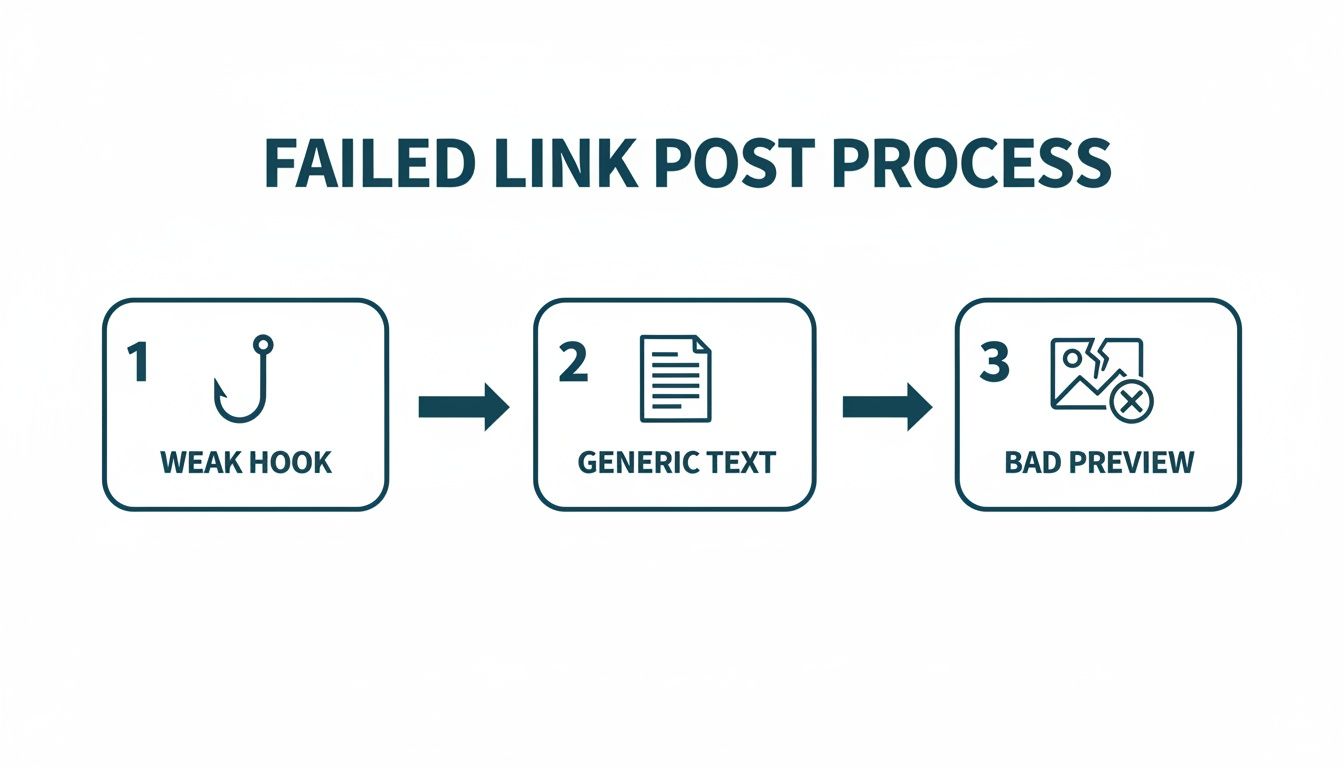
If any one of these elements breaks down, you’ve lost your audience before they even had a chance to see your valuable content. Let’s break down the three core parts that separate a post that drives real traffic from one that just gets ignored.
Crafting an Irresistible Hook
The first one or two lines of your post are the most critical words you’ll write. This is your hook. Its only job is to get someone to click “…see more.” If your hook fails, the rest of your brilliant commentary and perfectly designed link preview are completely wasted.
Forget boring openings like “I’m excited to share…” or “Check out this great article.” They’re invisible. Instead, lead with something that makes people pause.
- A Contrarian Take: Go against the grain with an opinion that challenges common wisdom. Think: “Everyone thinks you need more leads. They’re wrong. You need fewer, better ones. Here’s why.”
- An Intriguing Question: Ask something your audience feels an urge to answer. For example: “What’s the one metric your sales team ignores but absolutely shouldn’t?”
- A Personal Story: Start with a relatable anecdote. Something like: “I made a huge mistake in my first sales role. It ended up teaching me everything about building real client relationships.”
Your hook needs to create an information gap—a little bit of mystery that makes the reader need to find out what you say next.
Building Context With Body Copy
Once you’ve hooked them, your body copy has to deliver on that initial promise. This is where you provide the context and convince them that clicking your link is a good use of their time. Don’t just summarise the article; add your unique perspective.
Explain why this link is important. Share a key insight that surprised you or a specific point that really connects with your own professional experience. Make sure the text is clean and easy to scan. If you want to dive deeper, our complete guide on formatting LinkedIn posts has specific techniques to make your content super readable.
A great link post doesn’t just point to information; it starts a conversation about the information. Your commentary is the value you add that transforms a simple share into a piece of thought leadership.
This is also the spot for your Call-to-Action (CTA). Be direct and tell people exactly what you want them to do. Swap out a passive “Let me know what you think” for a clear command like, “Read the full report to see the data” or “What’s your take on point #3 in the article? Drop a comment below.”
Mastering the Visual Link Preview
The link preview is your post’s visual anchor. It’s often the very first thing people notice, and a weak, pixelated, or irrelevant preview can instantly make your entire post look unprofessional. LinkedIn generates this preview automatically by pulling data from the destination webpage’s Open Graph (OG) tags.
These tags are just little snippets of code in a website’s HTML that tell social platforms what title, image, and description to show.
The most important ones are:
-
og:title: This creates the bold headline in the preview card. -
og:image: This tells LinkedIn which image to display. -
og:description: This provides the short text snippet under the headline.
If you’re linking to your own website, you have total control over these. Make sure your blog or CMS lets you set a custom social sharing image (the ideal size is 1200x627 pixels) and a punchy title for every single page.
When you link to an external site, you’re at the mercy of how they’ve set up their OG tags. Before you post, it’s always a good idea to run the link through LinkedIn’s Post Inspector tool. It shows you exactly how the preview will look and can even help refresh LinkedIn’s cache if it’s showing an old, outdated image.
Let’s break down what makes a link post truly effective in a more structured way.
Table: Key Components of an Optimized LinkedIn Link Post
Here’s a quick-reference table that summarises the essential parts of a link post that gets results. Think of it as your checklist before you hit “Post.”
| Component | Purpose | Best Practice Example |
|---|---|---|
| The Hook | Grab attention in the first 1-2 lines to make users click “…see more.” | “90% of marketing advice is recycled garbage. Here’s the 10% that actually works.” |
| Body Copy | Provide context, add personal insight, and prove the link is valuable. | “Point #2 in this study on remote work really hit home. It reminded me of a project where…” |
| Call-to-Action (CTA) | Tell the reader exactly what to do next. | “Grab the full template at the link to see how we structure our proposals. What’s one thing you’d add?” |
| Link Preview | Offer a professional, visually compelling reason to click. | A custom-designed image (1200x627px) with a clear, benefit-driven title like “5 Data-Backed Ways to Boost Team Productivity.” |
Getting these four elements right transforms your post from a simple link drop into a powerful conversation starter and traffic driver.
Remember, the quality of your destination matters, too. A fantastic post that leads to a confusing or poorly designed page is a complete waste of effort. Learning some basic strategies for high-converting landing pages will ensure the clicks you earn actually turn into meaningful results.
Working With the LinkedIn Algorithm, Not Against It
The great debate around the LinkedIn algorithm and external links just never seems to die down. For years, the common wisdom was that the platform punishes any post trying to send users off-site. This led to all sorts of creative, and sometimes clumsy, workarounds.
While there’s a grain of truth to it, the reality today is a lot more nuanced.
LinkedIn’s main goal is simple: keep users on the platform for as long as possible. One of the ways it measures this is through dwell time—how long someone actually stops to look at your post before scrolling on. A post with a link that gets ignored immediately? That sends a bad signal. But a link post that kicks off a lively discussion? That’s a very positive signal.
The algorithm doesn’t hate your links; it hates boring content that doesn’t grab anyone’s attention. Your job isn’t to trick the system. It’s to prove your content is valuable enough to earn that click.
The Great Debate: Link in the Post vs. Link in the Comments
This brings us to the tactical question I hear all the time: should the link go directly in your post or be buried in the first comment? Both sides have their die-hard advocates, and honestly, both have their trade-offs.
The whole “link in the comments” strategy was born from the fear of an algorithmic penalty. The theory goes that by keeping the main post text-only, you signal to the algorithm that it’s native content, hopefully giving its initial reach a little boost.
But let’s be real, this creates a ton of friction for your reader. You’re forcing them to stop, hunt for the comment section, and then find your specific comment. Every extra step is another chance for them to just give up and scroll away. It can feel a bit like a bait-and-switch.
On the other hand, putting the link right in the post, with a nicely optimised preview card, is a much smoother experience. It’s transparent, it looks professional, and it removes every single barrier to the click. Yes, a poorly written link post might get less reach, but a compelling one that gets people talking right away can perform brilliantly.
My recommendation? Always prioritise the user experience. For most people, that means putting the link directly in the post. You just have to make sure your hook and commentary are strong enough to earn that initial engagement.
Ultimately, you need to test what works for your audience. Try both methods for a few weeks and see what the numbers tell you. You might find one clearly works better for your crowd.
Maximising Your Reach in the Golden Hour
No matter where you place that link, the first 60-90 minutes after you hit “post” are absolutely critical. This is the “golden hour,” where the algorithm is watching like a hawk to see how your immediate network reacts.
Strong initial engagement—likes, and especially meaningful comments—is a massive signal to LinkedIn that your post is high-quality. This early validation is what convinces the platform to start showing your post to a wider audience, beyond just your first-degree connections.
Here’s how to give that early interaction a nudge:
- Ask a Specific Question: Don’t just end with “What do you think?” Ask something specific that relates to your link, like, “Which of the three strategies in the article have you had the most success with?”
- Tag Relevant People: If your post genuinely relates to specific people or companies, tag them. This can bring influential voices into the conversation early on. Just be genuine about it—don’t spam tags for reach.
- Respond to Comments Quickly: When someone takes the time to comment, get back to them as soon as you can. This keeps the conversation flowing and signals active engagement to the algorithm.
Consistency is a massive factor, too. When you post valuable content on a regular schedule, you’re training both the algorithm and your audience to pay attention. For a deeper look into this, our guide on how the LinkedIn algorithm boost works has more tips to get your content seen.
At the end of the day, working with the algorithm isn’t about finding secret loopholes. It’s about consistently delivering value that starts real conversations.
Advanced Strategies to Maximize Your Impact
Okay, you’ve nailed the basics: a solid hook, compelling copy, and a clean link preview. Now it’s time to level up. A truly effective LinkedIn strategy isn’t just about sharing your latest blog post—it’s about being deliberate with every single link you share and constantly refining your approach for better results.
This is the shift from just reacting (“Oh, I should share this!”) to proactive planning, where every link serves a specific purpose in your bigger professional picture.
Aligning Link Types With Your Goals
Let’s be real: not all links are created equal. The type of content you share should directly map to the outcome you want. Just throwing random articles out there won’t build any momentum. It’s time to get intentional.
-
Want to build Brand Awareness? Share links to thought leadership pieces, deep-dive industry reports, or insightful interviews. The goal here isn’t a hard sell. It’s about providing massive value and getting your name associated with expertise. Your commentary is key—add a unique perspective that gets people talking.
-
Need to generate Leads? This is where you bring out the gated content. Think webinars, whitepapers, or free templates. The landing page has to be flawless, and your LinkedIn post must spell out exactly why it’s worth someone handing over their email address.
-
Trying to build Credibility? Time for social proof. Post links to detailed case studies, glowing client testimonials, or project portfolios. These links show you can deliver tangible results, which builds trust with potential clients or employers faster than anything else.
Think of each link type as a different tool in your toolbox. Mixing them up keeps your feed interesting and helps you connect with your audience at every stage of their journey with you.
Smart URL Practices for Better Insights
That URL you’re sharing? It’s more than just a web address; it’s a data collection and branding machine. Simply copying and pasting a long, messy URL from your browser is a huge missed opportunity.
Using a custom URL shortener (like Bitly with a branded domain) is a tiny change that pays off big. A clean, branded link like yourbrand.co/report2024 looks far more professional and trustworthy than a generic, jumbled one.
Even more importantly, these services give you click-through rate (CTR) tracking. This data is pure gold. It tells you precisely how many people who saw your post were actually compelled enough to click the link. This lets you measure the direct impact of your copy and creative.
Tracking your CTR is the first step toward a data-informed strategy. Without it, you’re just guessing what works. With it, you can make precise adjustments to your hooks, copy, and visuals to systematically improve performance.
This data-driven approach is becoming more and more crucial. For instance, Germany’s Federal Statistical Office (Destatis) now uses LinkedIn data to track a real-time ‘LinkedIn Hiring Rate’ (LHR) as an early indicator of labour market trends. Sharing a link to a credible Destatis report doesn’t just inform your network; it positions you as a knowledgeable expert, sparking conversations and new opportunities. Tools like Postline.ai can help craft engaging posts around such data, scheduling them for peak DE times to maximise impact. You can check out the official findings on the Destatis labour market dataset.
The Power of A/B Testing Your Posts
The only way to know for sure what your audience loves is to test it. A/B testing, or split testing, simply means creating two slightly different versions of a post to see which one performs better. This is how you go from good to great.
You don’t need fancy software to get started. Just run two similar link posts on different days and track the results.
Here are a few simple variables you can test right away:
- The Hook: Try a question-based hook versus a bold, declarative statement.
- The CTA: Test a direct CTA (“Download the guide”) against a softer one (“See what you think of this”).
- The Image: If it’s your own content, test two different preview images. Does a photo of a person outperform a slick graphic with text?
Just make sure to keep all other elements the same to isolate the variable you’re testing. Over time, these small experiments will reveal powerful insights about what your specific audience responds to, helping you build a repeatable formula for high-performing link posts.
Automating Your Workflow with Postline.ai
Let’s be honest, putting all these strategies into practice consistently can feel like a full-time job. Juggling quality content discovery, writing sharp hooks, optimising link previews, and hitting the perfect schedule is demanding. This is exactly where smart automation becomes your secret weapon for mastering the LinkedIn link post.
Think of it less like a robot taking over and more like a highly efficient assistant. Intelligent tools can handle the repetitive, time-sucking parts of the job, which frees you up to focus on big-picture strategy and actually engaging with people. Postline.ai was built from the ground up for this, turning a complicated, multi-step process into just a few clicks.
From Idea to Scheduled Post in Minutes
Imagine you’re in sales and want to share a hot new industry trend article to nurture your leads. Normally, that could easily eat up an hour finding the right piece and crafting the perfect post.
Your new workflow could look like this: instead of endlessly scrolling through Google, you use Postline’s Online Research feature. You just give it a topic, and it pulls in recent, relevant articles, saving you a ton of search time. Once you pick a link, the next hurdle is always writing the copy.
That’s where the AI Post Generator steps in. It doesn’t just summarise; it analyses the article’s content and drafts a complete post for you—hook, insightful commentary, and relevant hashtags included. From there, you just tweak and refine it to add your own voice and perspective. The best part? The AI learns from your previous posts, so the drafts it produces already sound a lot like you.
The whole interface is designed to let you generate and polish your post text right alongside the link.
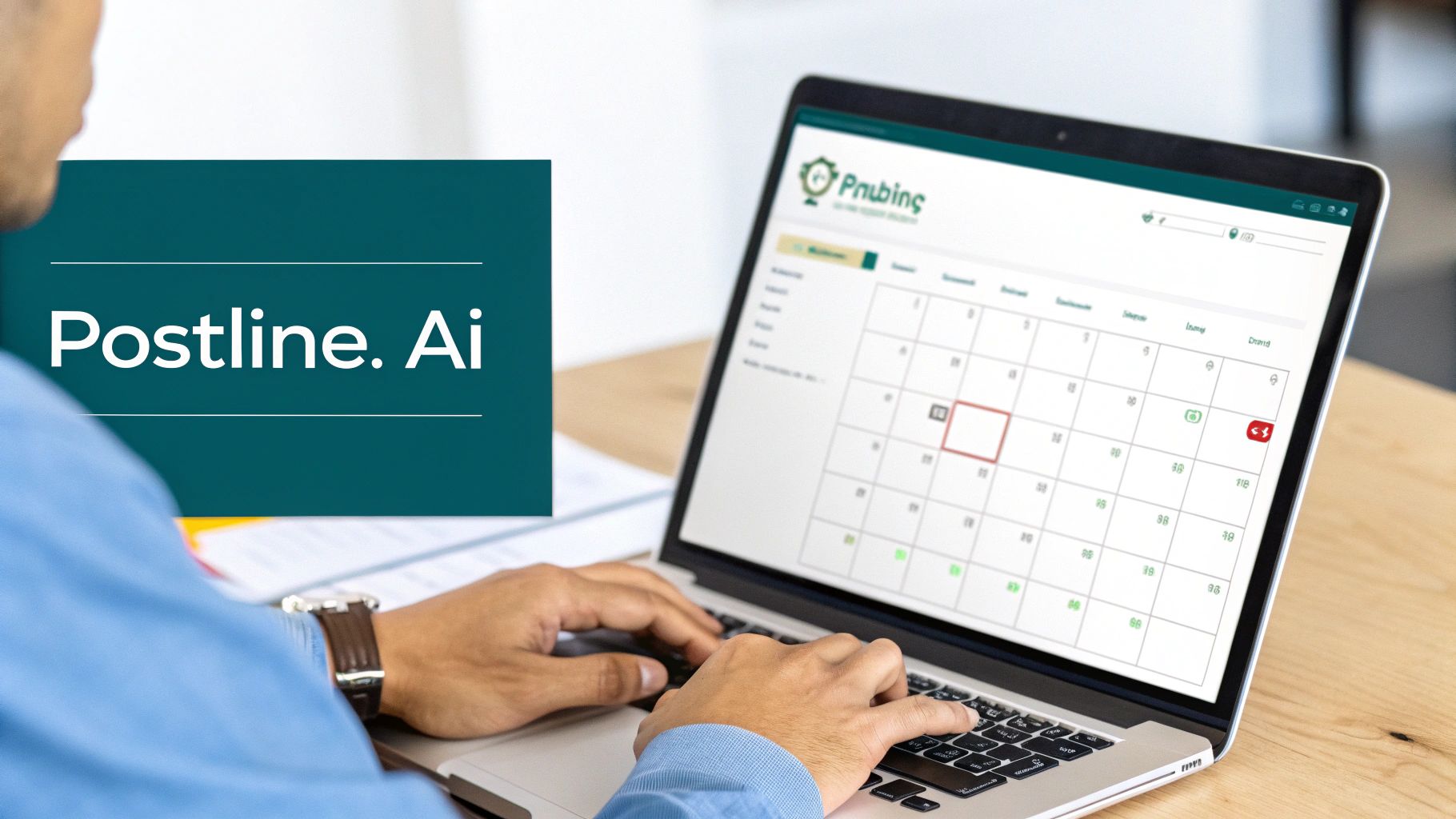
This side-by-side view is great because you can instantly see how your commentary and the link preview will look together, making sure the final result is cohesive and professional.
Solving Common Link Post Problems
Beyond just writing the post, a few features directly tackle the common headaches we’ve talked about. The platform’s Media Support, for example, gives you control over your link previews, so your visual presentation is always on point.
Plus, the built-in LinkedIn Formatter automatically structures your text for readability. No more tedious manual formatting—it ensures your paragraphs are short, the spacing is right, and any bullet points are used effectively.
The real power of a tool like Postline is that it bundles best practices directly into your workflow. It guides you toward creating a high-quality LinkedIn link post without you needing to memorise a checklist of rules.
Once your post is ready to go, the final piece is scheduling. With the Post Scheduler, you can sit down once and plan out an entire week’s worth of high-impact link posts. That kind of consistency is a massive factor in building momentum with the LinkedIn algorithm. If you want to dive deeper, our guide on how to https://postline.ai/blog/2/automate-linkedin-posts offers more specific tactics. To really round out your content efforts, it’s also worth exploring these proven automated content marketing strategies.
For a founder building thought leadership, this is a game-changer. They can schedule posts sharing company news, case studies, and industry analysis well in advance. This ensures a steady presence, builds authority, and drives traffic back to their site—all without the daily grind. Automation turns a sporadic activity into a reliable system for professional growth.
Got Questions About LinkedIn Link Posts? We’ve Got Answers
Sharing links on LinkedIn can sometimes feel like you’re playing by a set of unwritten rules. Even when you think you’ve got it figured out, new questions always seem to pop up. Let’s clear the air and tackle some of the most common ones I hear all the time.
Does Putting a Link in the First Comment Still Work?
Ah, the great “link in the comments” debate. This tactic has been around for years, born from the idea that LinkedIn’s algorithm punishes posts with external links in the main text. While that might have been true once upon a time, the platform has evolved.
These days, LinkedIn cares about one thing above all else: engaging content. A post with a direct link that gets people talking right away can perform brilliantly, sometimes even better than a text-only post. The biggest issue with the comment strategy is friction. You’re making your audience hunt for the very thing you want them to see.
My take? Always prioritise the user’s experience. For almost everyone, putting the link directly in the post—paired with a great hook and a clean preview—is a much smoother journey for your reader. Give both a try if you’re curious, but I’m willing to bet direct linking will win out when your commentary is valuable.
How Do I Customise My Link Preview Image and Title?
This is a huge point of frustration for many. The short answer is, you can’t directly edit the link preview on LinkedIn after it’s been generated. LinkedIn pulls this info from the destination URL’s Open Graph (OG) tags—little snippets of code in a website’s HTML (<meta property='og:title'>, <meta property='og:image'>, etc.).
To get the preview you want, you need to have control over the webpage you’re linking to. If it’s your own blog, make sure your website’s settings allow you to specify a “social sharing” image and title for each page. If you’re sharing someone else’s article, you’re stuck with whatever they’ve set up.
Here’s a pro tip: before you hit publish, use LinkedIn’s own Post Inspector tool. It’s a free utility that shows you exactly how LinkedIn will display your link preview. Even better, it can force LinkedIn to clear its cache if it’s showing an old, outdated image or title.
What Is the Ideal Text Length for a Link Post?
There isn’t a single magic number, but from what I’ve seen, the sweet spot is usually between 500 and 1,300 characters. That’s about 80 to 200 words.
This gives you just enough space to write a killer hook, explain why the link is worth someone’s time, and finish with a clear call-to-action. You want to be concise but compelling. Your job is to add your own perspective or pull out a key insight from the article. Make it long enough to stop the scroll and build curiosity, but short enough that people don’t get tired before they even reach the link.
How Many Hashtags Should I Use on a Link Post?
Keep it simple and strategic. The general consensus for top performance on any LinkedIn post is to use between three and five highly relevant hashtags.
Piling on a dozen hashtags just looks spammy, and it can actually dilute the power of each one. Think of them as signposts for the algorithm and for users.
A balanced approach works best:
- Broad Hashtags: Use one or two popular ones to cast a wider net (like #Marketing or #Leadership).
- Niche Hashtags: Add two or three specific ones to reach a more targeted community (like #SaaSsales or #DigitalTransformation).
This mix helps your content get seen by a broader audience while still zeroing in on the people most likely to care about your specific topic.
Ready to stop guessing and start creating high-impact LinkedIn posts in minutes? Postline.ai combines powerful AI writing with real-time research and learns your unique voice, helping you craft content that gets results. Turn your ideas into standout posts and schedule your entire week in minutes. Try Postline.ai for free and see the difference.

Run every client pipeline in one place
Give each LinkedIn profile its own voice, calendar, approval flow, and analytics. Start in minutes.
Start free trial