
Building LinkedIn Company Page: building linkedin company page Drives Growth
Move beyond a basic profile with building linkedin company page strategies that attract followers, engage prospects, and generate leads.
Building your presence on LinkedIn starts with a Company Page, and it’s one of the most fundamental things you can do to establish your brand online. Think of it as moving your business from being just a name on a list to an active voice in your industry’s conversation. It’s your direct line to clients, partners, and future team members.
Why Your LinkedIn Page Is More Than Just a Digital Brochure
So many businesses fall into the same trap: they treat their LinkedIn Company Page as a one-and-done task. They’ll upload a logo, dash off a quick description, and then… crickets. This “set-it-and-forget-it” mentality essentially turns a powerful tool into a dusty, abandoned storefront. It’s not doing you any favours.
Picture this: you come across two companies. Company A has a generic banner that looks like it was made in 2012 and their last post was six months ago. Company B, on the other hand, is constantly sharing sharp industry analysis, celebrating team wins, and actually replying to comments. Which one immediately feels more credible, dynamic, and trustworthy? It’s a no-brainer.
From Static Page to Strategic Hub
A modern LinkedIn Company Page is a strategic hub for some of your most important business activities. It’s not just about looking professional anymore; it’s about actively getting results. With the evolution of LinkedIn’s relaunched company pages, there are more features than ever to help you do just that.
A page that’s managed well becomes a workhorse for your brand:
- Talent Magnet: It gives potential hires a real peek into your company culture. The right candidates—the ones who genuinely fit your values—will be drawn to you before you even post a job opening.
- Lead Generation Engine: When you share genuinely useful content and establish your brand as an expert, you naturally attract potential customers who are looking for solutions you provide.
- Brand Authority Builder: Consistent, insightful posts build a level of trust and credibility that a static “About Us” page on your website just can’t match.
Reaching a Growing Professional Audience
Let’s not forget the sheer size and quality of the audience. The platform is massive and full of engaged professionals, especially in key European markets. In Germany, for example, the LinkedIn user base hit 17.52 million by the end of 2023. The biggest demographic? Professionals aged 25-34. That’s a huge, career-focused audience just waiting to connect with businesses that offer real value. You can dig into more stats about LinkedIn user growth in Germany on NapoleonCat.
The real shift happens when you stop seeing your LinkedIn page as a broadcast channel and start treating it like a community-building tool. This is where conversations begin, relationships are formed, and loyalty is built.
Ultimately, building a great LinkedIn Company Page is an ongoing commitment. It’s a live reflection of your brand’s pulse—how active, knowledgeable, and relevant you are. When you change your mindset from creating a passive brochure to nurturing an active hub, you turn a simple marketing task into a core business function that directly boosts your brand, recruitment, and bottom line.
Your Pre-Launch Blueprint for a Flawless Page Setup
Before you even think about hitting that ‘Create Page’ button, a little prep work goes a long way. I’ve seen it time and again: pages that launch with a clear plan are the ones that succeed. It’s the difference between a polished, professional presence and a rushed, incomplete profile that fails to make an impression.
Think of your LinkedIn Company Page as a key piece of your overall social media marketing strategy, not just another box to tick. It’s about being deliberate with your goals, your audience, and your messaging from the get-go.
Gathering Your Essential Assets
First up, let’s talk visuals. Nothing screams ‘amateur’ faster than a pixelated logo or a bizarrely cropped banner. Your visual identity is your digital handshake – it needs to be firm, confident, and professional.
Here’s the bare minimum you need to have ready before you start:
- A High-Resolution Logo: Aim for at least 400x400 pixels. Make sure it’s a clean, square version of your logo that people can recognise instantly, even when it’s tiny next to your posts.
- A Compelling Cover Banner: The sweet spot is 1128x191 pixels. This is your billboard. Resist the urge to cram it with text. Instead, use this space to visually communicate your brand’s personality or what you stand for. If you’re stuck for ideas, we’ve got a great guide on the 10 best LinkedIn banner ideas.
- A Punchy Tagline: You’ve got to be concise. Draft a sharp, powerful tagline—under 120 characters—that tells people exactly what you do. Take a cue from Notion: “The connected workspace for your docs, projects, and knowledge.” It’s direct and highlights the benefit straight away.
This is all about shifting your mindset. Your page isn’t just a static brochure; it’s an engine for growth.
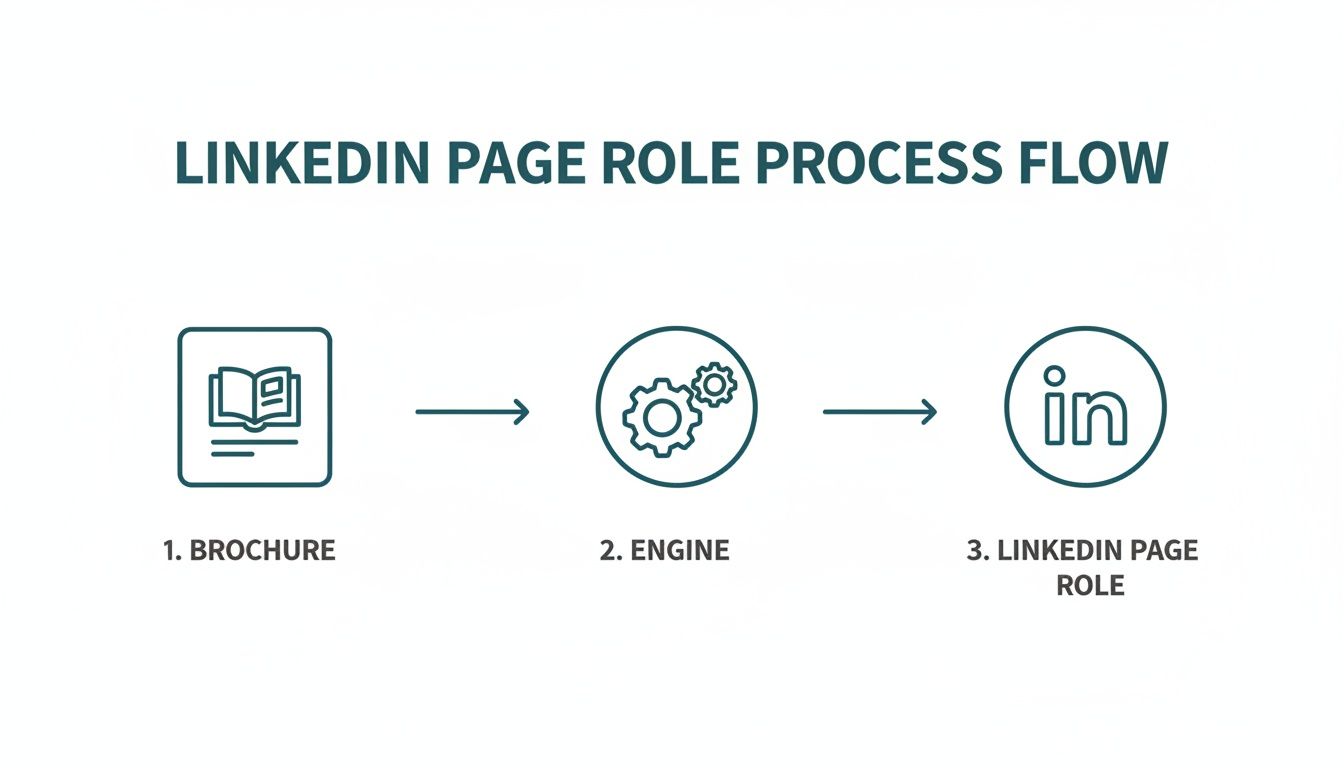
The image above perfectly illustrates this point. A well-prepared page is built to actively engage your audience and drive growth, not just sit there gathering digital dust.
Drafting Your Core Written Content
Okay, with your visuals sorted, it’s time to nail the copy. The words you choose are critical, not just for connecting with people but also for getting found in the first place.
Don’t treat your ‘About’ section as an afterthought. This is prime real estate for telling your brand’s story and weaving in the keywords your ideal clients are searching for.
Draft your “About” summary ahead of time. I find that 2-4 solid paragraphs is usually enough. Your summary needs to accomplish three things:
- Tell Your Story: What’s your mission? What big problem are you solving for your customers?
- Incorporate Keywords: Naturally work in terms related to your industry, services, and location. This helps you show up in searches on both LinkedIn and Google.
- Include a Call-to-Action: Tell visitors what you want them to do next. Should they visit your website, book a demo, or simply follow your page for more great content?
Getting these pieces ready upfront turns building your page from a chaotic scramble into a smooth, strategic launch. You’ll go live with a complete, optimised, and professional page from day one, putting you well ahead of the curve.
Crafting and Optimising Your Core Page Elements
Once you’ve got your assets and messaging sorted, it’s time to roll up your sleeves and actually build your LinkedIn Company Page. This isn’t just a box-ticking exercise. You’re strategically putting together each piece to turn your page into a magnet for the right people—be it clients, partners, or your next star employee.
A half-finished page looks unprofessional, and worse, it actively works against you. The LinkedIn algorithm favours completeness. In fact, fully filled-out pages get 30% more weekly views than pages with gaps. That’s a huge lift in visibility you simply can’t afford to miss out on.

Nail the First Impression
The header of your page is your digital billboard. It’s the very first thing people see, and you’ve got just a few seconds to make it count.
Your logo needs to be crisp and clear, while your banner should visually tell your brand’s story without feeling cluttered. Then there’s the tagline—this is your elevator pitch. Instead of something generic like “Financial Software,” try “Automating financial workflows for creative agencies.” It immediately tells visitors who you are and what problem you solve.
These first few elements set the tone for everything else, establishing your credibility the moment someone lands on your page.
The Power of a Custom Public URL
One of the most overlooked but impactful steps is customising your public URL. When you first create a page, LinkedIn gives you a messy, generic URL with a string of numbers at the end. It’s not pretty, and it’s hard to share.
Changing it is simple but makes a world of difference. A clean URL like linkedin.com/company/your-brand-name looks far more professional, is easier for people to remember, and even helps with search engine optimisation.
If your ideal name is already taken, don’t worry. Just try a logical variation like adding your industry or location (e.g., “yourbrand-marketing” or “yourbrand-de”). For a deeper dive, check out our guide on how to get your LinkedIn URL.
Writing an ‘About’ Section That Converts
Your “About” section is the heart and soul of your page. This is where you move beyond features and benefits to really tell your brand’s story, connect with your audience, and guide them on what to do next.
Don’t just spit out a list of your services. A great “About” section should do three things:
- Hook with your ‘Why’: Start with your mission. What’s the problem you exist to solve? Who do you serve? This is what pulls the reader in.
- Detail with Keywords: In the middle, explain what you do and how you do it. This is the perfect place to naturally weave in the keywords you researched earlier. Think from your customer’s perspective—what words would they type into a search bar?
- Close with a Call-to-Action (CTA): End with a clear, direct instruction. Tell them what you want them to do next. Should they visit your website, book a demo, or follow your page for industry news?
A great “About” section isn’t just descriptive; it’s persuasive. It should leave the reader feeling that they understand your brand’s value and know exactly what the next step is if they’re interested.
The table below breaks down the most important page sections and provides a quick-glance guide to optimising each one.
Key Page Sections and Optimisation Tips
| Page Section | Optimisation Goal | Actionable Tip |
|---|---|---|
| Logo & Banner | Instant Brand Recognition | Use high-resolution images that are consistent with your overall branding. The banner should visually communicate your value proposition. |
| Tagline | Immediate Clarity | Create a 120-character pitch that clearly states who you help and what you do. Focus on the outcome for your customer. |
| About Section | Storytelling & SEO | Structure with a hook, keyword-rich details, and a strong call-to-action. Write for humans, but optimise for search. |
| Custom URL | Professionalism & Memorability | Claim a clean, branded URL. Avoid the default string of numbers. |
| Specialties | Niche Visibility | List up to 20 specific keywords related to your services, products, and expertise. This is a goldmine for search. |
Taking the time to get these core elements right lays a solid foundation, ensuring your page doesn’t just exist, but actually works for you.
Developing a Content Strategy That People Actually Want to Read
Alright, so your LinkedIn Company Page is set up and looking sharp. Now for the hard part: posting things people actually want to read.
An optimised page is a great start, but without compelling content, it’s just an empty digital storefront. Your goal is to stop the scroll. You need to create posts that are interesting, useful, or just plain human enough to make your ideal audience pause, read, and maybe even react. This means shifting your mindset from a seller to a publisher.
Defining Your Core Content Pillars
To avoid a scattergun approach where you’re just posting random updates, you need to define your content pillars. Think of these as three to five core themes that your brand will own. They give your page focus and tell your audience what to expect from you.
For a B2B company, a solid set of pillars might look something like this:
- Industry Insights & Trends: Don’t just report the news. Offer your unique take on what’s happening in your field. This shows you’re a genuine expert, not just another business trying to sell something.
- Behind-the-Scenes & Company Culture: People connect with people. Introduce your team, celebrate company wins, and share what your company truly values. It’s what makes your brand feel real and relatable.
- Product Deep-Dives & Use Cases: Move beyond simple feature lists. Show your product solving real problems for real people. Paint a picture of what success looks like for your customers.
- Client Success Stories & Case Studies: Social proof is incredibly powerful. Let your happy clients do the talking through testimonials and case studies that highlight the concrete results you’ve achieved for them.
This framework keeps your content diverse but on-brand, speaking to different segments of your audience while constantly reinforcing who you are. If you need more inspiration, check out our complete guide to building a powerful LinkedIn content strategy.
Knowing Who You Are Talking To
Great content starts with knowing your audience inside and out. What are their biggest professional headaches? What are their career goals? What kind of information are they looking for when they log into LinkedIn?
It’s also crucial to create inclusive content. For example, in early 2023, 38.8% of LinkedIn’s advertising audience in Germany was female. This is a huge, growing group of professionals. A content strategy that acknowledges and speaks to this demographic isn’t just good ethics—it’s smart business. You can dig into more stats about the German digital landscape on DataReportal.
Your content should always answer the silent question in your reader’s mind: “What’s in it for me?” Whether it’s a new skill, a fresh perspective, or a solution to a nagging problem, every post must offer some form of value.
This audience-first approach is what separates content that gets scrolled past from content that actually builds a community.
Making Content Creation Easier With Smart Tools
Let’s be honest: consistently coming up with high-quality content is tough, especially when you have a million other things to do. This is where the right tools can be a game-changer, turning a chore into a much more manageable process.
Tools like Postline.ai are built to solve this exact problem. Instead of guessing what might resonate, you can use its ‘Audience Explorer’ to see what topics and discussions are already trending with your followers.
Once you have a topic, the ‘AI Post Generator’ can help you quickly draft a credible, data-backed post. It does real-time research to pull in relevant stats and facts, making your updates sound authoritative, not just like fluff.
The Importance of a Consistent Schedule
The LinkedIn algorithm loves consistency. If you post sporadically, you’re sending a signal that your page isn’t a reliable source of information, and your reach will likely suffer for it.
This is why scheduling your posts is non-negotiable if you’re serious about LinkedIn. Planning your content in a calendar means you can maintain a steady drumbeat of posts, even during your busiest weeks. Batch-create your content, load it into a scheduler, and you’ll stay top-of-mind with your audience without the daily scramble.
From Static Page to Thriving Community Hub
Alright, your LinkedIn Company Page is built and optimised. That’s a huge step, but the real work starts now. The goal is to transform that static profile into a buzzing, engaged community. It’s less about broadcasting and more about starting conversations.
Getting those first few followers can feel like pushing a boulder uphill, but the easiest place to start is with the network you already have. Invite your personal connections to follow the page—think colleagues, industry peers, and current clients. This initial boost from a relevant crowd tells the LinkedIn algorithm that your page is worth watching.
From there, think about cross-promotion. It’s a simple but surprisingly effective trick. Drop a link to your Company Page into your email signature, pop it in your website’s footer, and make sure it’s listed in your other social media bios. You’re essentially building bridges for your existing audience to find their way to your new LinkedIn home.

Sparking Real Engagement
Once you’ve got an initial audience, the game shifts to keeping them interested. And let’s be clear: engagement isn’t just about collecting likes. It’s about kicking off meaningful conversations that actually provide value and build relationships.
A great rule of thumb, especially when you’re starting out, is to reply to every single comment. Acknowledge the feedback, answer questions properly, and thank people for their input. It shows you’re paying attention and makes others more likely to chime in.
Don’t just wait for them, though. You need to actively spark the discussion yourself. Try asking open-ended questions in your posts. Instead of just stating a fact, frame it as a question: “What’s the biggest challenge you’re facing with X this quarter?”
Interactive content is your best friend here. LinkedIn Polls are fantastic for quickly gathering opinions on industry trends. They’re super low-effort for your audience to participate in and can give you some brilliant insights for your next piece of content.
A thriving community is built on two-way communication. Your role is not just to publish content, but to actively facilitate discussions, listen to your audience, and make them feel heard.
This is how you turn passive followers into active community members who are genuinely invested in what you’re doing.
Unleash Your Employee Advocates
Your employees are, without a doubt, your most powerful and authentic brand ambassadors. Think about it: content shared by a real person consistently gets far more reach and engagement than posts from a faceless company page. Getting your team to share and interact with your page’s content is a massive growth lever.
The key is to make it easy for them. Put together a simple internal guide that covers a few basics:
- Sharing prompts: Give them a couple of sentences they can tweak to add their own perspective.
- Key hashtags: Suggest a few relevant hashtags they can include to get more eyes on the post.
- Tagging reminders: Encourage them to tag the company page and any relevant colleagues.
The goal isn’t to create an army of corporate robots all sharing the same message. It’s about empowering them to be advocates in their own voice. When your head of sales shares a case study with their personal take on the project’s success, that carries so much more weight and authenticity.
Get Strategic with Hashtags and Analytics
Hashtags aren’t just an afterthought; they’re a powerful tool for extending your reach beyond your follower list. They neatly categorise your content, making it discoverable to a much wider audience who are already interested in those topics.
Come up with a simple, repeatable hashtag strategy. A good mix usually includes:
- Broad industry tags: (e.g., #DigitalMarketing, #SaaS) for casting a wide net.
- Niche-specific tags: (e.g., #B2BLeadGen, #ContentStrategy) to attract a more focused audience.
- Branded tags: (e.g., #YourCompanyName) to group all your content and track conversations about your brand.
Finally, remember that you can’t improve what you don’t measure. Make a habit of diving into your LinkedIn Page Analytics. This dashboard is a goldmine of information, showing you exactly which posts are hitting the mark, what content formats are working best, and who your audience actually is.
Pay special attention to the engagement rate. A post with fewer likes but a high number of thoughtful comments can often be more valuable than one with hundreds of empty likes. Use these insights to double down on what works and fine-tune your content strategy over time. This data-driven approach is what separates the pages that grow from the ones that stagnate.
Common Pitfalls That Can Derail Your LinkedIn Success
Even with the best of intentions, it’s surprisingly easy to fall into a few common traps that can quietly sabotage your LinkedIn Company Page. Knowing what these missteps are is half the battle won, helping you build a page that actually connects with the right people.
Too many businesses treat their page like a digital billboard, just a place to blast out company news and sales pitches. This completely misses the point of LinkedIn, which is all about community. If you’re not replying to comments or asking questions, you’re essentially telling your audience you’re not there to listen, just to talk at them.
Inconsistent Efforts and Poor Visuals
Another classic mistake is a lack of consistency. Posting three times one week and then going silent for a month kills any momentum you might have built. The LinkedIn algorithm rewards regular activity, and a page that looks abandoned suggests your brand isn’t all that active or reliable.
Equally damaging is a poor first impression. A blurry logo or a generic, text-heavy banner instantly makes your page look unprofessional. These little details signal a lack of care and can make someone click away before they’ve even had a chance to see your great content.
Your LinkedIn page is a living conversation, not a static advertisement. Success comes from consistent, two-way communication that provides value, not just from broadcasting your own message.
Neglecting SEO and Engagement Tactics
Finally, a massive pitfall is forgetting that LinkedIn is also a search engine. An “About” section that’s vague and missing strategic keywords makes you invisible to people actively looking for what you offer. It’s also a mistake to ignore the power of employee advocacy or try to cheat the system with fake followers. As our guide on why you should never buy LinkedIn followers points out, genuine engagement will always beat vanity metrics.
Steer clear of these common mistakes to build a solid foundation for real growth:
- Don’t just broadcast: Jump into the conversation and reply to every single comment.
- Stay consistent: A content scheduler is your best friend for maintaining a steady posting rhythm.
- Optimise your visuals: Make sure your logo and banner are high-quality and reflect your brand.
- Write for search: Weave relevant keywords into your page copy in a way that feels natural.
Your Top LinkedIn Page Questions, Answered
Getting started on LinkedIn often brings up a few common questions. Let’s tackle some of the ones I hear most often from business owners and marketing managers trying to get their footing.
Are LinkedIn Company Pages Actually Free?
Yes, absolutely. Setting up and running a LinkedIn Company Page costs you nothing. You get all the essential tools you need to build your brand’s presence, post updates, and connect with an audience, all for free.
Of course, LinkedIn does offer paid advertising options like Sponsored Content if you want to put some budget behind your efforts to reach a bigger audience or generate leads faster. But honestly, plenty of businesses build a fantastic, engaged following just by posting great content organically.
Should I Post on My Personal Profile or the Company Page?
This is the big one, and it trips a lot of people up. The short answer is: you need to do both. They serve different, complementary purposes.
Think of it this way: people connect with people. Your personal profile is where you build genuine relationships and share your own perspective. Posts from individual profiles almost always get more natural reach and engagement than posts from a company logo.
Your Company Page, on the other hand, is your brand’s official headquarters. It’s the central spot for things like:
- Big company announcements and major milestones
- Product launches and customer success stories
- Hiring announcements and posts showcasing your company culture
The real magic happens when you combine them. Get your team to share updates from the Company Page to their own profiles, but with their own personal take on it. This strategy gives you the credibility of the official brand message amplified by the authentic reach of your team’s individual networks. It’s the best of both worlds.
Ready to create standout content for your new page without the hassle? Postline.ai uses AI to help you write, research, and schedule engaging LinkedIn posts in minutes. Discover how Postline.ai can elevate your content strategy.

Run every client pipeline in one place
Give each LinkedIn profile its own voice, calendar, approval flow, and analytics. Start in minutes.
Start free trial