
What Is a Post Impression on LinkedIn Explained
Understand what is a post impression on LinkedIn and why it matters. This guide covers how to analyze, interpret, and increase your impressions for real growth.
A LinkedIn post impression is the simplest way to measure content visibility: it’s counted each time your post shows up on someone’s screen. Think of it like a digital billboard on the side of a motorway—people don’t have to slow down and read it; they just need to drive past it for the ad to have made an “impression.”
What Are LinkedIn Impressions Really?
Let’s cut through the jargon. A post impression on LinkedIn is purely a measure of visibility, not interaction. It’s the foundational metric that tells you how many times your content was delivered to a user’s feed.
Impressions can also count the same person multiple times. For instance, if one of your followers sees your post in their main feed and then sees it again later when a connection shares it, that single post has just earned two impressions.
This metric is the very first step in your content’s journey. Before you can get any likes, comments, or clicks, your post has to be seen. A high number of impressions is a good sign that the LinkedIn algorithm is actively pushing your content out there. Grasping this is fundamental to building a solid content strategy and correctly analysing your performance. For a deeper look into this, you can learn more about optimising your LinkedIn post visibility.
To make the distinction crystal clear, it helps to see how impressions stack up against other common metrics.
LinkedIn Metrics at a Glance
Here’s a quick rundown of the key metrics and what they actually mean. It’s easy to confuse them, but they each tell a very different story about your content’s performance.
| Metric | What It Measures | Example |
|---|---|---|
| Impression | Total times a post is displayed on screen | One person sees your post 3 times = 3 impressions |
| Reach | The number of unique people who see a post | One person sees your post 3 times = 1 reach |
| Engagement | The number of interactions (likes, comments, shares) | Someone clicks the ‘like’ button on your post |
As you can see, impressions are all about how often your post appears, while reach is about how many unique individuals see it. Both are important, but they measure different aspects of your visibility on the platform.
Impressions vs Reach vs Engagement
To really get a handle on what a LinkedIn post impression means, you have to look at it next to two other key metrics: reach and engagement. It’s easy to mix them up, but each one tells a different part of your content’s story. Nailing this distinction is crucial if you want to build an effective strategy.
Think of it like this: impressions are the total number of times your content gets displayed. If one person sees your post three separate times as they scroll through their feed, that single person generates 3 impressions. It’s all about the total number of appearances.
Reach, on the other hand, counts the number of unique people who saw your content. Using the same example, if that one person sees your post three times, your reach is just 1. Reach tells you how many individual sets of eyes your post landed in front of, not how many times it was shown.
Then we have engagement, which tracks meaningful interactions. This is your likes, comments, shares, and clicks. While impressions and reach are about visibility, engagement is about action. It shows your content was interesting enough to make someone stop scrolling and actually do something. If you want to dig deeper, check out our guide on the differences between views vs impressions.
The takeaway is simple: Impressions count views, Reach counts viewers, and Engagement counts actions. Getting this right is fundamental to accurately reading your LinkedIn analytics.
This little concept map helps visualise how these core LinkedIn metrics relate to one another.
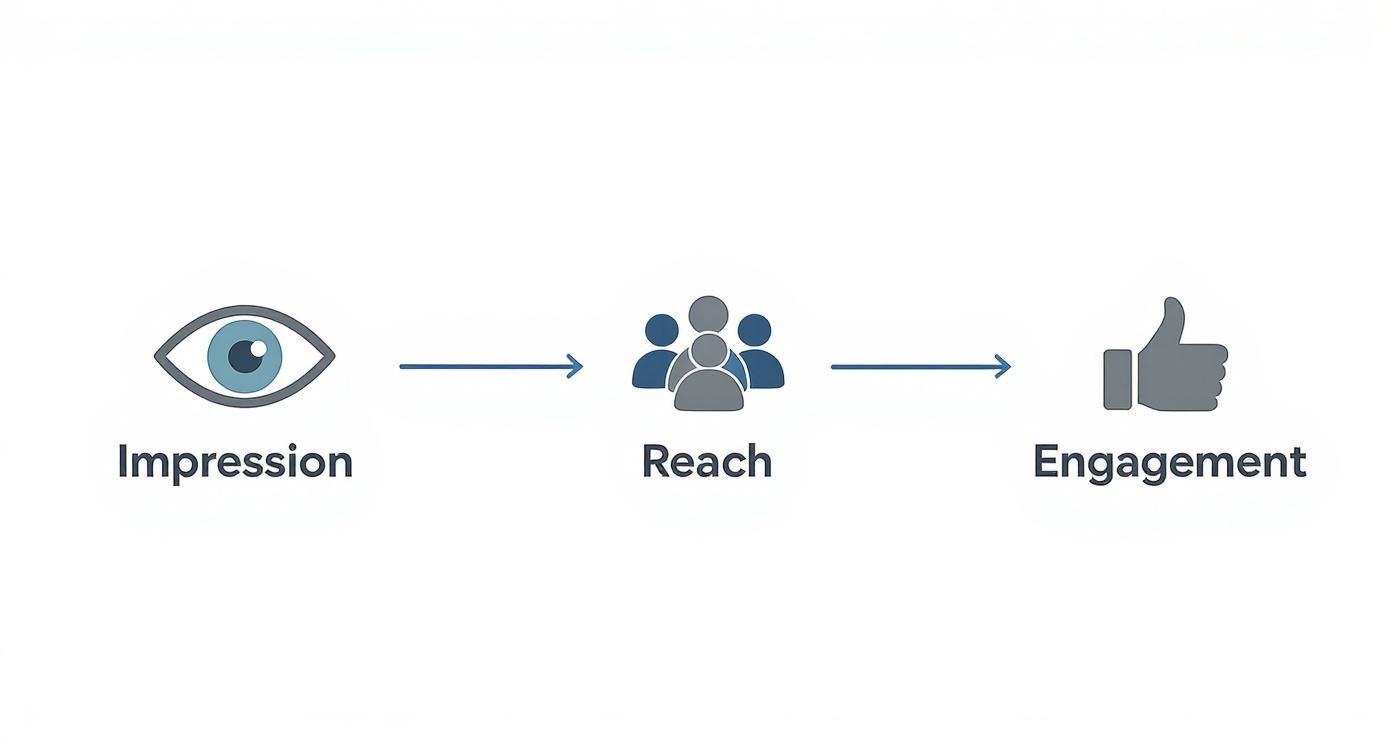
As you can see, impressions are the widest net you can cast for visibility. Within that, reach narrows it down to unique individuals, and engagement hones in on the specific actions those individuals took.
Why This Distinction Matters
Understanding the difference is what stops you from making bad assumptions. If you only look at impressions, you might think your post is a huge hit, when really it’s just one super-keen person seeing it over and over.
Conversely, if you only focus on reach, you might miss the fact that your content is being shown multiple times to a smaller, dedicated audience—which can be incredibly valuable in its own right.
By looking at all three metrics together, you get the full picture. High impressions with low reach could mean a small but loyal audience sees your content often. High reach but low engagement suggests your content is getting seen but isn’t quite hitting the mark. Each metric is a clue that helps you fine-tune your approach.
Why Impressions Are the Foundation of Your Strategy
It’s easy to get caught up chasing likes and comments, but let’s be real: impressions are the true starting point for everything you want to achieve on LinkedIn. Don’t dismiss them as a vanity metric. Think of them as the foundational layer of your entire content strategy.
Without visibility, nothing else can happen. It’s that simple.
A healthy impression count is a direct signal to you—and more importantly, to the platform—that the LinkedIn algorithm sees your content as valuable. When a post gets high impressions, it means LinkedIn is actively pushing it out to a wider audience, moving it well beyond your immediate network.
This visibility is the essential first step for hitting any of your professional goals.
Connecting Impressions to Your Goals
Whether you’re trying to build brand awareness, generate leads, or grow a professional community, it all starts with getting seen. Every single impression is a potential opportunity waiting to happen.
- For Brand Awareness: More impressions mean more people are becoming familiar with your name, your face, and your expertise. It’s about building recognition.
- For Lead Generation: Every impression is a chance to put your call-to-action in front of a potential client or customer who might need exactly what you offer.
- For Community Building: High visibility is what attracts new followers and sparks discussions, forming the very basis of an engaged and active network.
Impressions are the fuel for your content engine. Without a consistent flow, you simply won’t have the audience needed to generate clicks, engagement, or conversions. They are the absolute top of your funnel.
The strategic importance of this metric can’t be overstated, especially in large, active professional markets. Take Germany, for instance, which had a massive 22 million LinkedIn users as of March 2025. That represents a huge potential audience for professionals and businesses.
By using formats like videos and carousels, you can significantly boost impressions within such a large user base, turning simple visibility into tangible results. You can dig into more details on LinkedIn’s user base in Germany.
Ultimately, your choice of hashtags, your post timing, and the content format you use all directly influence how many impressions you get. A low impression count is an early warning sign that something in your strategy isn’t working. By focusing on increasing this fundamental metric, you set the stage for every other kind of success on the platform.
How to Find and Analyse Your Post Impressions
Knowing the theory is great, but the real magic happens when you get your hands on the data. This is where your strategy starts to take shape. Luckily, LinkedIn makes it pretty easy to see these analytics, whether you’re on a personal profile or a company page.
For any post you’ve shared from your personal profile, just look right below the content itself. You’ll spot a little graph icon next to a number. That number is your total impressions (or views) for that post. Give it a click, and you’ll open up a more detailed analytics dashboard.
Think of this dashboard as your control room for understanding who sees your content. It breaks down your audience into key professional demographics, painting a much clearer picture of your actual reach.
Diving Into Your Post Analytics
Once you open up the analytics for a specific post, you get much more than just a raw number. LinkedIn gives you a full demographic breakdown of the people who made up those impressions.
This view shows you exactly where your impressions are coming from, broken down by:
- Companies: See which organisations your viewers work for.
- Job Titles: Understand the professional roles of your audience (e.g., Founder, Marketing Manager).
- Locations: Discover the geographical spread of your viewers.
The screenshot below gives you a classic look at these post analytics, showing the total impression count and that handy demographic breakdown.
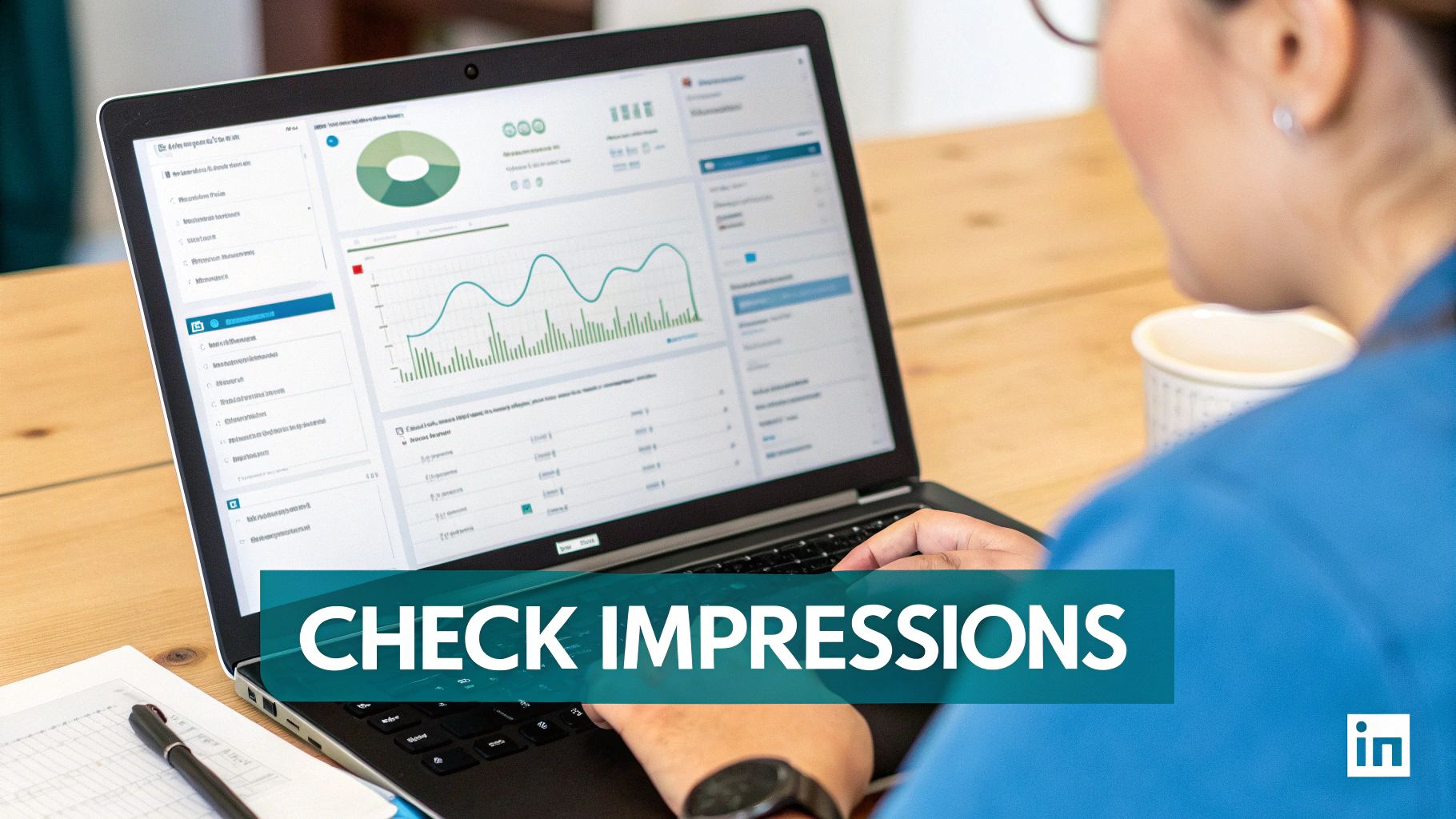
This data is incredibly powerful. For example, if you’re getting tons of impressions from “Software Engineers” at “Tech Innovations Inc.,” you’ve just confirmed your content is hitting a key target audience right on the nose.
By making a habit of checking these analytics, you’ll start to spot trends. You’ll notice which posts get the most eyeballs and can begin to analyse their topics, formats, and even the time you posted them. This kind of hands-on analysis turns impressions from a passive number into actionable feedback.
For an even deeper dive, you might want to look into how to export data from LinkedIn Analytics to Excel. This lets you slice and dice the numbers, helping you move from simply observing to actively analysing and refining your content strategy for maximum impact.
Proven Strategies to Increase Your Post Impressions
 Alright, so you know what a LinkedIn post impression is and where to find it. That’s a great start, but it’s really only half the battle. Now for the fun part: let’s dive into some practical, tried-and-tested techniques to actually boost your visibility and get your content seen by a bigger, more relevant crowd.
Growing your impressions isn’t a game of chance; it’s about following a reliable, repeatable process. With a few proven methods, you can give the LinkedIn algorithm the right signals to show your content more often. This lays the perfect groundwork for better engagement and growing your network.
Optimise Your Content and Timing
The absolute foundation of high impressions is creating stuff your audience actually wants to read. Think valuable insights, personal professional experiences, and relevant industry news that genuinely connects with what your network cares about.
But great content is only part of the equation. When you post is just as critical. Hitting “publish” when your audience is most active gives your post its best shot at getting that crucial initial engagement, which tells the algorithm, “Hey, this is good stuff!” For a deeper look at this, our guide on the https://postline.ai/blog/best-time-to-post-linkedin is a must-read.
Hashtags are another powerful tool in your arsenal. Don’t just throw any old tag on there. A smart mix of broad, popular hashtags and some niche, community-specific ones will do wonders for your discoverability. Aiming for 3-5 relevant hashtags is a solid place to start.
Impressions are the first step on the ladder, but they’re most powerful when they lead to action. The real goal isn’t just to be seen, but to be seen by the right people who find your content so compelling they just have to engage.
Use Algorithm-Friendly Formats
Let’s be real: LinkedIn’s algorithm doesn’t treat every post the same. If you want to rack up more impressions, you’ve got to play the game and prioritise the post types the platform is currently favouring. The good news? Visually engaging content is consistently a winner.
Things like multi-image posts and native documents (think PDFs you upload as carousels) often get a much wider reach. The numbers back this up, too. Globally, multi-image posts and native documents have shown higher engagement rates of 6.60% and 6.10%, respectively. When you consider LinkedIn’s overall engagement rate by impressions is around 5.20%, using these formats gives you a clear edge.
A lot of what works for your personal profile can also be applied to a company page. Understanding the nuances of LinkedIn Company Page best practices will only strengthen your overall strategy. The key is to experiment with different formats and see what truly resonates with your unique audience.
Common Questions About LinkedIn Impressions
Even after you get the hang of what impressions are, a few practical questions always seem to pop up. Let’s tackle some of the most common ones I hear, because answering them helps turn abstract knowledge into a sharper content strategy.
Are Impressions the Most Important Metric?
It’s a classic question, but the answer really depends on what you’re trying to achieve. If your main goal is pure brand visibility—just getting your name out there and seen by as many people as possible—then yes, impressions are a top-tier metric for you.
But for goals like generating leads or building a real community, other numbers tell a much richer story. Things like engagement rates and click-throughs are way more telling in those scenarios. A smart strategy uses impressions to measure awareness but looks at meaningful engagement to measure action.
Think of impressions as the very top of your funnel. They’re the essential first step, but they’re not the final destination.
Does My Own View Count as an Impression?
Generally, no. LinkedIn’s system is built to measure how your content reaches an external audience, not how many times you admire your own work. While they don’t publish their exact internal workings, the industry standard for analytics is to filter out self-views from the public count.
You should always operate as if your own views don’t inflate your impression numbers. The real focus should be on what your audience is doing—that’s what actually matters.
Why Are My Impressions High but Engagement Is Low?
This is probably the most common frustration I see, and it points to a clear disconnect between visibility and value. It means the algorithm is doing its job and showing your post to a lot of people, but the content itself isn’t compelling enough to make them stop scrolling and act.
This could be down to a weak headline, a bland visual, or copy that just doesn’t resonate with the people seeing it. It’s a huge red flag that you need to take a hard look at your content’s quality and relevance. The goal is to not just be seen, but to capture attention and inspire a reaction.
Ready to turn those impressions into meaningful engagement? Postline.ai is your AI-powered assistant for writing, improving, and scheduling standout LinkedIn posts faster than ever. Start writing better posts today.

Run every client pipeline in one place
Give each LinkedIn profile its own voice, calendar, approval flow, and analytics. Start in minutes.
Start free trial