
How to Add Link to LinkedIn Post: Step-by-Step Guide
Learn how to add link to LinkedIn post easily. Follow our simple steps to include links effectively and boost your post engagement.
Sharing a link on your LinkedIn post seems simple enough, but doing it effectively can make a world of difference to your engagement and reach. Let’s break down exactly how to do it and explore a few nuances you might not know about.
Your Quick Guide to Sharing Links on LinkedIn
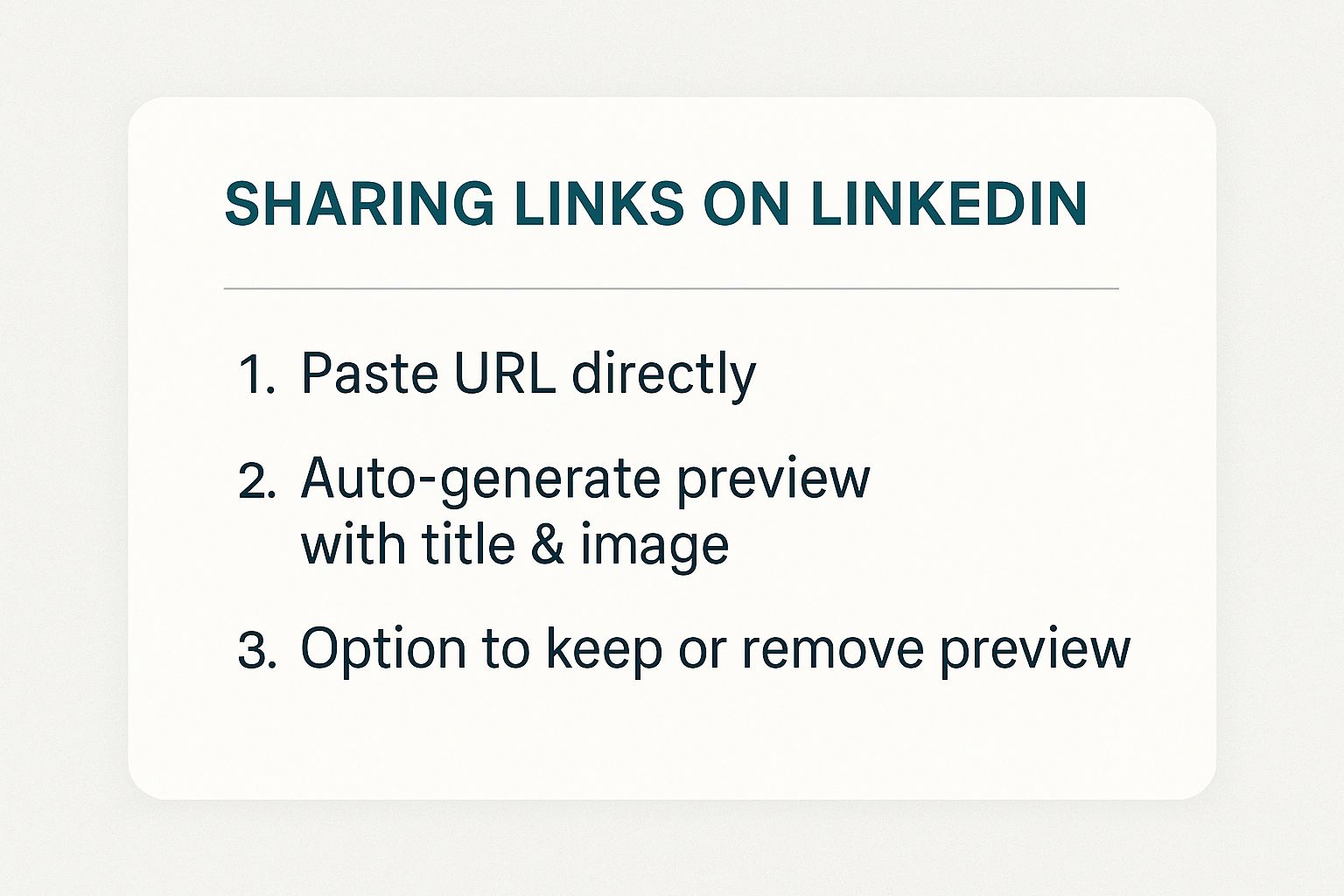
The most straightforward way to add a link to your post is to simply copy and paste the URL directly into the “Start a post” editor. The moment you do, LinkedIn works its magic and generates a clickable link preview, complete with a title and a featured image pulled from the destination page.
This instant preview is fantastic because it shows you exactly what your network will see. From there, you can publish it as is, or you can make a few tweaks for better visual appeal.
This infographic lays out the basic steps nice and clearly.
The real power here lies in your ability to control the final look. You can decide whether to keep that auto-generated preview or swap it out for something more eye-catching.
Understanding Link Previews
Once you’ve pasted your link, the preview box will appear right below your main text. It includes the pulled image and the article or page title.
If that preview doesn’t quite fit the aesthetic of your post or if you have a better image in mind, no problem. Just click the ‘X’ in the top-right corner of the preview box to remove it. This frees you up to upload your own custom image or graphic, giving your post a much more polished and intentional feel.
For a complete walkthrough of all the posting fundamentals, our guide on how to create a post in LinkedIn has you covered.
Why Link Placement Matters
While pasting a link is easy, there are strategic considerations. Here in Germany, for instance, professionals pay close attention to how links are presented and how they perform. It’s important to realise that LinkedIn doesn’t allow you to hyperlink text within the body of a post, so the full URL has to be visible.
Another crucial point is the algorithm. It’s widely understood that LinkedIn’s algorithm sometimes reduces the reach of posts containing external links, as its goal is to keep users on the platform. This is a constant debate among creators, with many testing different approaches like putting the link in the first comment versus in the post itself.
Key Takeaway: The easiest method is a direct paste. For maximum impact, though, I often remove the default preview and add a custom, high-quality image. It takes an extra minute but really helps your post stand out in a crowded feed.
To give you a clearer picture, here’s a quick summary of the different ways you can handle links in your LinkedIn posts. Each has its place depending on your goal for that specific post.
Link Placement Methods on LinkedIn at a Glance
| Method | Description | Best For |
|---|---|---|
| Direct Paste with Preview | Paste the URL directly into the post; LinkedIn generates a preview. | Quickly sharing articles, news, or blog posts where the default preview is high-quality and relevant. |
| Direct Paste without Preview | Paste the URL, then remove the preview and upload a custom image. | Creating a more visually branded post, A/B testing images, or when the default preview is low-quality. |
| Link in the First Comment | Write the post without a link and add “link in comments” CTA, then post the URL as the first comment. | A strategy some creators use to try and bypass the algorithm’s potential suppression of external links. |
Ultimately, testing these different methods with your own audience is the best way to see what drives the most engagement for you.
How to Craft a Link Post That Actually Gets Clicks
So many people just drop a link into a LinkedIn post and hope for the best. That’s a massive missed opportunity. Your goal isn’t just to share a link; it’s to convince someone that clicking it is the best thing they could do in that moment.
Think of your text as the warm-up act. It has to grab attention immediately. Start with a sharp hook—ask a provocative question, share a surprising stat, or make a bold claim. You need to give people a powerful reason to stop scrolling and care about what you have to say before they ever see the URL.
Taking Control of Your Link’s Appearance
When you paste a link into the post editor, LinkedIn automatically pulls in a preview. It’s a handy feature, but nine times out of ten, it’s not optimised. A fuzzy image or a generic page title can instantly kill the professional vibe of your post.
Don’t be afraid to take charge here. You can easily remove the default preview by clicking the little ‘X’ that appears on it. This gives you a blank slate to upload your own custom, high-quality image. A sharp, on-brand graphic will always outperform a generic, auto-generated one.
Getting this right is a huge part of learning how to boost social media engagement and making sure your content genuinely connects with your network.
Clean Up Your Post with URL Shorteners
Long, clunky URLs filled with random characters look messy and can be off-putting. This is where a URL shortener like Bitly comes in handy. It’s a simple trick, but it makes a big difference.
Using a shortened link has a few clear advantages:
- It just looks better. A short, clean link feels more professional and less intimidating to click.
- You save space. Those extra characters can be used for more of your compelling message.
- You get data. Most shortening services offer click analytics, so you can see exactly how many people are interacting with your link.
This kind of feedback is gold for figuring out what resonates with your audience. For more tips on crafting the text itself, our guide on how to write engaging LinkedIn posts is a great place to start.
Let’s see it in action. Instead of a messy link to a new case study, try this: “We just helped a client increase their leads by 45% in a single quarter. Want to see how? We broke it all down here: bit.ly/ClientWinQ3”
See the difference? A powerful hook, a clean link, and a custom visual all work together. It’s no longer just a “link drop”—it’s a strategic post designed to get results.
Advanced Link Strategies Used by Top Marketers

If you’ve spent any time on LinkedIn, you’ve seen that the pros don’t just dump a URL into their posts. They treat link placement like a chess move, carefully considering how to maximise both visibility and engagement. It’s all about understanding how to play nicely with the LinkedIn algorithm.
One of the most debated tactics is putting your link in the first comment instead of in the post itself. The logic behind this is that LinkedIn prefers to keep users on its platform, so it might throttle the reach of posts with external links. By posting the link in the comments, the main post gets a chance to pick up some organic steam first.
But does it actually work? Sometimes. The downside is that you’re adding an extra step for your audience—they have to go hunting for the link. That little bit of friction can be enough to kill your click-through rate. If you’re going to try this, your call-to-action needs to be unmissable, like “You’ll find the full guide in the first comment!”
Working With LinkedIn, Not Against It
A more reliable strategy is to use LinkedIn’s own content formats. The platform loves when you keep users engaged within its ecosystem, and it often rewards you with better reach for doing so.
Here are a few powerful ways to do just that:
- LinkedIn Articles: Instead of sending people off-platform to read your blog, why not bring the blog to them? You can republish your content as a native LinkedIn Article and sprinkle in as many links as you need, directing traffic in a much more natural way.
- LinkedIn Newsletters: This is a fantastic feature for building a loyal following. Every time you publish, your subscribers get a notification. It’s a direct line to your audience’s inbox, perfect for sharing your latest insights and links.
- Document Posts (PDFs): Got a great report, presentation, or infographic? Turn it into a PDF and upload it as a document. These “carousel” posts are super engaging because users can swipe through them. Best of all, you can embed clickable links right inside the PDF.
Making sure your LinkedIn activity aligns with your overall goals is crucial. It helps to have a solid grasp of the 10 essential elements of a successful digital marketing strategy to see how everything fits together.
Using All Your LinkedIn Real Estate
Think beyond just the main feed. Your Company Page and any Events you run are valuable spots for placing important links.
When you set up a LinkedIn Event, for example, there’s a dedicated field for an “External link” to your registration or sales page. This is a direct, platform-approved method for driving traffic. Your Company Page is another goldmine—use the “About” section or feature a key link as a main update. This is a foundational tactic if you want to understand how to boost posts on LinkedIn and get the most out of your presence.
Pro Tip: Don’t just follow trends—test them. Run your own experiments. For two weeks, put links directly in your posts. For the next two, try the “link in comments” method. Track your reach, engagement, and clicks. The data from your own audience will always be more valuable than anyone else’s advice.
Connecting with German Professionals on LinkedIn
If you’re trying to reach a professional audience in Germany, you need to understand their work culture. It’s not just about what you post; it’s very much about when you post. The German professional landscape is quite structured, revolving heavily around traditional business hours.
This means you’ll get the best results by posting on weekdays. The sweet spot is generally between 7 a.m. and 4 p.m. CET. We’ve seen that engagement really spikes on Tuesday and Thursday mornings, especially between 10 and 11 a.m. Getting a link post out during these peak windows can boost your click-through rates by a solid 15-25%. If you want to dive deeper into the data on a global scale, SocialPilot has some great insights on posting times.
Frame Your Links with Value for the DACH Market
Timing is only half the battle. Professionals in the DACH region (Germany, Austria, Switzerland) value clarity and directness. Simply dropping a link with a generic caption won’t get you far. You need to frame it with clear context and explain its value right away.
Here are a few things to keep in mind:
- Get Straight to the Point: Don’t be vague. Instead of saying, “Check out my new article,” try something more specific like, “This new article breaks down three common GDPR compliance mistakes German startups are making.” See the difference?
- Offer a Sneak Peek: Give them a reason to click. Briefly summarise the most important takeaway from your link. This builds trust and shows you respect their time.
- Mix It Up: Your feed shouldn’t just be a list of external links. Balance them with native LinkedIn content—think text-only posts, polls, or uploaded documents. This proves you’re on the platform to engage and share expertise, not just to channel traffic elsewhere.
Mastering this balance is key. A well-crafted post can be made even better with an optimised preview, so take a look at our guide on how to perfect your LinkedIn link preview card for maximum impact.
When targeting the DACH region, think of your link as the conclusion to a compelling argument you’ve made in your post. The post provides the ‘why,’ and the link provides the ‘how’ or the ‘more.’
And what about weekends? My advice is to avoid them. Engagement tends to plummet, sometimes dropping by as much as 45% on Saturdays and Sundays. Professionals in this region value their time off and disconnect from work. Stick to the work week, and you’ll see a much better return.
Common Mistakes That Kill Your Post’s Reach
Knowing what to do is half the battle; knowing what not to do is just as important when you add a link to a LinkedIn post. I’ve seen countless professionals make a few common missteps that quietly sabotage their reach, leaving fantastic content unseen by the very people it was meant for.
The most common culprit? “Link dumping.” This is when you just paste a URL into your post with little to no context. It comes across as lazy and impersonal, giving your network zero reason to stop scrolling, let alone click. Without a compelling hook or a clear reason why they should care, it’s just digital noise.
Ignoring the Link Preview
Another massive mistake is just accepting whatever link preview LinkedIn serves up. The platform automatically pulls an image and a headline, but these are rarely optimised for a social feed. A blurry, awkwardly cropped image or a generic page title can instantly make your entire post look unprofessional.
If the preview looks weak, don’t hesitate to remove it. Just click the ‘X’ in the corner and upload a high-quality, custom graphic instead. A visually engaging post will always win the battle for attention and earn you that click.
Over-relying on the Link in Comments Trick
We’ve all seen it: the classic “link in the first comment” CTA. This tactic blew up as a way to sidestep the algorithm, which has a reputation for throttling the reach of posts with external links. The theory was to let the post gain some organic momentum first before dropping the URL.
But this method is far from a silver bullet. It adds an extra step for your audience, forcing them to hunt for the link, which can seriously damage your click-through rate. What’s more, the algorithm is constantly evolving, and there’s growing evidence that it now treats links in the comments similarly to those in the post itself.
By getting familiar with these common pitfalls, you can start to get a much better read on your own post performance. Don’t be afraid to experiment. Test different approaches—link in post versus link in comment, default preview versus custom image—and let your own data tell you what really works for your audience.
Your Top LinkedIn Link Questions, Answered
Adding links to your LinkedIn posts can feel like a bit of a dark art sometimes. You’ve probably seen different advice floating around, so let’s tackle a few of the most common questions I hear.
Can I turn certain words into a clickable link?
This is a big one. Unfortunately, you can’t create hyperlinked text (like you would in a blog post or email) directly in a standard LinkedIn post. When you share a link, you have to paste the full URL into the post composer.
That means the URL itself, or the preview card LinkedIn generates, becomes the clickable element. The key is to write really engaging copy around the link to give people a reason to click through.
What about putting the link in the first comment? Does that trick still work?
Ah, the old “link in the comments” debate. This tactic became popular because of a theory that the LinkedIn algorithm penalises posts with external links, aiming to keep users on the platform. The idea was that by hiding the link in the comments, your post would get better initial visibility.
Honestly, the jury is still out. Some people swear by this method, while others argue it just makes it harder for your audience to find the link. My best advice? Test it for yourself. Run a few posts with the link in the main body and a few with it in the first comment. Let your own analytics tell you what your audience responds to.
How do I change the link preview image?
When you paste a URL, LinkedIn pulls an image directly from that webpage’s code, specifically from its Open Graph (OG) tags. The only way to permanently change that image is to get into the website’s HTML and update those tags yourself.
For a much simpler, post-by-post solution, you can just click the small ‘X’ on the top-right of the preview card after you paste the link. This gets rid of the auto-generated preview entirely, freeing you up to upload your own custom, high-quality image. This almost always looks more polished and professional.
Ready to create standout LinkedIn content without the guesswork? Postline.ai uses AI to help you write, schedule, and optimise posts that sound just like you. Turn your ideas into engaging content in minutes. Discover how Postline can elevate your LinkedIn strategy today!

Run every client pipeline in one place
Give each LinkedIn profile its own voice, calendar, approval flow, and analytics. Start in minutes.
Start free trial