
Best AI Tools for LinkedIn Content (2025)
Discover best ai tools for linkedin content 2025 to boost ideation, writing, scheduling, and analytics. Review top platforms to elevate your presence.
In 2025, maintaining a high-impact LinkedIn presence demands more than just occasional updates; it requires a strategic, consistent approach to content. For busy entrepreneurs, sales professionals, and thought leaders, this can feel like a full-time job. The challenge is clear: how do you consistently generate high-quality, engaging content, personalise your outreach, and analyse performance without sacrificing hours of your day? This is precisely where artificial intelligence steps in, transforming a time-consuming task into an efficient, data-driven process.
This guide is your definitive resource for navigating the best AI tools for LinkedIn content in 2025. We have moved beyond surface-level descriptions to provide a comprehensive analysis of the top platforms designed to supercharge your professional networking. Our goal is to help you find the perfect tool that aligns with your specific needs, whether that involves drafting compelling posts, researching industry trends, personalising connection requests, or scheduling your content calendar for maximum impact. While this article focuses on LinkedIn, to broaden your understanding of the AI landscape, consider exploring the best AI tools for content creation that can enhance various aspects of your digital presence.
Each entry in our ranked list includes a detailed breakdown with screenshots, direct links, and practical use-case examples. We will explore standout features, ideal user profiles, transparent pricing structures, and an honest assessment of both pros and cons. Furthermore, we will detail how each tool can integrate or complement Postline.ai, offering a more powerful, organised workflow. This isn’t just a list; it’s a strategic toolkit to help you save time, enhance your authority, and achieve your professional goals on LinkedIn.
1. Postline.ai
Best for: All-in-one, authentic content creation with integrated research.
Postline.ai establishes itself as a premier, all-in-one solution and a clear frontrunner for the best AI tools for LinkedIn content in 2025. It moves beyond generic text generation by integrating deep personalisation, real-time research, and a complete suite of LinkedIn-specific workflow tools. This powerful combination enables professionals to produce high-quality, authentic content at scale without sacrificing credibility or their unique voice.
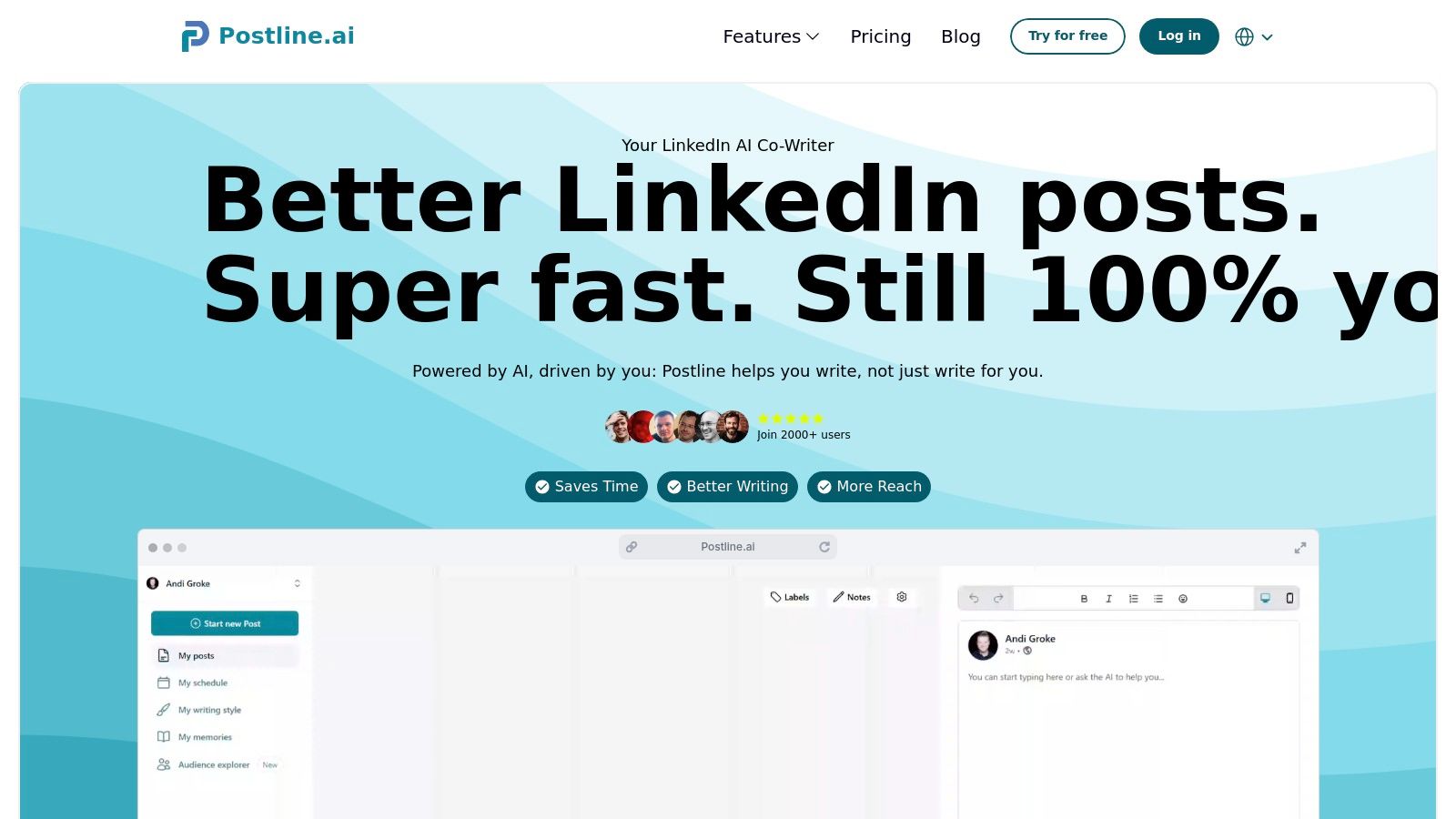
What truly sets Postline.ai apart is its commitment to authenticity. The AI Memory feature analyses your past posts to learn and adopt your distinct writing style, ensuring consistency. Furthermore, its innovative Ghostwriter Mode actively interviews you about your topic, transforming your spoken ideas and expertise into a polished, structured post that genuinely reflects your perspective. This approach effectively solves the common AI problem of producing soulless, generic content.
Standout Features for LinkedIn
- Real-Time Research & Citations: Postline.ai can access and cite current information from the web, allowing you to back your claims with fresh data and add a layer of authority to your posts.
- LinkedIn-Native Optimisation: The platform includes a built-in formatter for crafting engaging hooks and clear calls-to-action (CTAs), along with hashtag suggestions and an Audience Explorer to pinpoint trending topics relevant to your network.
- Comprehensive Workflow Management: Beyond writing, it offers a visual content calendar, post-scheduling, status labels (draft, scheduled, published), and team collaboration features, centralising your entire LinkedIn content strategy.
Who is it for?
Postline.ai is ideal for entrepreneurs, sales professionals, recruiters, and marketing teams who need to maintain a consistent and impactful presence on LinkedIn but lack the time for manual research and writing. It is particularly valuable for those who prioritise authenticity and credibility in their thought leadership content.
Pricing: You will need to visit the website for current pricing details and to check for available free trials.
| Pros | Cons |
|---|---|
| Deep personalisation with AI Memory and Ghostwriter Mode. | Pricing information was not readily available in provided materials. |
| Real-time research with citations boosts post credibility. | Users concerned with data privacy may need to review how their post history is stored and used by AI Memory. |
| End-to-end LinkedIn toolkit from ideation to scheduling. | |
| Saves significant time while maintaining content quality. | |
| Strong team collaboration and content management features. |
Visit Website: https://postline.ai
2. Taplio
Best for: LinkedIn power users focused on growth and lead generation.
Taplio is a comprehensive, all-in-one growth tool designed specifically for LinkedIn. It goes beyond simple AI-powered writing, offering a full suite of features for content ideation, scheduling, analytics, and, most importantly, lead engagement. This makes it an indispensable asset for creators, consultants, and B2B teams looking to monetise their presence on the platform.
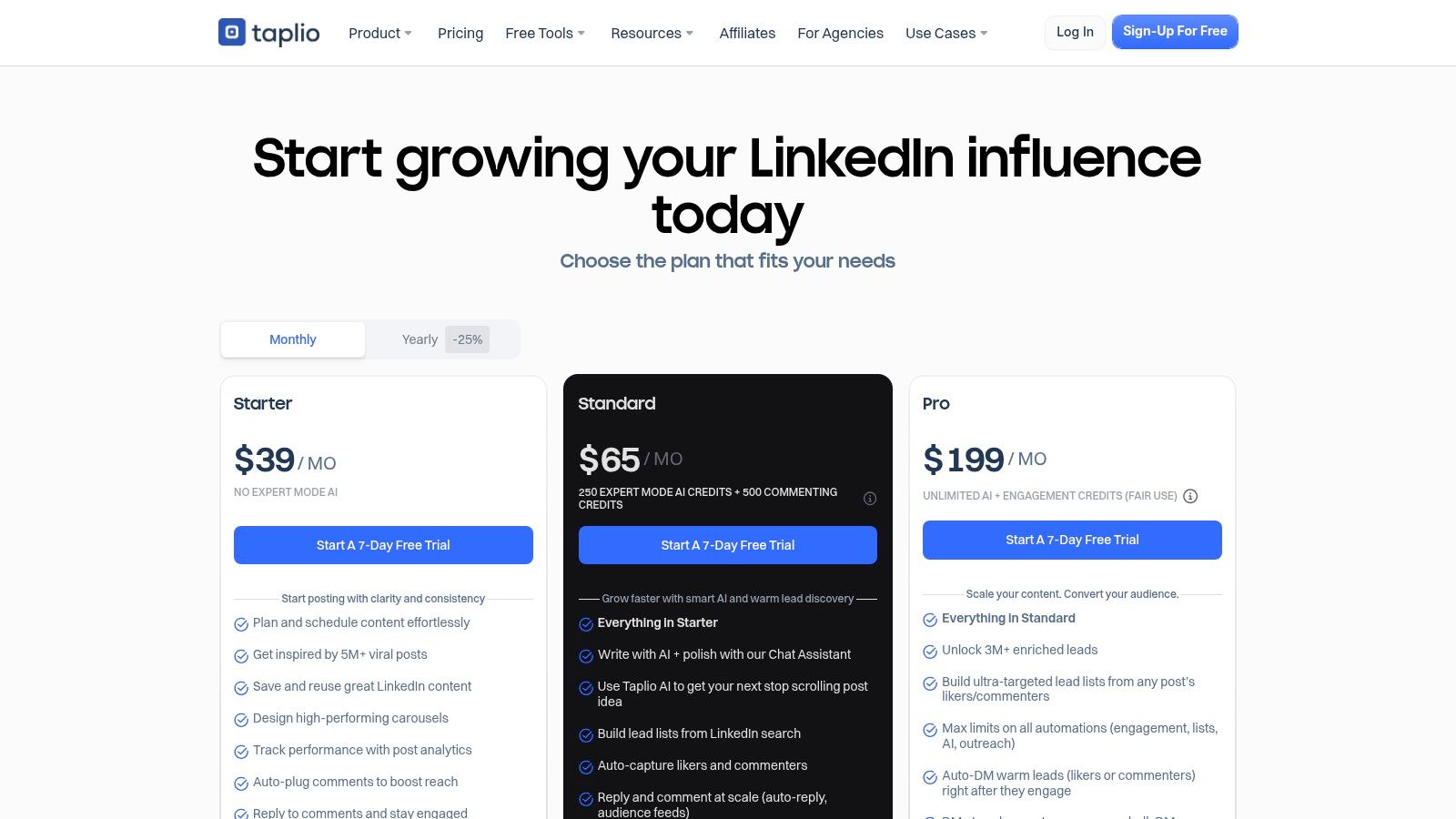
Unlike generic AI writers, Taplio’s strength lies in its deep integration with the LinkedIn ecosystem. Its AI models are trained on a massive library of over five million high-performing LinkedIn posts, enabling it to generate relevant hooks and content structures with impressive accuracy. The “Expert Mode” further refines this, allowing users to select specific tones and formats that are proven to resonate with LinkedIn audiences.
Standout Features for LinkedIn
- Viral Post Library: Access a searchable database of millions of successful posts for inspiration and trend analysis.
- AI-Powered Ideation & Writing: Generates post ideas and complete drafts based on URLs, documents, or simple prompts, with special modes for crafting effective hooks.
- Carousel Generator: Easily create native LinkedIn carousels from text or existing content.
- Engagement & Lead Management: Automatically capture users who engage with your posts, build targeted lead lists, and send personalised DMs to warm up prospects.
Key Benefit: Taplio’s greatest advantage is its native-to-LinkedIn workflow. The platform consolidates ideation, content creation, scheduling, and lead generation, eliminating the need to juggle multiple disconnected tools and making it one of the best AI tools for LinkedIn content 2025 for serious creators.
Who is it For?
Taplio is best suited for LinkedIn power users, including personal brand builders, consultants, agency owners, and B2B sales teams who are committed to using the platform for growth and lead generation.
| Feature | Starter | Standard | Pro |
|---|---|---|---|
| Pricing | From $65/month | From $99/month | From $199/month |
| AI Post Generation | Limited | Unlimited | Unlimited |
| Post Analytics | ✅ | ✅ | ✅ |
| Engagement Tools | ❌ | ✅ | ✅ |
Pros & Cons
- ✅ Pros: Purpose-built for LinkedIn, robust lead-generation tools, excellent AI trained on viral content.
- ❌ Cons: Higher price point, advanced features are gated behind premium tiers, limited utility outside the LinkedIn ecosystem.
How to Use with Postline.ai
You can use Taplio’s AI to brainstorm and generate initial drafts for your LinkedIn posts. Then, import these drafts into Postline.ai’s content calendar to schedule them alongside content for your other social media channels, streamlining your entire multi-platform strategy from a single dashboard.
3. Hootsuite (with OwlyWriter AI)
Best for: Enterprises and agencies needing a unified, multi-channel scheduler.
Hootsuite is a long-standing titan in social media management, offering a robust, end-to-end platform for publishing, scheduling, analytics, and team collaboration. The integration of OwlyWriter AI adds a powerful content generation layer, making it an excellent choice for businesses managing a significant presence across multiple channels, including LinkedIn.
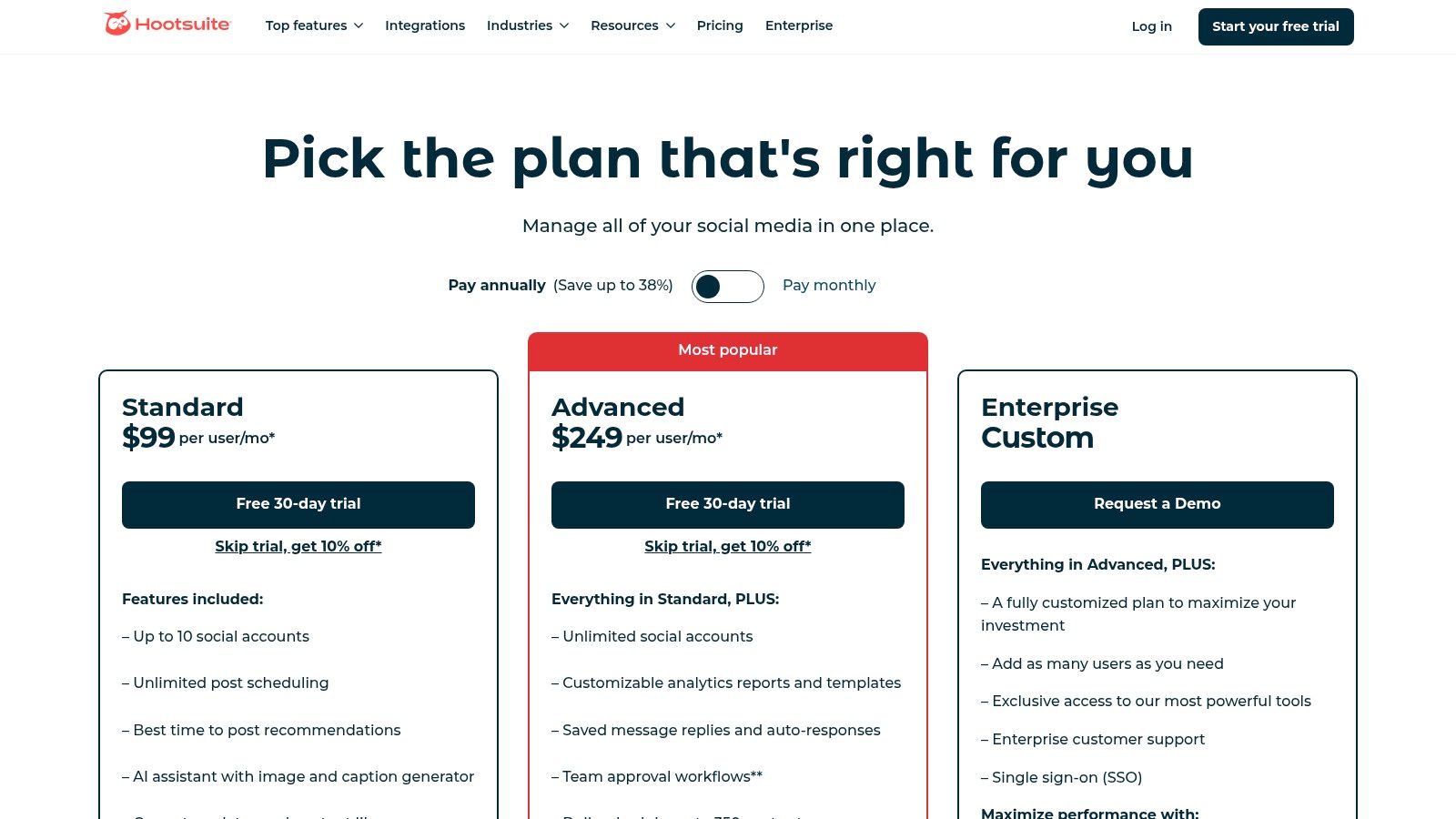
Unlike specialised LinkedIn-only tools, Hootsuite’s strength lies in its comprehensive, multi-platform approach. OwlyWriter AI can generate captions, content ideas, and hashtags directly within the scheduling workflow. It can also repurpose your top-performing posts from other networks for a LinkedIn audience, streamlining content creation for busy social media teams that need enterprise-grade reliability.
Standout Features for LinkedIn
- OwlyWriter AI: Instantly generate post ideas, create captions from a simple prompt, or repurpose existing successful content for LinkedIn.
- Best Time to Post Recommendations: The platform analyses your account’s historical engagement data to suggest optimal posting times for maximum reach.
- Advanced Analytics & Reporting: Track key LinkedIn metrics, create custom reports, and benchmark your performance against competitors (features vary by plan).
- Team Collaboration & Approvals: Organise content creation with built-in workflows for drafting, editing, and approving posts, which is ideal for larger teams and agencies.
Key Benefit: Hootsuite excels for teams needing a centralised hub for all social media activities. Its mature platform combined with OwlyWriter AI offers a reliable, all-in-one solution for creating, scheduling, and analysing LinkedIn content alongside other networks, making it one of the best AI tools for LinkedIn content 2025 for established businesses.
Who is it For?
Hootsuite is best suited for marketing teams, agencies, and enterprises that require a single platform to manage LinkedIn in conjunction with other social media channels. Its strong collaboration and reporting features are a major plus for structured workflows.
| Feature | Professional | Team | Enterprise |
|---|---|---|---|
| Pricing | From $99/month | From $249/month | Custom |
| OwlyWriter AI | ✅ | ✅ | ✅ |
| Best Time to Post | ✅ | ✅ | ✅ |
| Team/Approval Features | ❌ | ✅ | ✅ |
Pros & Cons
- ✅ Pros: Mature, all-in-one platform for multiple networks, strong team collaboration and approval workflows, robust analytics and reporting.
- ❌ Cons: Can be expensive for individuals or small teams, the AI is less specialised for LinkedIn than dedicated tools, some key features are gated in higher tiers.
How to Use with Postline.ai
While Hootsuite provides comprehensive scheduling, you could use OwlyWriter AI to generate initial LinkedIn post ideas and captions. You can then refine and schedule these posts within Postline.ai’s more streamlined, AI-native calendar interface, especially if you prefer Postline’s focused feature set for AI content creation and scheduling.
4. Buffer (with AI Assistant)
Best for: Solo creators and small businesses wanting simplicity and value.
Buffer is a well-established and user-friendly social media scheduler that has integrated a capable AI Assistant into its workflow. It’s designed for simplicity and efficiency, making it an excellent starting point for solo creators, entrepreneurs, and small teams who need reliable scheduling combined with powerful, accessible AI for content ideation and refinement.
Unlike more complex, LinkedIn-only platforms, Buffer’s strength lies in its straightforward, multi-platform approach. Its AI Assistant helps users overcome writer’s block by generating post ideas, rephrasing sentences for different tones, and repurposing existing content for LinkedIn’s professional audience. This combination of simple scheduling and unlimited AI assistance on its free plan makes it a standout choice for those prioritising ease of use and value.
Standout Features for LinkedIn
- AI Assistant: Generate ideas from scratch, rewrite drafts in different tones (e.g., professional, witty), and easily create platform-specific variations for your content.
- Visual Content Calendar: Plan and visualise your LinkedIn content schedule with a clear and intuitive drag-and-drop calendar interface.
- Simple Queue & Scheduling: Set up a posting schedule and let Buffer automatically publish your content at the optimal times, ensuring a consistent presence.
- Generous Free Tier: Access the AI Assistant and schedule for up to three social channels, including LinkedIn, completely free of charge.
Key Benefit: Buffer’s greatest advantage is its combination of simplicity and an incredibly generous free plan. Offering unlimited AI credits for text generation, it lowers the barrier to entry for creators and businesses looking to leverage AI for their LinkedIn strategy without a significant financial commitment.
Who is it For?
Buffer is ideal for solo entrepreneurs, small business owners, and marketing managers who need a reliable, low-cost tool to manage their LinkedIn presence alongside other social media channels and want straightforward AI writing assistance.
| Feature | Free | Essentials | Team |
|---|---|---|---|
| Pricing | $0/month | From $6/month/channel | From $12/month/channel |
| AI Post Generation | Unlimited | Unlimited | Unlimited |
| Post Analytics | Basic | ✅ | ✅ |
| Engagement Tools | ❌ | ✅ | ✅ |
Pros & Cons
- ✅ Pros: Extremely easy to use with a clean interface, generous free tier with unlimited AI credits, cost-effective for managing multiple platforms.
- ❌ Cons: Analytics are less comprehensive than specialised tools, lacks deep LinkedIn-specific features like prospecting or lead engagement.
How to Use with Postline.ai
Use Buffer’s AI Assistant as a quick and free brainstorming tool to generate initial LinkedIn post ideas or rephrase existing content. You can then copy these refined drafts into Postline.ai’s more advanced content calendar to benefit from its superior analytics, team collaboration features, and a more holistic view of your entire content strategy.
5. Canva (Magic Studio)
Best for: Creating high-quality visual content like carousels and videos.
Canva has evolved far beyond a simple design tool, and its AI-powered Magic Studio suite makes it an essential platform for creating visually compelling LinkedIn content. While other tools focus on text, Canva excels at producing the polished visuals, such as carousels, banners, and video clips, that capture attention in a crowded feed. Its integration of AI copywriting through Magic Write further solidifies its position as a one-stop shop for creating complete, ready-to-publish posts.
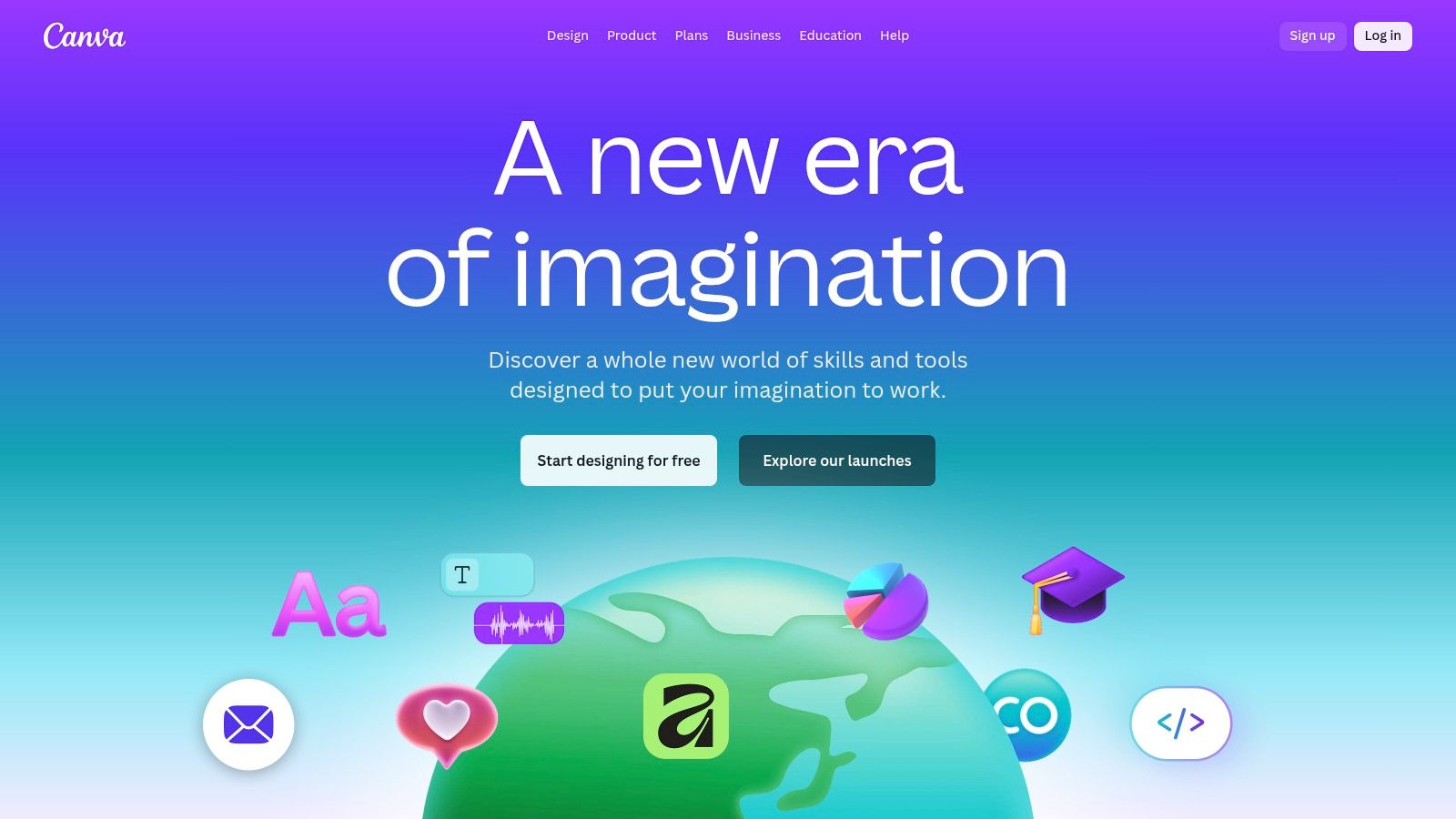
Unlike specialised AI writers, Canva’s strength lies in its design-first approach to content creation. Magic Studio’s features allow you to generate entire presentations (perfect for carousels) or social media posts from a simple text prompt. This makes it incredibly efficient for non-designers who need to produce high-quality, on-brand visual assets quickly without a steep learning curve. The platform’s vast library of templates is optimised specifically for LinkedIn, ensuring your content always looks professional.
Standout Features for LinkedIn
- Magic Design & Media: Instantly generates customisable templates, images, and videos from a text prompt or uploaded media, perfect for creating unique LinkedIn visuals.
- AI-Powered Carousel Creation: Use Magic Design for Presentations to turn an idea into a multi-page LinkedIn carousel in seconds.
- Magic Write: An AI text generator built into the design workflow, allowing you to craft post captions, headlines, or carousel text without leaving the editor.
- Vast Template Library: Access thousands of professionally designed templates specifically for LinkedIn posts, carousels, and profile banners. You can also learn more about AI-powered image generators to create custom assets.
Key Benefit: Canva democratises professional design for LinkedIn. Its AI-driven tools empower anyone to create visually stunning and engaging carousels and posts that stand out, without needing any prior design experience, making it one of the best AI tools for LinkedIn content 2025.
Who is it For?
Canva is ideal for marketers, entrepreneurs, and content creators who want to elevate the visual quality of their LinkedIn presence. It’s particularly valuable for those who rely on carousels and branded imagery to communicate their message effectively.
| Feature | Free | Pro | Teams |
|---|---|---|---|
| Pricing | $0/month | From $14.99/month | From $29.99/month/user |
| Magic Studio AI | Limited (credits) | Increased credits/usage | Increased credits/usage |
| Premium Templates | ❌ | ✅ | ✅ |
| Background Remover | ❌ | ✅ | ✅ |
Pros & Cons
- ✅ Pros: Extremely easy for non-designers to use, huge library of templates and assets, excellent for creating high-quality carousels quickly.
- ❌ Cons: AI text generation is less specialised than dedicated writing tools, core AI features rely on a credit system or are gated behind paid plans.
How to Use with Postline.ai
Design your entire LinkedIn carousel or visual post in Canva. Once complete, export the final PNG or JPG files and upload them directly into Postline.ai. You can then schedule your visual content for LinkedIn alongside all your other text-based posts for other platforms, managing your complete content calendar from one central hub.
6. Jasper
Best for: Marketing teams needing consistent, on-brand copy at scale.
Jasper is a marketing-grade AI writer designed for teams that need to create consistent, on-brand copy across multiple channels, including LinkedIn, blogs, and advertisements. It distinguishes itself from generic AI tools with powerful features that learn and adapt to a company’s unique voice and knowledge base, ensuring all content remains cohesive and team-ready.
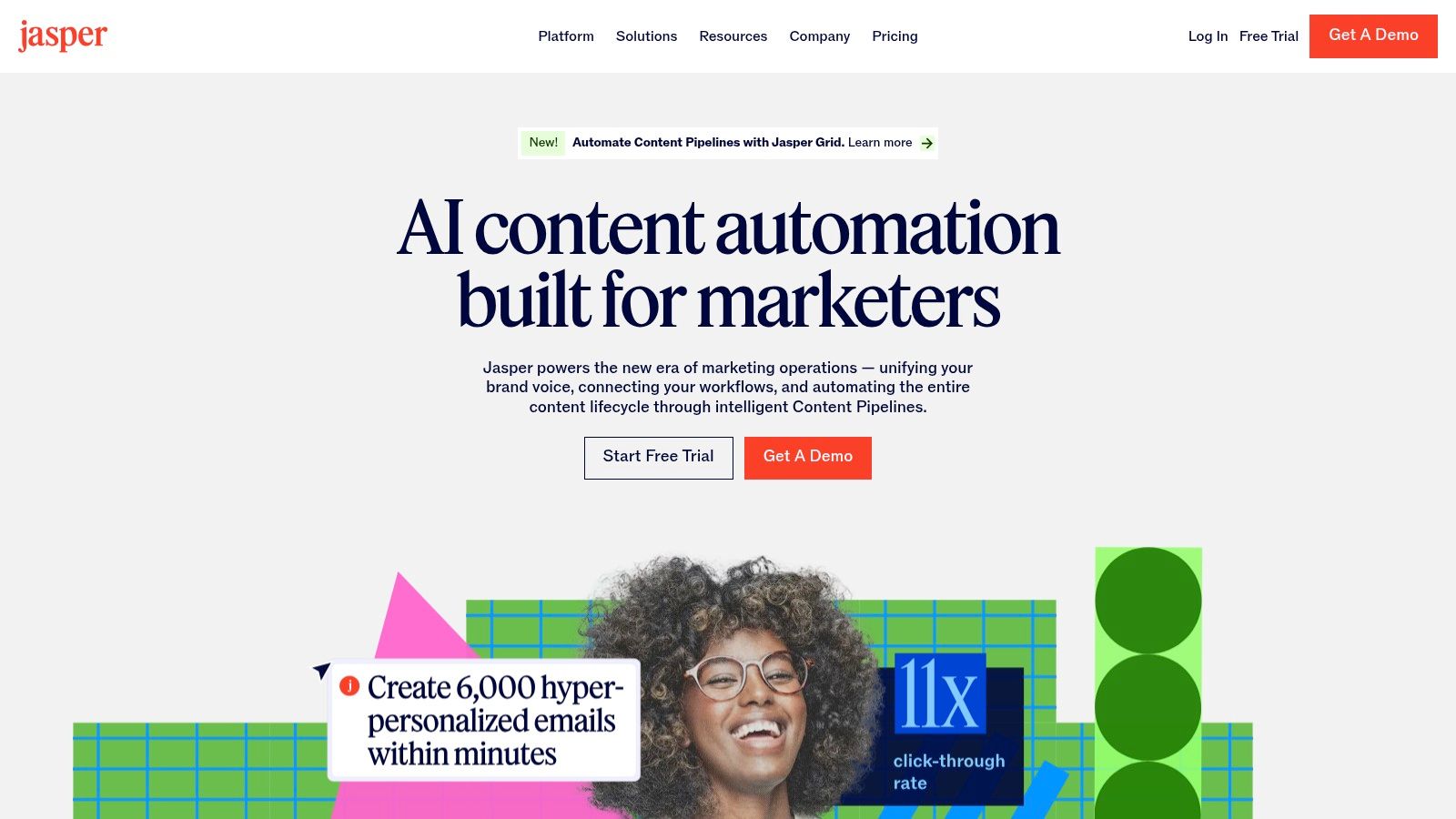
Unlike single-purpose LinkedIn tools, Jasper positions itself as a central content engine for an entire marketing organisation. Its strength lies in its ability to be trained. By feeding it style guides, product information, and audience personas, you can create a reliable AI assistant that understands your brand’s specific context, making it invaluable for producing high-quality LinkedIn posts at scale.
Standout Features for LinkedIn
- Brand Voice & Knowledge: Train Jasper on your company’s messaging, tone, and key facts to generate consistently on-brand LinkedIn posts.
- Campaigns & Templates: Utilise dedicated templates for social media, including LinkedIn post formats, to streamline the creation process from start to finish.
- Browser Extension: Use Jasper’s AI capabilities directly within the LinkedIn composer and other web applications, improving workflow efficiency.
- Team Collaboration: Features built for marketing teams allow for shared assets, collaborative editing, and organised content campaigns.
Key Benefit: Jasper’s core advantage is its strong brand governance. For marketing teams and businesses, this ensures that every piece of AI-generated content, including LinkedIn posts, adheres strictly to established brand guidelines, eliminating the inconsistencies common with other AI writers.
Who is it For?
Jasper is ideal for marketing teams, agencies, and established businesses that produce a high volume of content across various platforms and require strong brand consistency in their AI-generated copy.
| Feature | Creator | Teams | Business |
|---|---|---|---|
| Pricing | From $49/month | From $125/month | Custom |
| Brand Voice | 1 | 3 | Unlimited |
| Browser Extension | ✅ | ✅ | ✅ |
| Collaboration Tools | ❌ | ✅ | ✅ |
Pros & Cons
- ✅ Pros: Excellent brand governance, versatile for many content types beyond social media, strong collaboration features.
- ❌ Cons: Higher cost than basic AI writers, requires initial setup of brand voice and knowledge to achieve the best results.
How to Use with Postline.ai
Develop a full month of on-brand LinkedIn post drafts using Jasper’s trained Brand Voice. You can then efficiently bulk-upload these drafts into Postline.ai to schedule them alongside your content for Instagram, Facebook, and other networks, managing your entire cross-platform content calendar from one central hub.
7. Ocoya
Best for: Small businesses and e-commerce brands needing an all-in-one content engine.
Ocoya positions itself as a streamlined social media marketing platform, integrating AI copywriting, image generation, and a content scheduler into one cohesive dashboard. It is particularly effective for small businesses, agencies, and e-commerce brands that need to manage LinkedIn alongside other networks without a complex, multi-tool setup.
Unlike tools focused solely on LinkedIn text, Ocoya’s strength is its versatility. It can generate both the caption and a corresponding visual for a post simultaneously, significantly speeding up the content creation workflow. Its AI is designed for broad social media appeal, offering over 100 copywriting tools and templates that can be adapted for LinkedIn’s professional audience, including support for multiple languages.
Standout Features for LinkedIn
- Integrated AI Copy & Image Generation: Create both written posts and AI-generated visuals within the same interface, ensuring brand consistency.
- Comprehensive Scheduler: Plan and automate LinkedIn posts with features like best-time-to-post recommendations and RSS feed integration to share industry news.
- E-commerce Integrations: Directly connect Shopify or WooCommerce stores to effortlessly create and schedule promotional content for LinkedIn.
- Hashtag & Caption AI: Generate relevant, optimised hashtags and captions to improve the reach and engagement of your LinkedIn content.
Key Benefit: Ocoya’s main advantage is its efficiency as an all-in-one content engine. The ability to generate copy and visuals in one place makes it one of the best AI tools for LinkedIn content 2025 for users who value speed and simplicity.
Who is it For?
Ocoya is ideal for small to medium-sized businesses, e-commerce store owners, and marketing agencies that require a single, cost-effective platform to manage content creation and scheduling across multiple social channels, including LinkedIn.
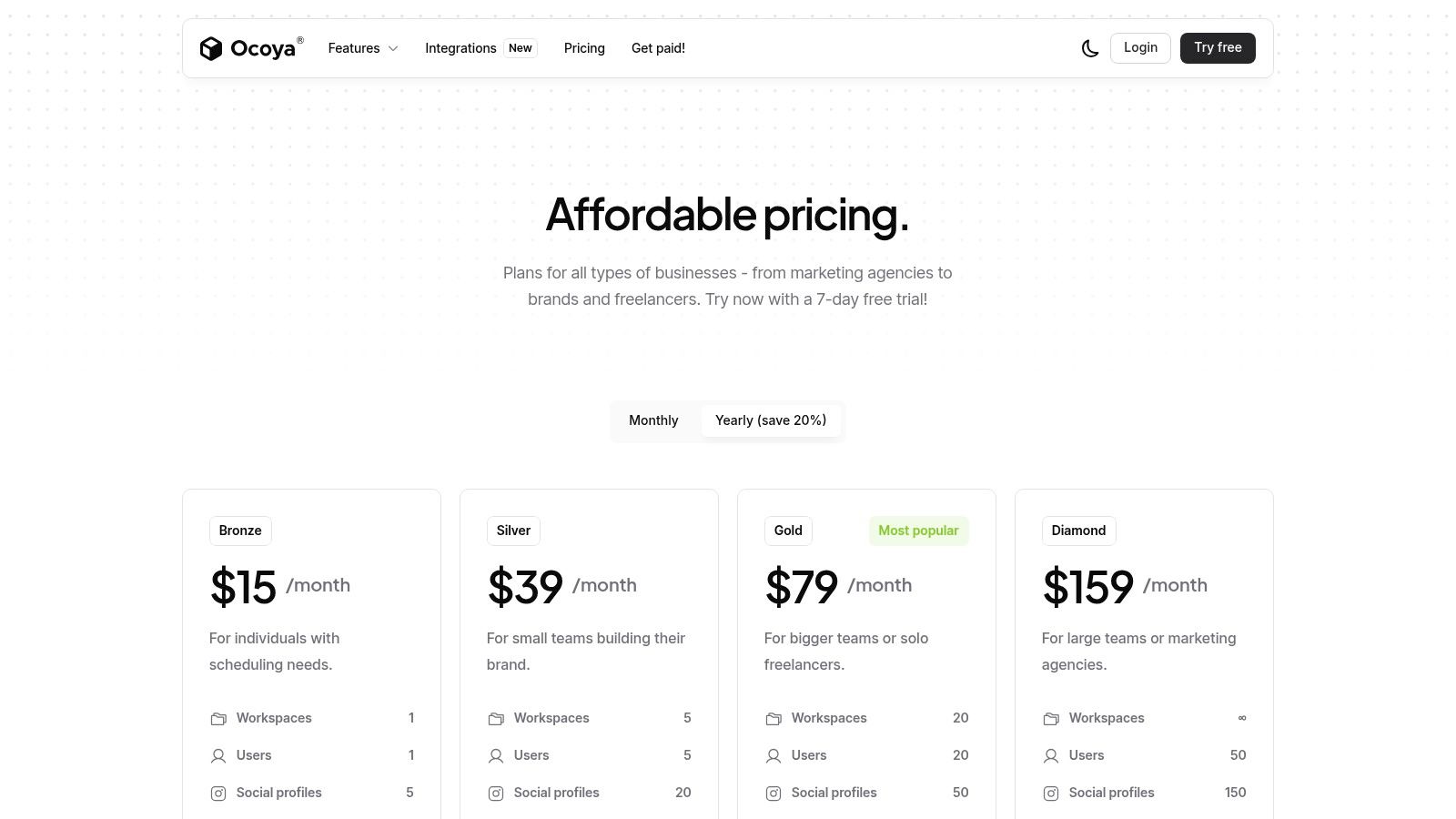
| Feature | Bronze | Silver | Gold |
|---|---|---|---|
| Pricing | From $19/month | From $49/month | From $99/month |
| AI Copywriting Credits | 100/month | 500/month | 1,500/month |
| AI Image Credits | 20/month | 100/month | 300/month |
| E-commerce Support | ✅ | ✅ | ✅ |
Pros & Cons
- ✅ Pros: Combines copy, design, and scheduling in one platform; competitive pricing tiers; user-friendly interface with a free trial.
- ❌ Cons: AI credits are limited on lower plans; advanced automation features are reserved for higher-priced tiers.
How to Use with Postline.ai
Use Ocoya’s AI to quickly generate a batch of LinkedIn post ideas, complete with captions and initial visual concepts. You can then transfer the finalised copy into Postline.ai’s calendar to schedule it alongside your other content, using Postline.ai’s superior analytics to track performance and refine your strategy.
8. ContentStudio
Best for: Agencies and marketing teams needing collaboration and approval workflows.
ContentStudio is a powerful, multi-channel social media management platform designed for agencies and marketing teams. While not exclusively for LinkedIn, its robust AI features, comprehensive content calendar, and sophisticated approval workflows make it a strong contender for organisations managing a significant social presence. It centralises publishing, analytics, and engagement in one unified dashboard.
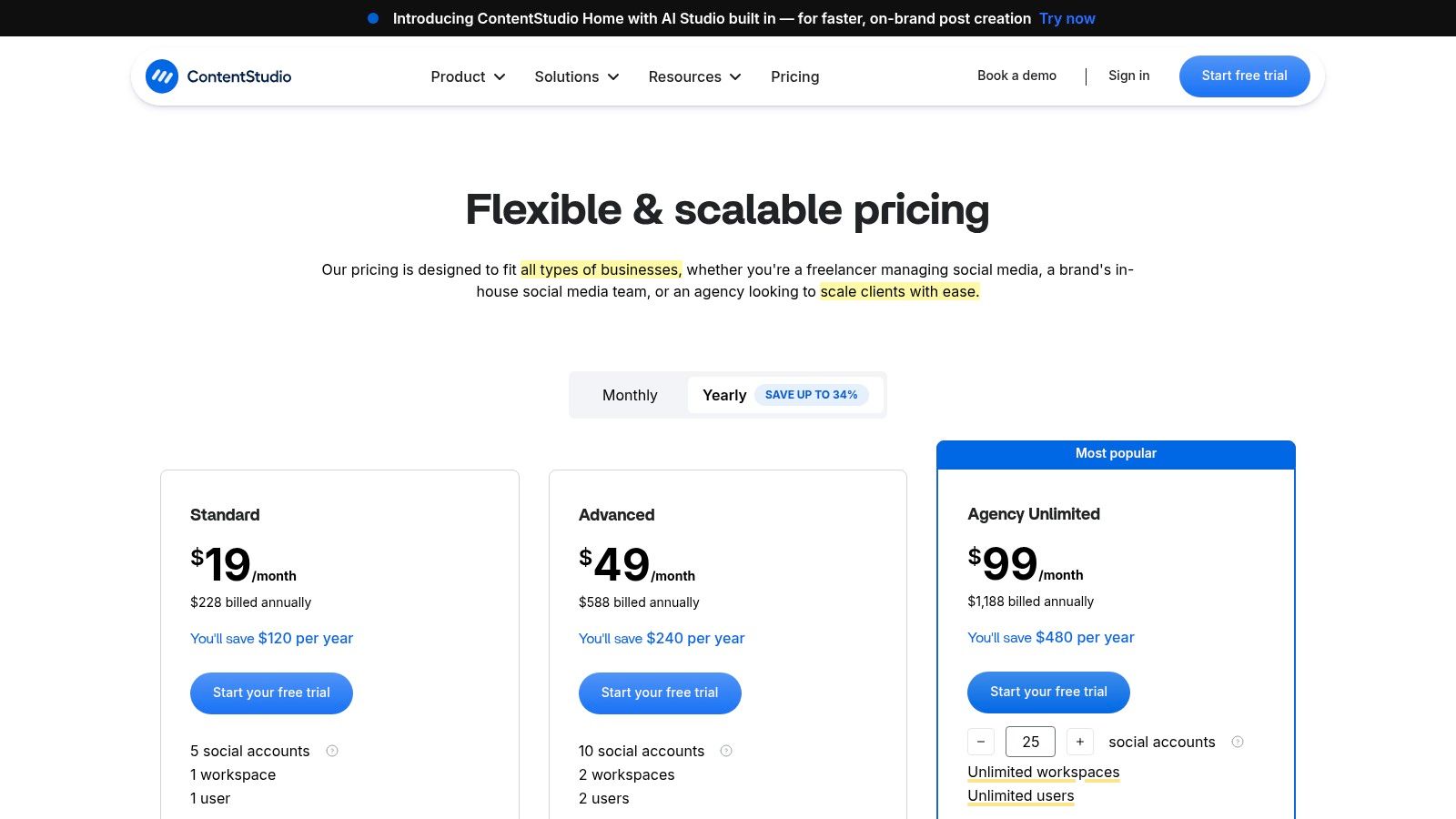
Unlike single-channel tools, ContentStudio’s AI Assistant is built for versatility. It helps generate captions and images not just for LinkedIn but across all major platforms, ensuring brand consistency. The platform also offers an AI-powered content discovery engine, which helps teams find and share relevant third-party articles, a key strategy for building authority on LinkedIn.
Standout Features for LinkedIn
- AI Writing Assistant: Generates post captions, provides rephrasing suggestions, and checks for quality directly within the post composer.
- Best Time to Post: Recommends optimal posting times for both LinkedIn Profiles and Company Pages based on audience engagement data.
- Team Collaboration & Approvals: Streamlines content creation with customisable approval workflows, ensuring all LinkedIn content is on-brand before publishing.
- Comprehensive Analytics: Delivers detailed reports on post performance, audience growth, and engagement metrics for LinkedIn Pages.
Key Benefit: ContentStudio excels at providing a centralised command centre for marketing teams. Its strength lies in combining AI-assisted creation with essential team-based features like content approvals and white-label reporting, making it one of the best AI tools for LinkedIn content 2025 for agencies and mid-sized businesses.
Who is it For?
ContentStudio is ideal for digital marketing agencies, social media managers, and mid-market companies that need to manage LinkedIn alongside other social networks and require structured collaboration and approval processes.
| Feature | Starter | Pro | Agency |
|---|---|---|---|
| Pricing | From $69/month | From $139/month | From $279/month |
| AI Credits (Text) | 5k/month | 20k/month | 50k/month |
| Approval Workflows | ❌ | ✅ | ✅ |
| Analytics & Reports | Basic | Advanced | White-Label |
Pros & Cons
- ✅ Pros: All-in-one platform for publishing, analytics, and engagement; strong team collaboration features; supports a wide range of social networks.
- ❌ Cons: The broad feature set can present a steeper learning curve for new users; AI credits are limited and may require purchasing add-ons for heavy use.
How to Use with Postline.ai
Use ContentStudio’s discovery engine to find trending articles relevant to your LinkedIn audience. Then, bring those article links into Postline.ai’s AI writer to generate unique, insightful commentary and schedule it as part of a cohesive, multi-platform content strategy managed from one place.
9. Swat.io
Best for: EU-based teams and agencies requiring GDPR compliance.
Swat.io is a comprehensive social media management platform with a strong focus on the DACH market, offering robust tools for teams prioritising data security and GDPR compliance. While not solely an AI writer, its integrated AI assistant enhances its core functions of content planning, scheduling, approvals, and community management, making it a reliable choice for organised teams operating within the EU.
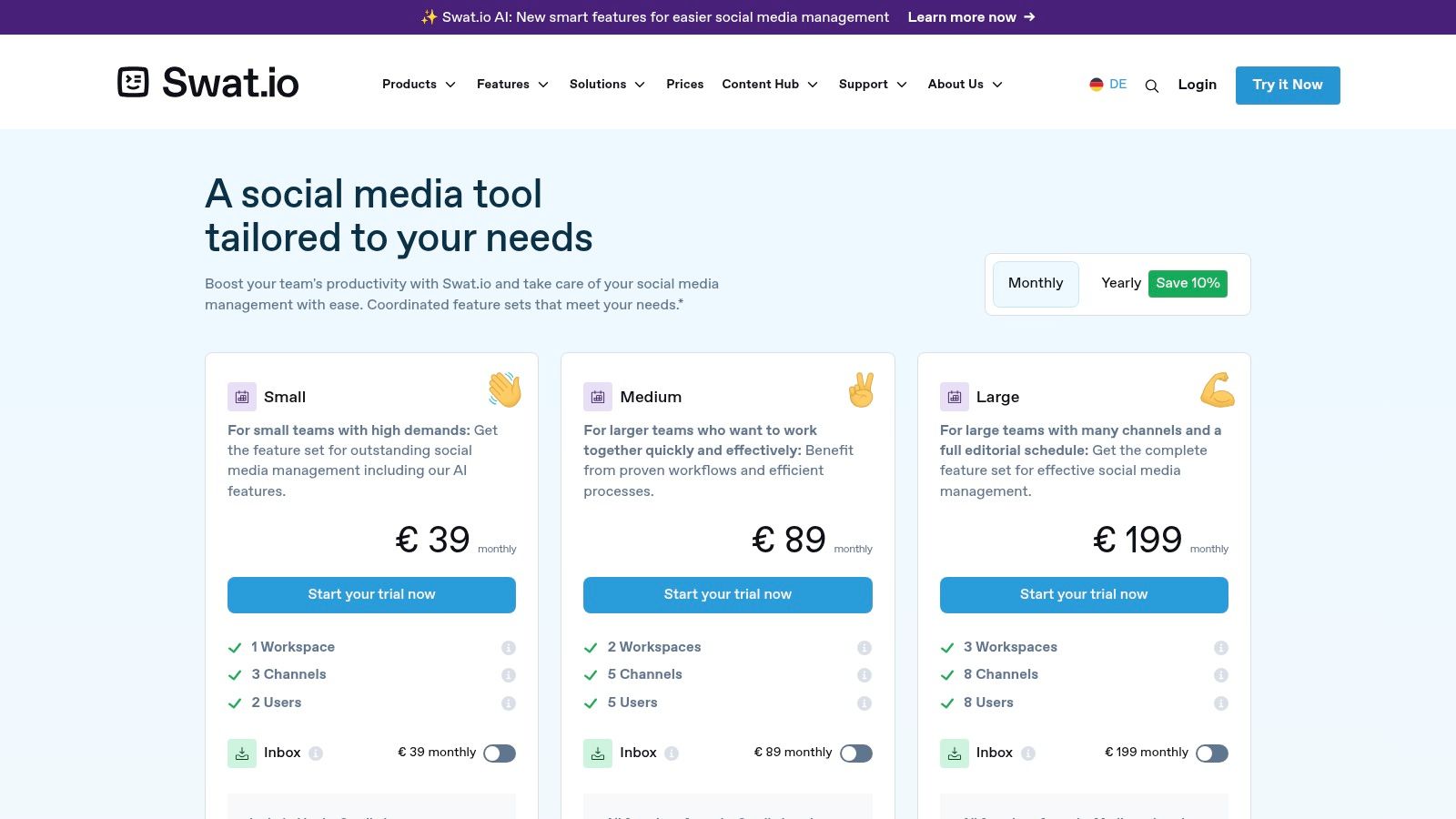
Unlike many global platforms, Swat.io’s unique selling proposition is its commitment to EU data protection, with servers hosted in Germany and SEPA payment support. Its AI features, such as text generation and enhancement with relevant hashtag and emoji suggestions, are built into a workflow designed for collaboration, including multi-level approval processes crucial for agencies and corporate marketing departments.
Standout Features for LinkedIn
- AI Text Assistance: Generate or refine LinkedIn post copy directly within the content calendar, with suggestions for hashtags and emojis.
- Collaborative Workflow: Features a multi-workspace calendar, campaign management, and customisable approval channels for team-based content creation.
- EU Data Compliance: All data is hosted on German servers, ensuring full GDPR compliance and providing peace of mind for European businesses.
- Centralised Analytics: Comprehensive reporting and analytics tools to measure LinkedIn performance alongside other social media channels.
Key Benefit: For European teams, particularly in the DACH region, Swat.io’s greatest advantage is its combination of collaborative workflow tools and a strict adherence to EU privacy standards. This makes it one of the best AI tools for LinkedIn content 2025 for organisations where compliance is non-negotiable.
Who is it For?
Swat.io is best suited for marketing agencies, social media teams, and medium-to-large businesses in the EU, especially the DACH region, that require a collaborative platform with strong data protection and German-language support.
| Feature | Small | Medium | Large |
|---|---|---|---|
| Pricing | Quote Required | Quote Required | Quote Required |
| AI Text Generation | ✅ | ✅ | ✅ |
| Approval Workflows | ✅ | ✅ | ✅ |
| Data Hosting | Germany (EU) | Germany (EU) | Germany (EU) |
Pros & Cons
- ✅ Pros: Strong EU privacy posture (GDPR), designed for multi-user teams and agencies, excellent German-language support and EU billing options.
- ❌ Cons: Pricing requires a demo/quote for exact rates, AI features are supportive rather than the core focus, smaller template library than design-first tools.
How to Use with Postline.ai
Use Swat.io for its core strengths in team collaboration and approval workflows for your primary European-based clients. For broader, multi-platform campaigns that require more advanced AI content generation and scheduling across all social channels, you can import finalised post ideas into Postline.ai to leverage its superior AI creative tools and manage a global content calendar.
10. Metricool
Best for: Agencies and managers handling multiple brands on a budget.
Metricool is a versatile social media management platform that combines scheduling, analytics, and an AI assistant into a single, affordable package. While not exclusively a LinkedIn tool, its strong support for both company pages and personal profiles, coupled with robust reporting features, makes it a powerful option for managers and agencies handling multiple brands.
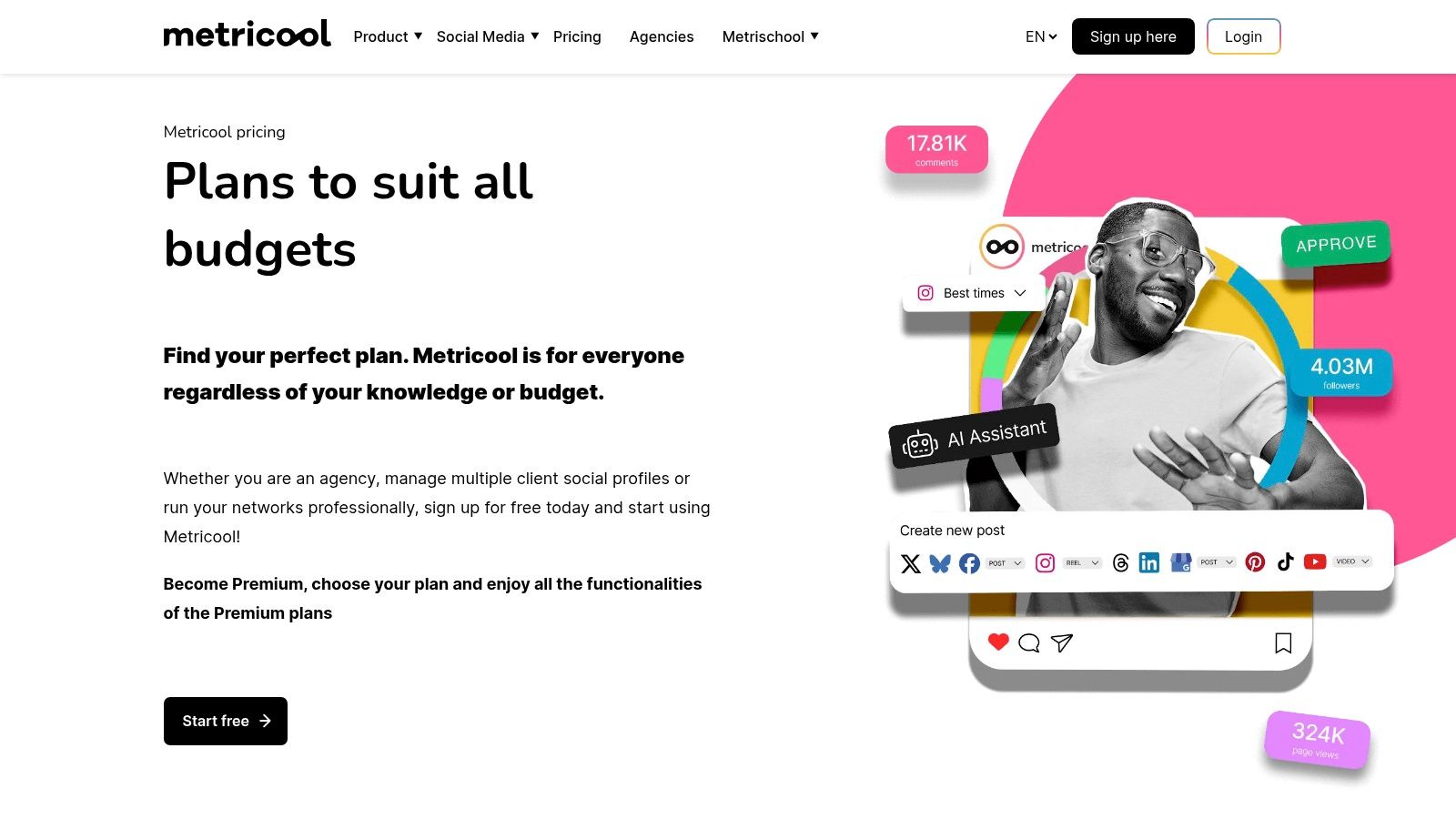
Its AI assistant helps users overcome writer’s block by generating post copy from simple prompts, saving significant time in the content creation process. The platform’s real strength, however, lies in its planning and analytical capabilities. Users can visualise their entire content calendar, track post-performance, and analyse competitors on LinkedIn to spot trends and opportunities for engagement.
Standout Features for LinkedIn
- AI Social Media Assistant: Generate post copy and ideas directly within the content planner.
- Unified Planner: Schedule and review posts for LinkedIn personal profiles and company pages in one calendar.
- Competitor Analysis: Track key metrics for competing LinkedIn pages to benchmark your performance.
- Comprehensive Reporting: Automatically generate customisable PDF and PPT reports, with a Looker Studio connector for advanced analytics.
Key Benefit: Metricool offers exceptional value for agencies and multi-brand managers. Its per-brand pricing model and all-in-one feature set for planning, scheduling, and reporting make it one of the most cost-effective AI tools for LinkedIn content 2025.
Who is it For?
Metricool is ideal for social media managers, marketing agencies, and businesses that need to manage multiple social media profiles (including LinkedIn) without an enterprise-level budget.
| Feature | Free | Starter | Advanced |
|---|---|---|---|
| Pricing | €0/month | From €15/month | From €25/month |
| AI Post Generation | 50 uses/month | 2,000 uses/month | 5,000 uses/month |
| LinkedIn Connection | ❌ | ✅ | ✅ |
| Reporting | Basic | ✅ | ✅ (with custom templates) |
Pros & Cons
- ✅ Pros: Excellent value for multi-brand management, powerful reporting and analytics, integrated AI assistant.
- ❌ Cons: LinkedIn is not available on the free plan, advanced agency features like approval workflows are on higher tiers.
How to Use with Postline.ai
Use Postline.ai to brainstorm and create your core LinkedIn content pillars and initial drafts. You can then schedule them within Metricool to take advantage of its competitor analysis and automated reporting features, giving you a complete workflow from ideation to performance review.
11. OpusClip (opus.pro)
Best for: Repurposing long-form videos into short, shareable clips.
OpusClip is a generative AI video tool that specialises in repurposing long-form video content into engaging, short-form clips perfect for LinkedIn. It’s designed for creators and brands who produce webinars, podcasts, or video interviews and want to maximise their content’s reach by transforming a single piece of content into dozens of shareable, high-potential vertical videos.
The platform’s core strength is its “ClipAnything” AI, which analyses long videos to identify the most compelling hooks and highlights. It then automatically reframes the footage, adds dynamic animated captions, and even inserts relevant B-roll to create a polished, native-looking video clip. This automation saves hours of manual editing, making it one of the best AI tools for LinkedIn content 2025 for video-first strategies.
Standout Features for LinkedIn
- AI Curation & Virality Score: Automatically identifies the most engaging segments from your videos and predicts their viral potential.
- Automated Captions & Reframing: Adds stylish, animated captions and reframes horizontal video into vertical or square formats ideal for the LinkedIn feed.
- AI B-Roll: Intelligently adds stock footage to your clips to enhance visual storytelling and maintain viewer engagement.
- Social Scheduler: Includes a built-in scheduler to directly post your finished clips to LinkedIn and other platforms from within the tool.
Key Benefit: OpusClip’s greatest advantage is its ability to turn a single long video asset into a month’s worth of LinkedIn content with minimal effort. The AI-driven editing and virality scoring significantly lower the barrier to producing consistent, high-quality video for the platform.
Who is it For?
OpusClip is ideal for podcasters, webinar hosts, coaches, and marketing teams who already create long-form video and need an efficient way to repurpose it into short, shareable clips for LinkedIn lead generation and brand building. For more insights into optimising video on the platform, you can learn more about how to post a video on LinkedIn.
| Feature | Free | Starter | Pro |
|---|---|---|---|
| Pricing | $0/month (with watermark) | From $19/month | From $38/month |
| Uploading Credits | 60 mins/month | 200 mins/month | 500 mins/month |
| AI B-Roll | ✅ | ✅ | ✅ |
| Team Workspace | ❌ | ❌ | ✅ |
Pros & Cons
- ✅ Pros: Massively reduces video editing time, affordable entry-level plans, AI features are specifically tailored for social media virality.
- ❌ Cons: Credit limits on all plans can be restrictive for heavy users, it is a specialised video tool, not a complete social media management suite.
How to Use with Postline.ai
Use OpusClip to generate a batch of engaging video clips from your latest webinar or podcast episode. You can then download these clips and upload them directly into Postline.ai’s content calendar to schedule them alongside your text posts, articles, and image updates for a comprehensive, multi-format LinkedIn strategy.
12. SHIELD
Best for: Data-driven creators who want deep performance analytics.
SHIELD is a creator-grade LinkedIn analytics platform that prioritises deep, actionable data over content generation. Rather than creating posts for you, it analyses the performance of your existing content to tell you what works. Its AI Agent acts as your personal data analyst, summarising performance and suggesting future content ideas based on your own historical data.
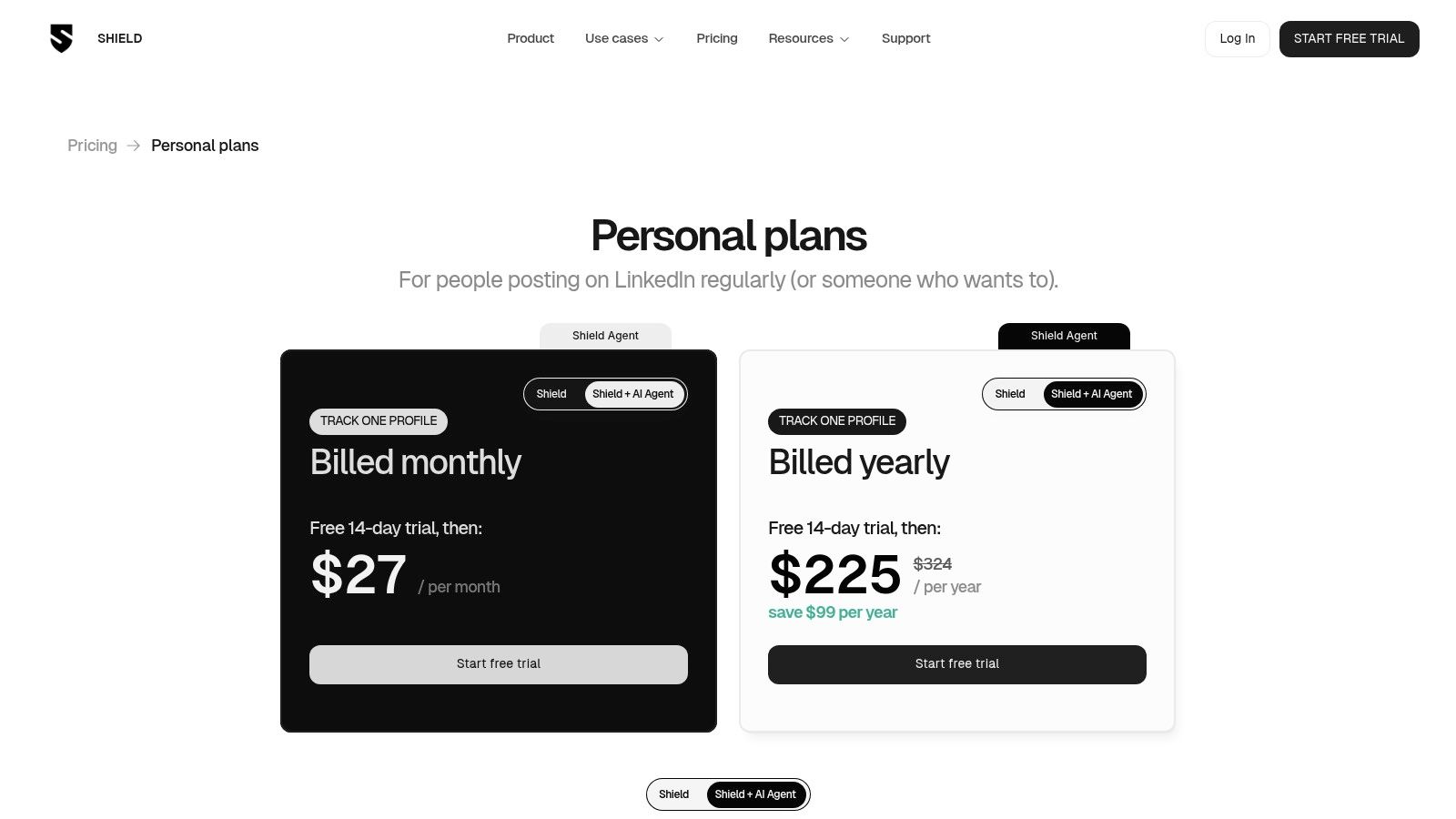
Unlike all-in-one tools, SHIELD focuses purely on analytics, providing insights that are far more granular than native LinkedIn analytics or generalist social media tools. The platform helps you understand which content formats, topics, and posting times drive the best results for your specific audience. This data-driven approach allows you to refine your strategy with precision, ensuring your content efforts are always optimised for maximum impact.
Standout Features for LinkedIn
- Deep Post & Profile Analytics: Go beyond surface-level metrics with detailed reports on individual posts and overall profile growth.
- AI Agent: Ask questions in natural language to get insights and content suggestions derived directly from your own performance data.
- Content Labels & Filtering: Organise your posts with custom labels to track the performance of different content pillars or campaigns.
- Team & Agency Ready: Simple per-profile pricing makes it easy to manage and report on multiple LinkedIn accounts.
Key Benefit: SHIELD’s core advantage is its powerful, data-first approach. By leveraging AI to analyse your own successful content, it provides hyper-personalised suggestions, making it one of the best AI tools for LinkedIn content 2025 for creators who want to double down on what’s already working.
Who is it For?
SHIELD is ideal for data-driven LinkedIn creators, thought leaders, and marketing agencies who need in-depth performance analytics to inform their content strategy and prove ROI.
| Feature | Starter | Creator | Power |
|---|---|---|---|
| Pricing | From $29/month/profile | From $21/month/profile | From $16/month/profile |
| AI Agent | ✅ | ✅ | ✅ |
| Content Labels | Up to 10 | Unlimited | Unlimited |
| Historical Data Import | 3 months | 1 year | All-time |
Pros & Cons
- ✅ Pros: Provides deep, LinkedIn-specific analytics, AI insights are based on your personal data, simple per-profile pricing for teams.
- ❌ Cons: It is not a scheduler or writing tool, the AI’s value depends on having a consistent posting history.
How to Use with Postline.ai
Use SHIELD’s AI Agent to analyse your top-performing posts and generate data-backed content ideas. You can then take these proven concepts and schedule them directly within Postline.ai’s content calendar, creating a powerful, data-informed workflow that connects analytics with execution.
Top 12 AI Tools for LinkedIn Content — 2025 Comparison
| Tool | Core features | UX & quality (★) | Price & value (💰) | Target & USP (👥 / ✨) |
|---|---|---|---|---|
| Postline.ai 🏆 | AI post generator; real‑time research & citations; voice learning; scheduler; Audience Explorer; team collab | ★★★★☆ — LinkedIn‑tuned, highly personalized | 💰 Check site (trial likely) — high time‑savings value | 👥 Creators, marketers, teams — ✨AI Memory, Ghostwriter Mode, live research |
| Taplio | AI Expert Mode, viral post library, carousel gen, lead/relationship tools | ★★★★☆ — growth & lead‑gen focused | 💰 Mid‑tier; 7‑day trial + refund policy | 👥 Creators, consultants, B2B teams — ✨Lead‑warming + viral inspo |
| Hootsuite (OwlyWriter AI) | Cross‑channel publishing, scheduling, analytics, OwlyWriter AI | ★★★★☆ — enterprise‑grade reporting & workflows | 💰 Enterprise pricing; can be costly for small teams | 👥 Enterprises & agencies — ✨Robust analytics + enterprise controls |
| Buffer (AI Assistant) | Scheduler, visual calendar, AI Assistant for ideation & rewrites | ★★★★☆ — simple UX, easy onboarding | 💰 Freemium; generous free tier with AI; low‑cost upgrades | 👥 Solo creators & small teams — ✨Unlimited AI on free plan |
| Canva (Magic Studio) | Magic Write copy, Magic Design, templates for carousels & video | ★★★★☆ — fast visuals, huge asset library | 💰 Freemium; advanced AI/features may need paid plan/credits | 👥 Non‑designers & creators — ✨Design templates + Magic Write |
| Jasper | Brand Voice & Knowledge, campaigns, social templates, extension | ★★★★☆ — marketing‑grade consistency for teams | 💰 Higher‑cost; best for teams needing brand governance | 👥 Marketing teams & agencies — ✨Brand governance + multichannel |
| Ocoya | AI captions, image generation, scheduler, e‑commerce integrations | ★★★★☆ — all‑in‑one creator workflow (credit limits) | 💰 Competitive tiers; 7‑day trial | 👥 SMEs & agencies — ✨Copy + image + scheduler combo |
| ContentStudio | AI captions/images, publishing calendar, approvals, analytics | ★★★★☆ — broad toolset, steeper learning curve | 💰 Mid‑market pricing; AI credit buckets | 👥 Mid‑market teams & agencies — ✨Flexible accounts & reporting |
| Swat.io | AI text enhancement, multi‑workspace calendar, approvals, DE servers | ★★★★☆ — EU‑focused UX & compliance | 💰 Demo/quote; EU billing (SEPA) | 👥 DACH teams/agencies — ✨German hosting & GDPR posture |
| Metricool | AI assistant, planner, unlimited scheduling (paid), competitor analysis | ★★★★☆ — good reporting value for agencies | 💰 Competitive per‑brand pricing; paid LinkedIn support | 👥 Agencies & multi‑brand users — ✨Competitor tracking & reports |
| OpusClip (opus.pro) | Video highlight detection, automated captions, reframing, scheduler | ★★★★☆ — fast, template‑led video repurposing | 💰 Affordable tiers; minute/credit limits | 👥 Podcasters, webinar hosts — ✨Auto clip + caption + B‑roll |
| SHIELD | Deep LinkedIn post/profile analytics, AI Agent for insights | ★★★★☆ — LinkedIn‑specific analytics excellence | 💰 Per‑profile pricing; pairs with publishers | 👥 Creators & analysts — ✨Post‑level analytics + AI insights |
How to Choose the Right AI Tool for Your 2025 LinkedIn Strategy
Navigating the landscape of the best AI tools for LinkedIn content in 2025 can feel overwhelming, but it’s also an exciting opportunity. As we’ve explored, the right technology can transform your LinkedIn presence from a simple networking profile into a dynamic engine for brand growth, lead generation, and thought leadership. The key is no longer just about being present on the platform; it’s about being strategically and authentically present, consistently.
The tools we have detailed, from comprehensive schedulers like Postline.ai and Hootsuite to specialised content creators like Jasper and Canva’s Magic Studio, all serve a common purpose: to give you back your most valuable resource, time. They automate the repetitive, analyse the complex, and assist in the creative process, allowing you to focus on the human elements of connection and strategy that AI cannot replicate.
Key Takeaways and Actionable Next Steps
To move forward, it’s crucial to distil our extensive list into a personalised action plan. Here are the most important takeaways to guide your decision-making process:
- Define Your Core Need First: Before you are dazzled by feature lists, pinpoint your primary bottleneck. Is it generating post ideas (ideation)? Writing compelling copy? Designing visuals? Or is it scheduling and analysing performance? Your main pain point should be your first filter.
- A “One-Tool” Solution is Rare: The most effective LinkedIn strategies often involve a carefully selected “stack” of tools. For example, you might use Jasper for long-form article drafting, Canva for creating carousels and video covers, and an all-in-one platform like Postline.ai to bring it all together for scheduling, personalisation, and analytics.
- Balance Automation with Authenticity: The goal of these AI tools is not to remove your voice but to amplify it. Use them to generate drafts, analyse trends, and optimise for reach, but always infuse your final content with your unique personality, insights, and experiences. Your audience connects with you, not the algorithm.
- Start with a Trial: Nearly every tool on our list offers a free trial or a freemium plan. Use these opportunities to test the user interface, evaluate the quality of the AI-generated output, and see how well it integrates into your existing workflow.
Making Your Final Selection: A Practical Framework
Choosing the right tool is a strategic decision. Use this framework to guide your selection:
-
Assess Your Role and Goals:
- Solo Entrepreneurs/Creators: Look for affordability and all-in-one functionality. Tools like Metricool, Ocoya, or Buffer offer a great balance of content creation, scheduling, and basic analytics without a steep learning curve.
- Sales Professionals & Recruiters: Prioritise tools that excel at personalisation and engagement, such as Taplio or the advanced features within Postline.ai that help tailor content to specific audiences.
- Marketing Teams & Agencies: You need collaboration features, robust analytics, and multi-platform support. Solutions like ContentStudio, Swat.io, and Hootsuite are built for team-based workflows.
-
Consider Your Content Format:
- If you are heavily invested in video, a specialised tool like OpusClip is non-negotiable for repurposing long-form content.
- If your brand is highly visual, Canva’s Magic Studio is an essential companion for creating professional-grade images, carousels, and infographics.
- For those focused on thought leadership through written content, Jasper provides unmatched long-form writing assistance.
The power of AI extends well beyond just social media posts. The same principles of leveraging AI for ideation, drafting, and refinement apply to many professional communication formats. For a broader understanding of AI’s potential in content creation, discover how to create compelling presentations with AI.
Ultimately, the best AI tool for your LinkedIn content in 2025 is the one that you will consistently use. It should feel less like a chore and more like a trusted partner, empowering you to build meaningful connections and achieve your professional goals on the world’s largest professional network. Embrace the technology, but never forget that authentic human connection remains your most powerful asset.
Ready to transform your LinkedIn strategy with an AI co-pilot designed for growth? Postline.ai combines intuitive scheduling, powerful AI-driven content creation, and deep analytics into one streamlined platform. Stop guessing and start growing by trying it for free today.

Run every client pipeline in one place
Give each LinkedIn profile its own voice, calendar, approval flow, and analytics. Start in minutes.
Start free trial